Coworking OS Mail
Business email that knows your tenants.
you@yourspace.com, inside Coworking OS. No separate Zoho Mail or Google Workspace. Every email shows which tenant, lead or vendor it is from, and replies take one click with the invoice attached.
Your domain, your mailboxes
Email on your own domain, set up in one screen.
Add your domain and the DNS records are placed for you at Hostinger, Cloudflare or GoDaddy. Your existing email keeps working until you choose to switch.
- Personal mailboxes for you and each team member.
- Shared inboxes like info@ and bookings@ that the whole front desk sees.
- Groups that copy a message to several people, with optional approval.
Email that knows the business
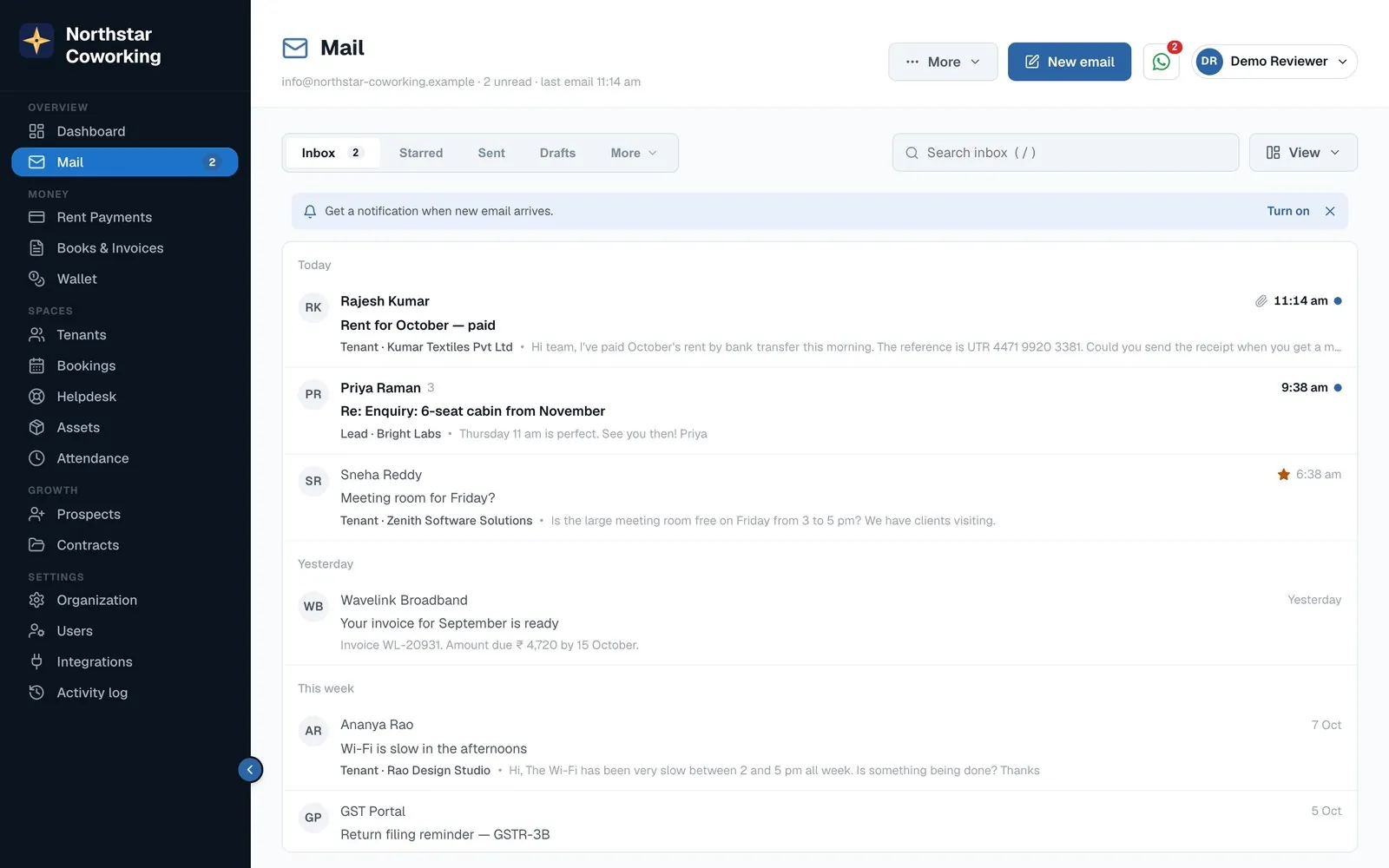
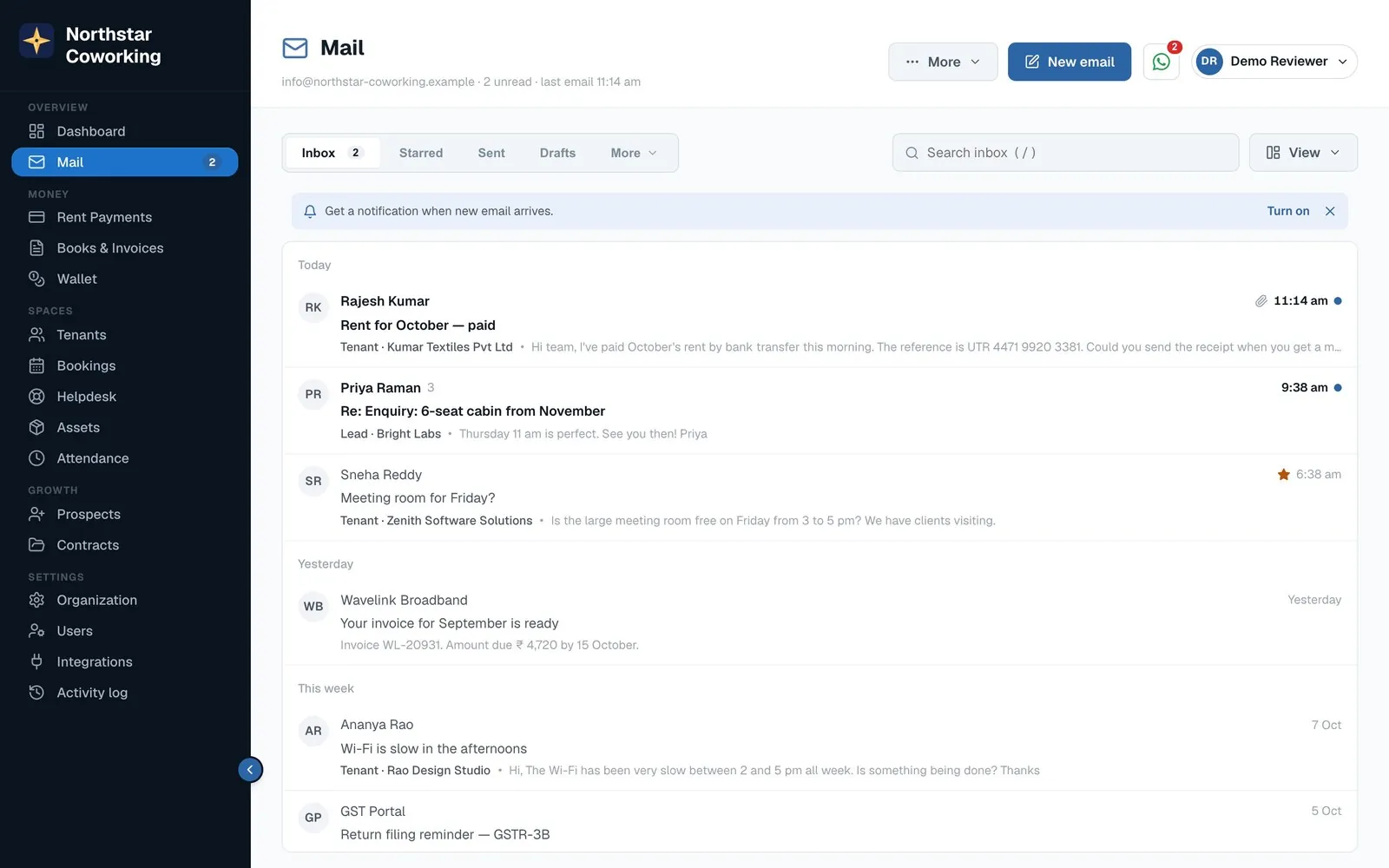
Every email shows who it's from.
A tenant, lead or vendor chip sits on each message, with one click to their record: cabin, rent, agreement, dues. An unknown sender gets an 'Add as lead' button.
- Tenant · Kumar Textiles on the message, not in your memory.
- Open the record beside the email, without leaving Mail.
- Unknown sender? Add as lead in one click; the enquiry joins the pipeline.
Write faster
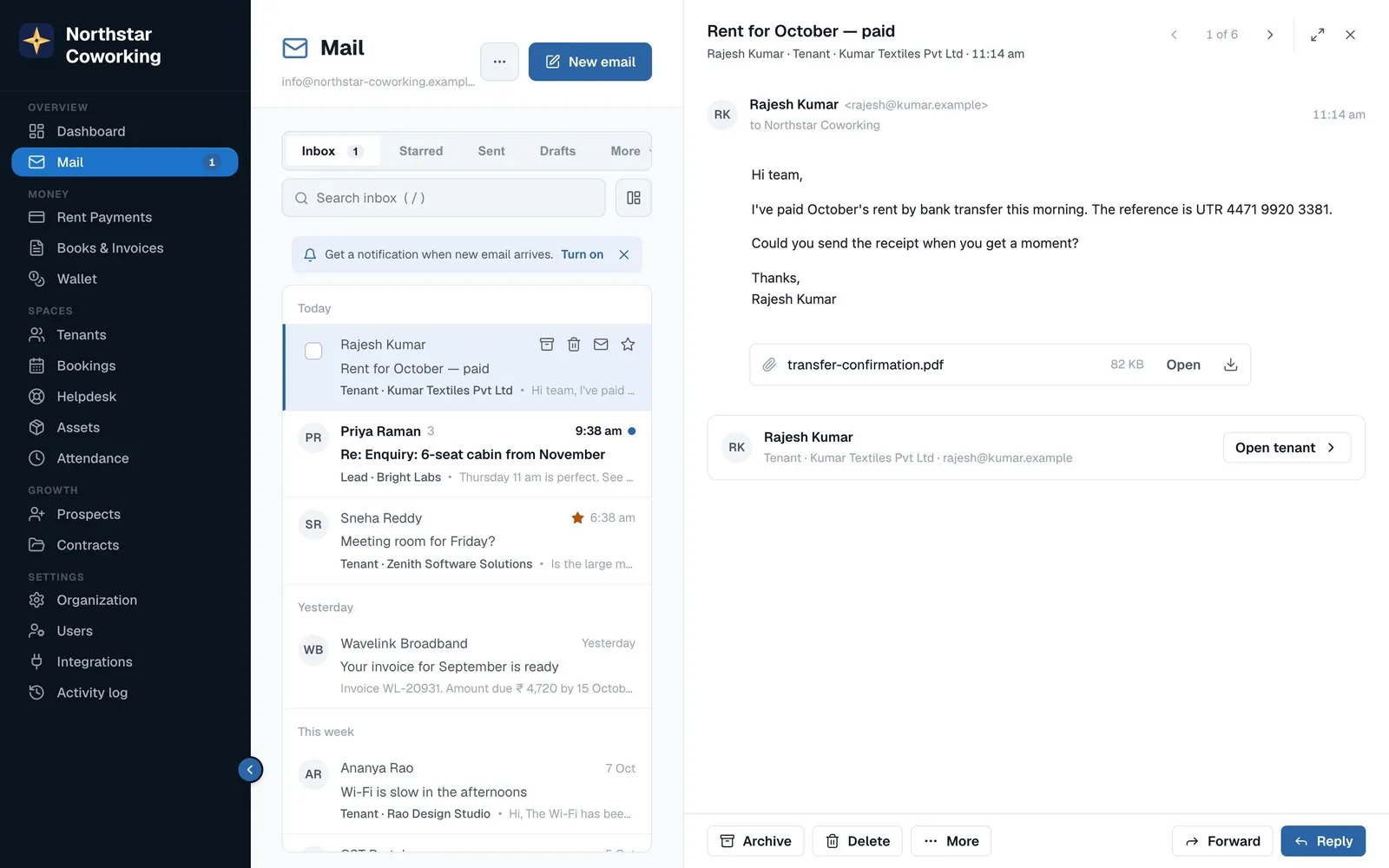
Templates that fill themselves in.
Rent reminder, booking confirmation, welcome note: saved templates pull in the tenant's name, cabin, amount due and month. Attach invoices, receipts and agreements straight from Coworking OS.
- Attach from the app invoice, receipt or signed agreement, no download first.
- Big files go as a download link instead of clogging inboxes.
- Undo send for ten seconds after you click Send.
Calm, fast, safe
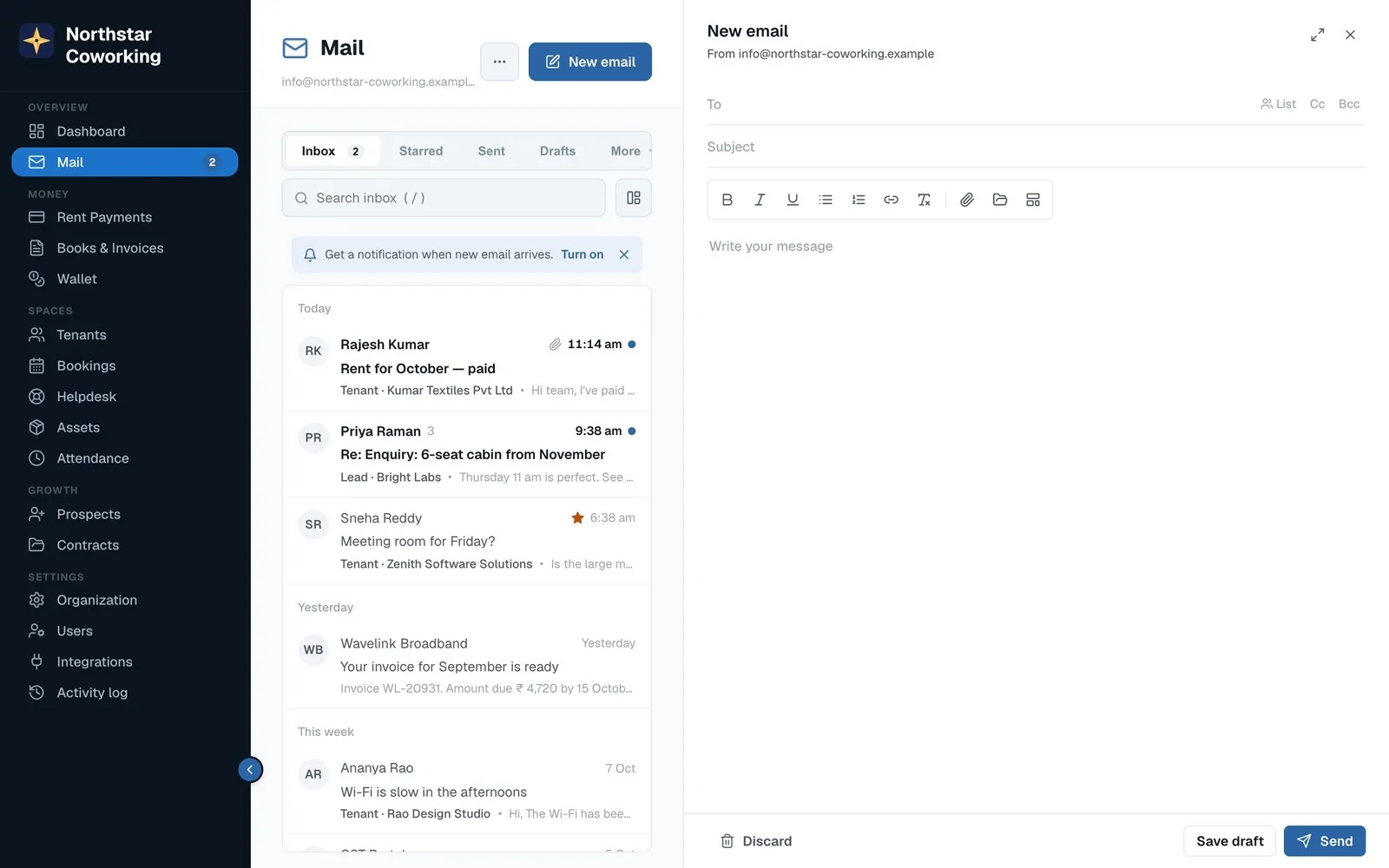
A modern mail app, not a bolt-on.
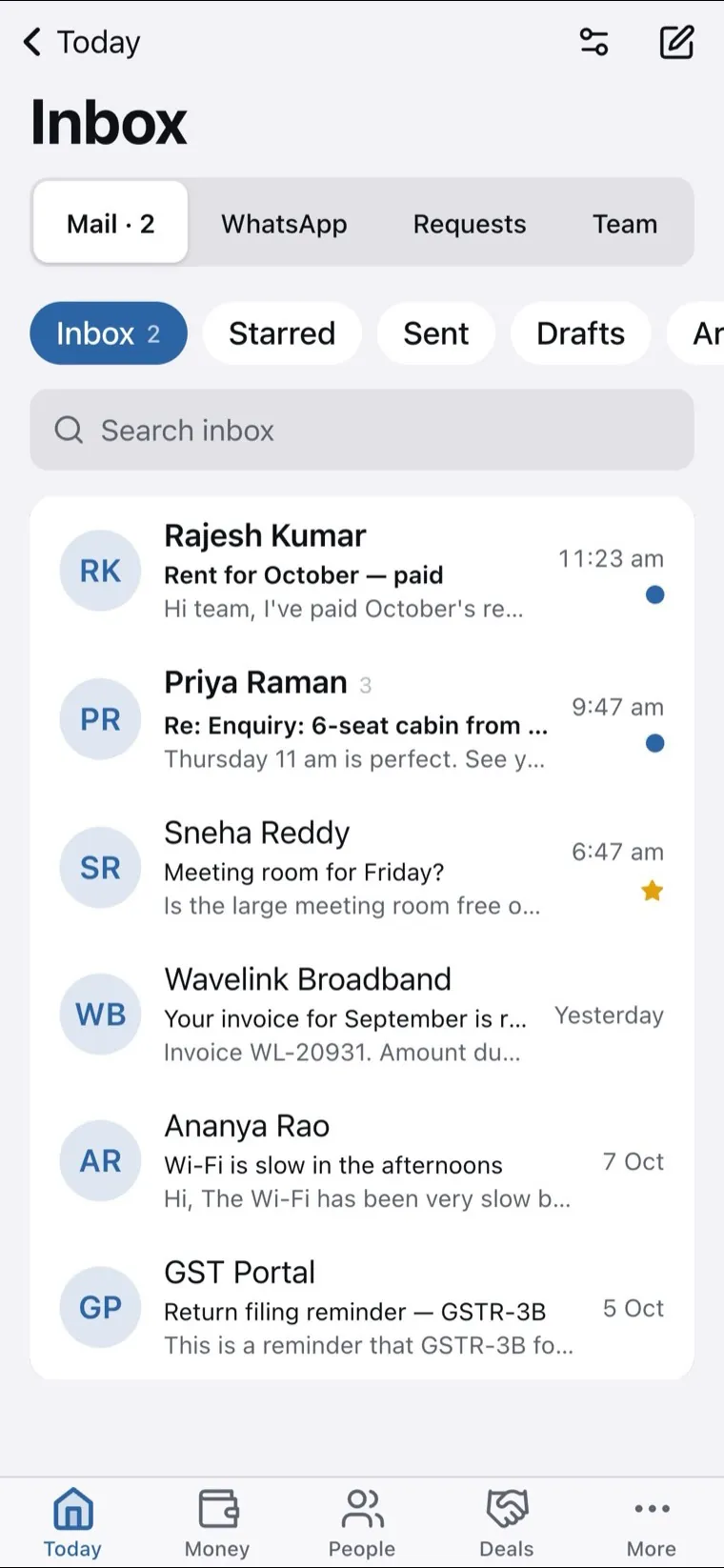
List and reading pane side by side, next and previous, PDF and picture preview without downloading, keyboard shortcuts. Out-of-office, rules that sort for you, spam filtering and virus scanning. It works in the phone browser too.
- Rules and out-of-office set by each person for their own mailbox.
- Always allow / always block senders you know or don't.
- Outlook and Apple Mail connect your mail app too, arriving shortly, along with Mail inside the Android and iPhone apps.
Admin control
Run your email from Settings, not from a server.
Decide who sees which mailbox, read-only or send, or send on behalf. Two-step sign-in, office-network-only access, and an outgoing guard that pauses a mailbox sending unusual volumes.
- Compliance retention rules, legal hold, search and export across mailboxes with an audit trail, restore from the nightly backup.
- Reports mail per day, storage, delivery tracking, bounces, DMARC protection against fake senders.
- Lists send to all tenants or all leads, with unsubscribe handled.
How it works
Up and running in three steps.
Add your domain
One screen. We place the DNS records for you where your domain lives; the check turns green when they're in.
Create mailboxes
A personal one for each person, shared ones for the front desk. Choose who can read, send or send on behalf.
Move in
Import your old mail from Zoho, Gmail or any provider with an export file, or copy straight from the old server. Export any time as a zip.
Questions
Frequently asked
Do I still need Zoho Mail or Google Workspace?
No. Coworking OS Mail is full business email on your own domain, with the one thing those can't do: every message tagged with the tenant or lead it belongs to.
Can my whole team share info@?
Yes. Shared inboxes show who read, replied or archived each conversation, so two people never answer the same tenant twice.
What happens to my existing email?
It keeps working until you choose to switch. You can import everything from Zoho, Gmail or any provider, and export it all again as a zip whenever you like.
Is it secure?
Two-step sign-in, office-network-only access if you want it, spam filtering and virus scanning, and no email can run code inside Coworking OS. Admins can't read anyone's personal mailbox; compliance search is logged.
Can I use it in Outlook or the Apple Mail app?
Yes, that is arriving shortly: connect Outlook, Apple Mail or any mail app with an app password, and Mail is coming inside the Android and iPhone apps too. Today it runs in the browser on your computer and phone.
How do I get it?
Book a demo and we'll set up your domain with you. You can also try Mail in the live demo.