Rent collection software
Rent collection software for coworking and shared offices.
Send every tenant their invoice with a Pay Now link, remind the unpaid in one tap, and have payments recorded and receipted without typing a thing.
The month at a glance
Know who has paid before you ask.
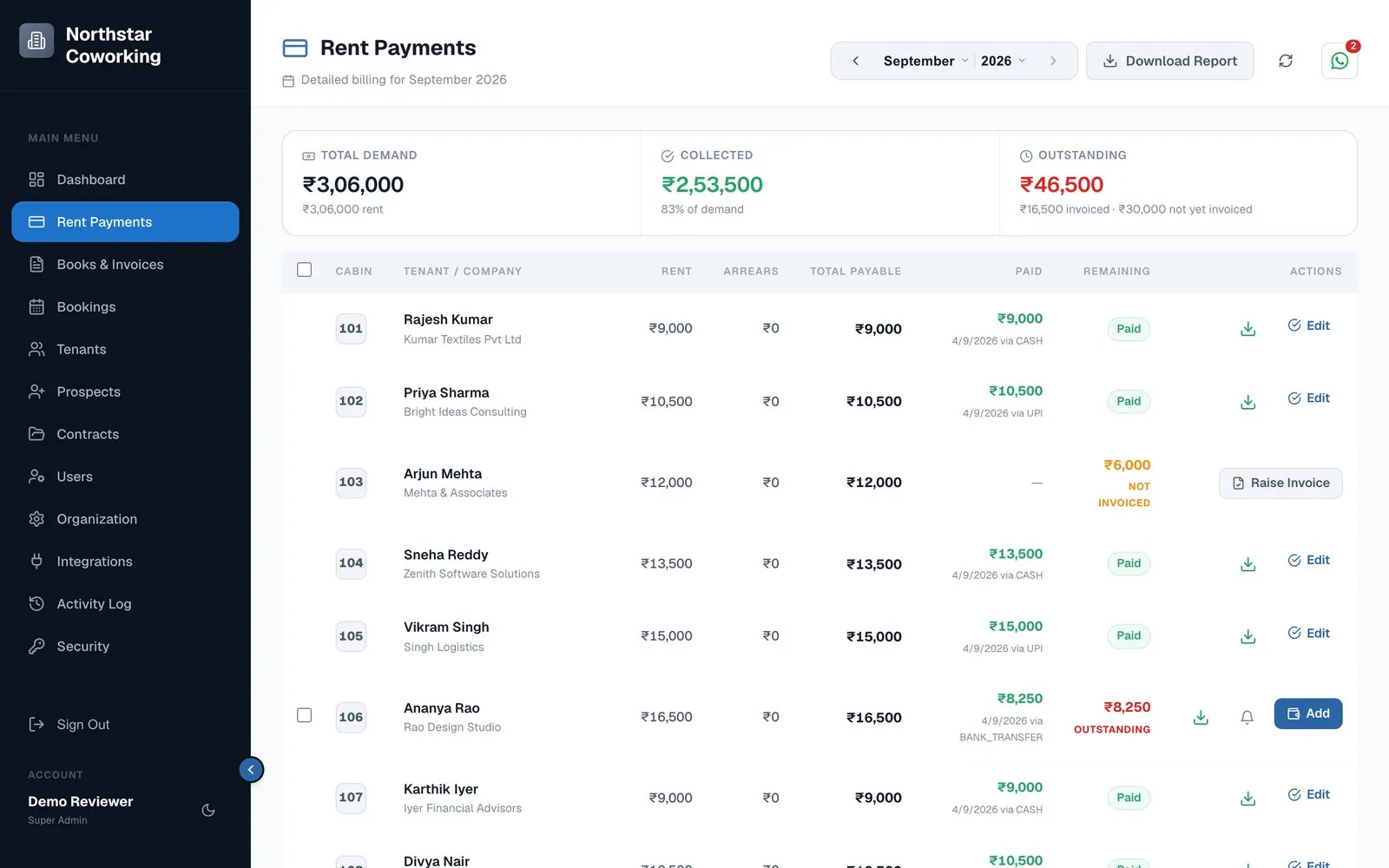
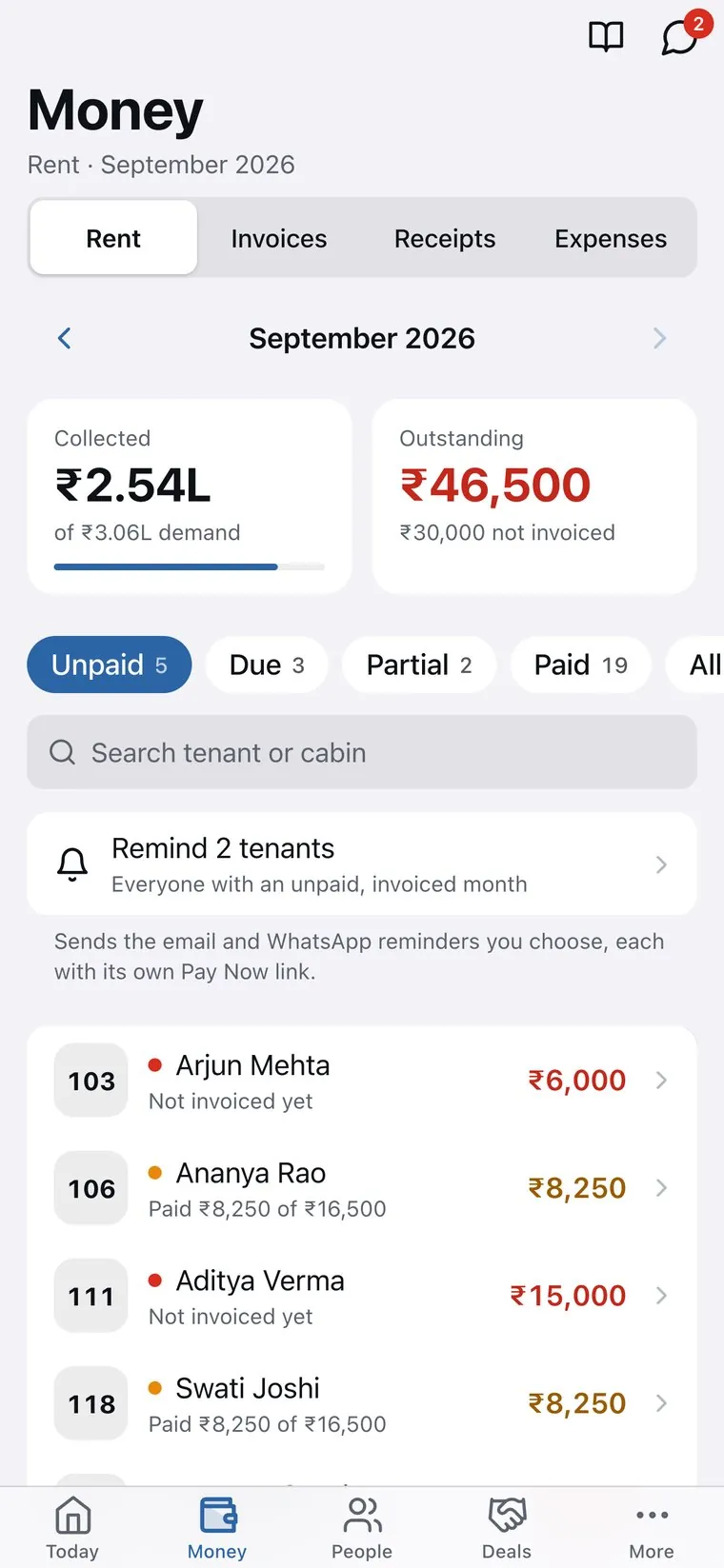
Each cabin's rent for the month on one screen: demand, collected and outstanding, and how each tenant paid.
- Unpaid, due, partial and paid filters.
- Arrears carried into the next month correctly.
- Monthly report you can download.
Reminders
Remind everyone in one tap.
Everyone with an unpaid invoice gets a reminder by email and WhatsApp, each with their own Pay Now link, sent from your business number.
- Pay Now links on every invoice and reminder.
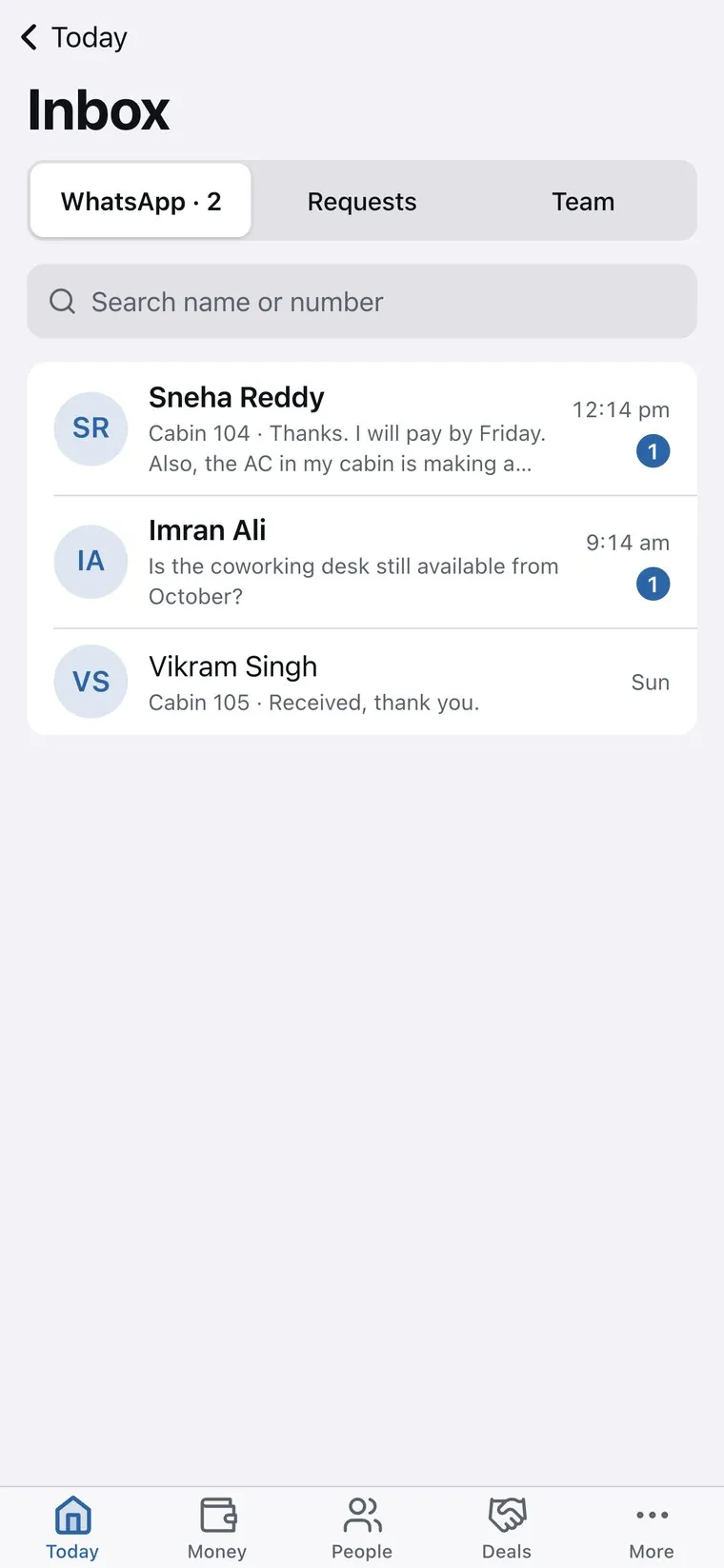
- Your own WhatsApp Business number, so replies come to you.
- Replies land in the inbox next to the tenant's record.
Payments and receipts
Paid, recorded and receipted.
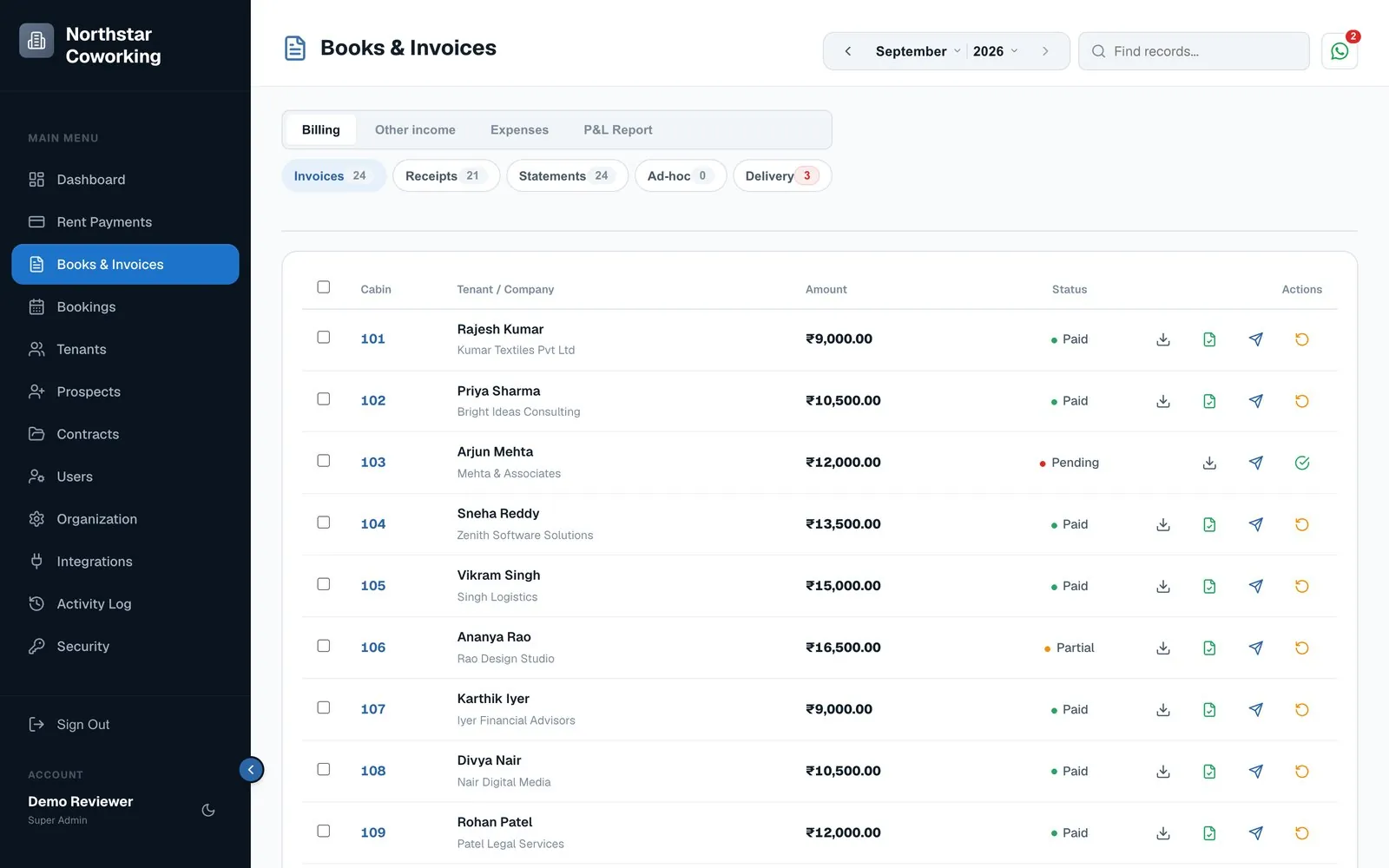
Online payments through your gateway are matched to the tenant and marked paid. Cash, UPI and bank transfers are recorded in a tap, and the receipt goes out straight away.
- Razorpay, Cashfree or Zoho Payments into your own account.
- Receipts and statements for any tenant, any period.
- Books with a P&L on cash or accrual basis.
How it works
Up and running in three steps.
Add your tenants
Cabins, rents, deposits and due dates go in once.
Invoices go out
Every tenant gets their invoice with a Pay Now link by email and WhatsApp.
Collect and receipt
Payments are recorded as they arrive, and reminders go to whoever is still unpaid.
Questions
Frequently asked
Which payment methods can tenants use?
Anything your payment gateway supports, usually UPI, cards and net banking through Razorpay, Cashfree or Zoho Payments. Cash and bank transfers can be recorded by your team.
Does the money pass through Coworking OS?
No. Payments go straight to your own gateway account. Coworking OS records them and sends the receipt.
Can reminders go on WhatsApp?
Yes, from your own WhatsApp Business number, so tenants see your name and reply to you.
What happens with part payments?
The amount paid is recorded, and the balance stays outstanding and is carried forward correctly.
Can tenants see and pay their bills themselves?
Yes. The member portal shows their bills, receipts and agreements, with a Pay button.