Mobile app
Coworking OS on your phone, for the people who run the space.
Most coworking apps are made for members. Coworking OS is made for the owner and the team behind the front desk: rent, bookings, enquiries, members and WhatsApp, in one app on your phone and your laptop.
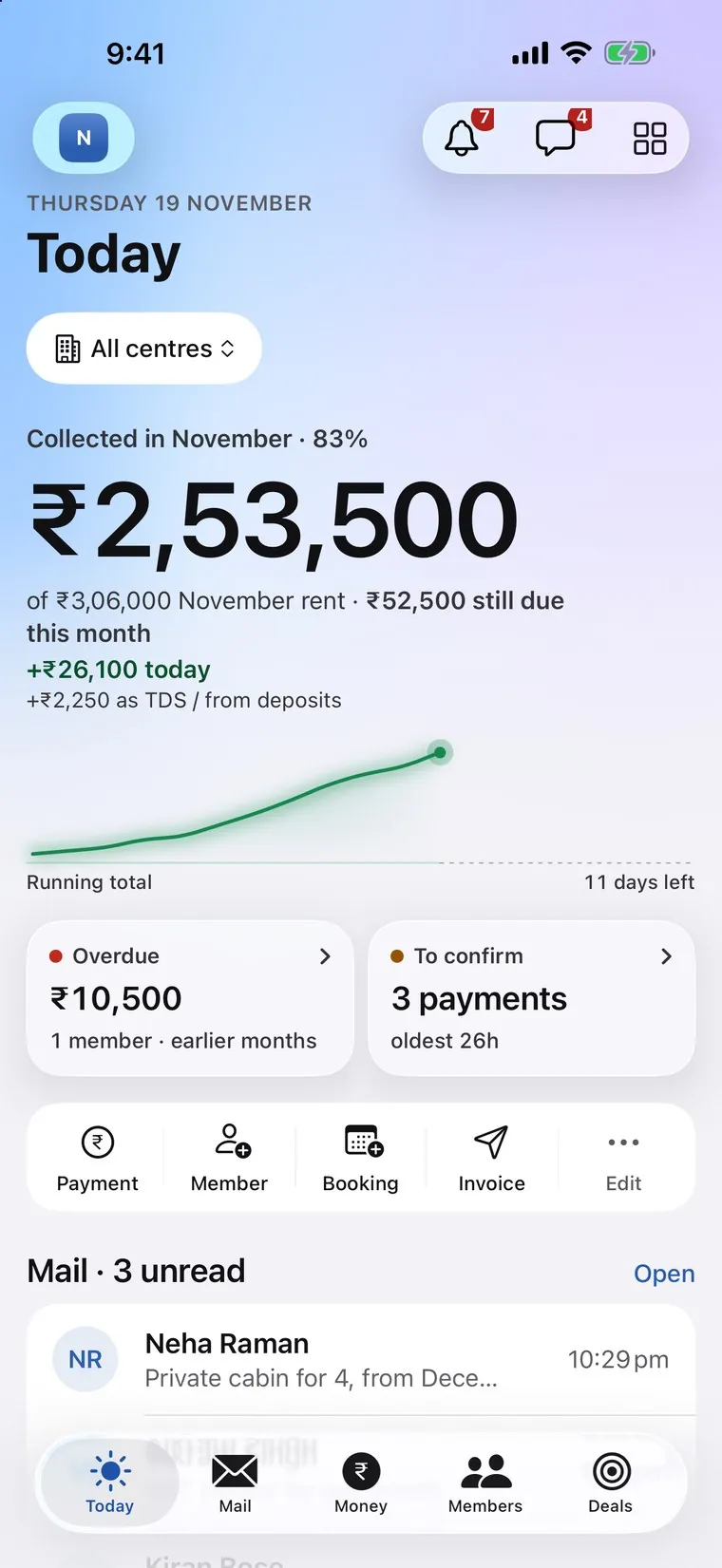
Today
Your whole space on the first screen.
Open the app and see what was collected, how full you are and what needs you today, before you reach the office.
- Collected against what's expected this month.
- Occupancy cabin by cabin.
- Needs you: unpaid rent, notice periods, new messages.
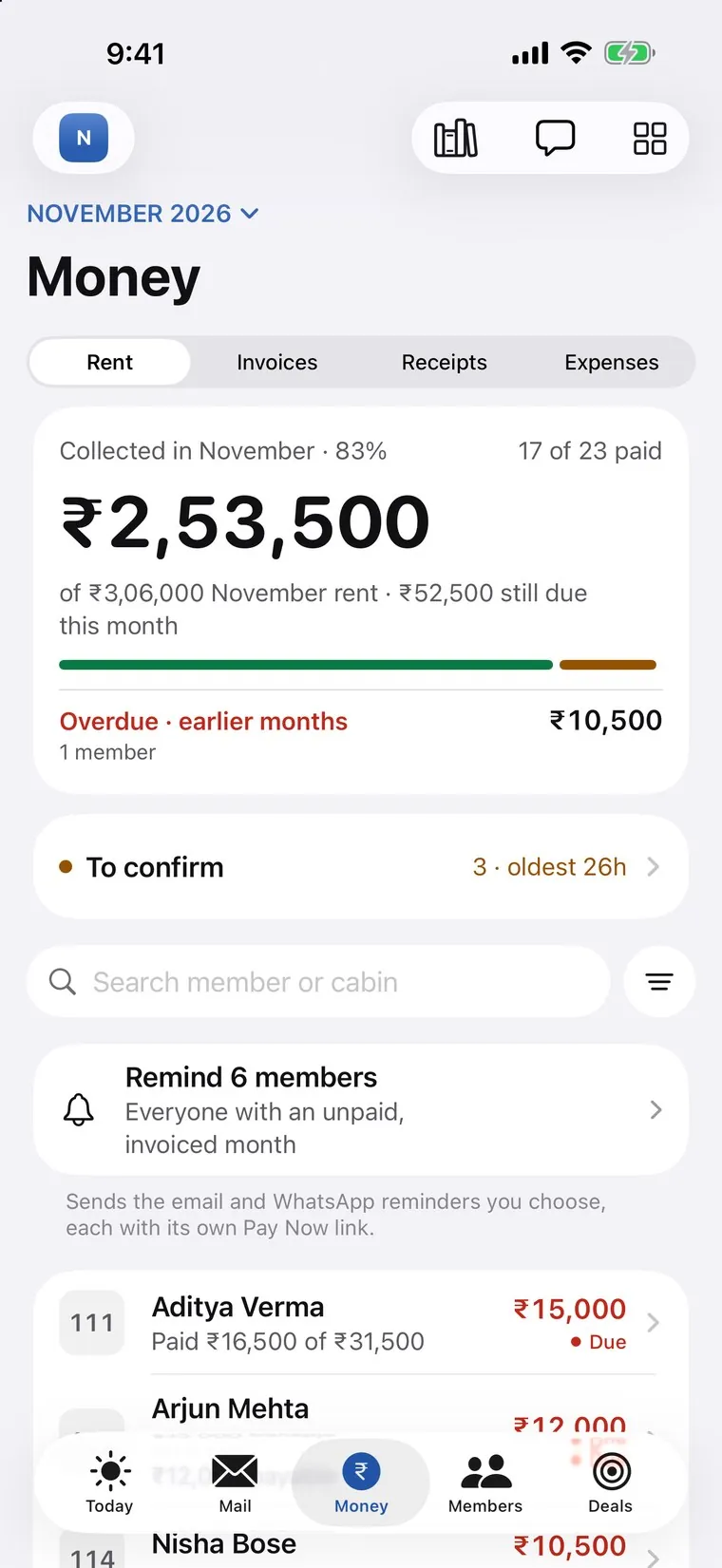
Money
Collect rent from your phone.
Invoices go out with a Pay Now link, the unpaid get a reminder in one tap, and every payment is recorded and receipted.
- Pay Now links on every invoice and reminder.
- One-tap reminders by WhatsApp and email.
- Cash, UPI and bank transfer recorded in a tap.
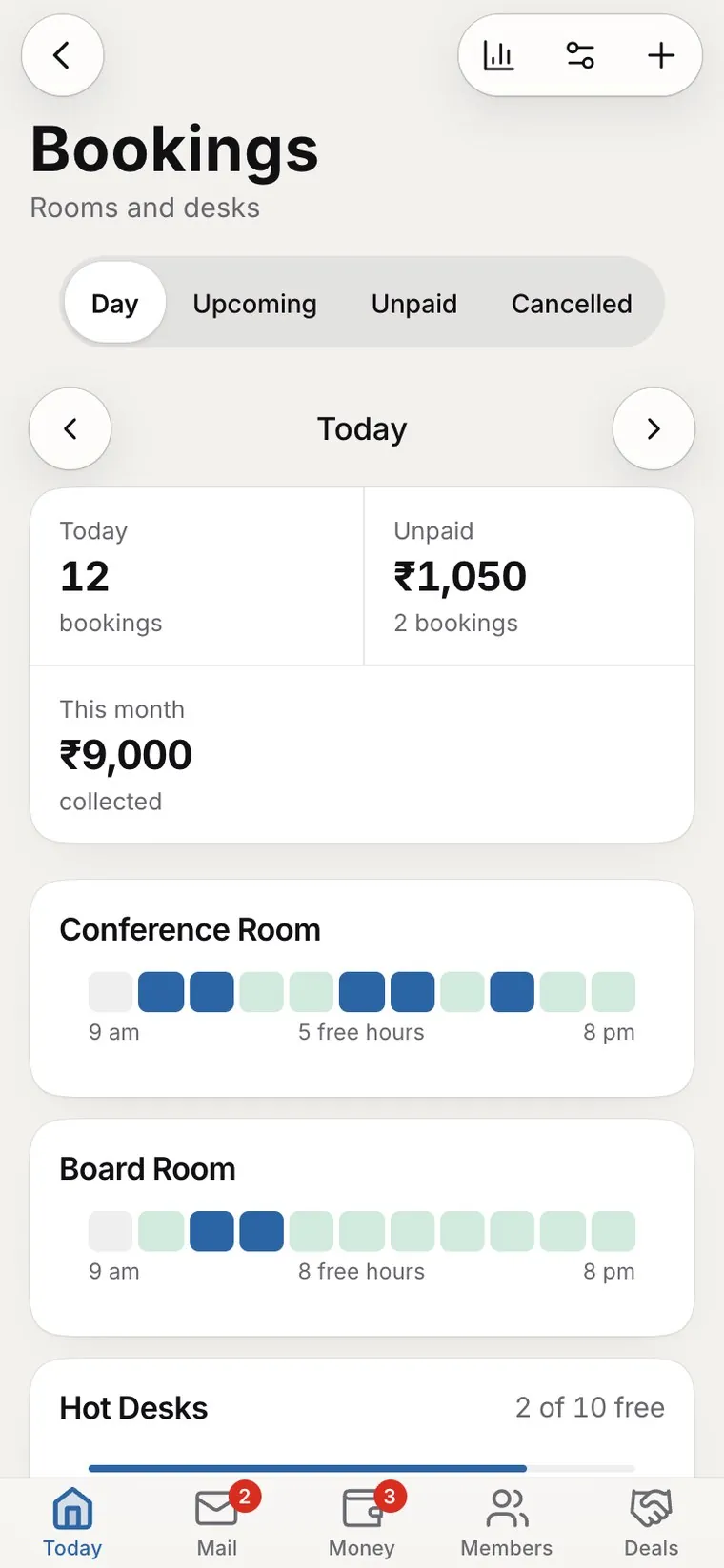
Bookings
Rooms and hot desks, booked and paid.
Walk-ins book and pay online, members use their free hours first, and your team sees the whole day at a glance.
- Public booking page for walk-ins.
- Free hours for members, then pay as they go.
- Day view of every room and desk.
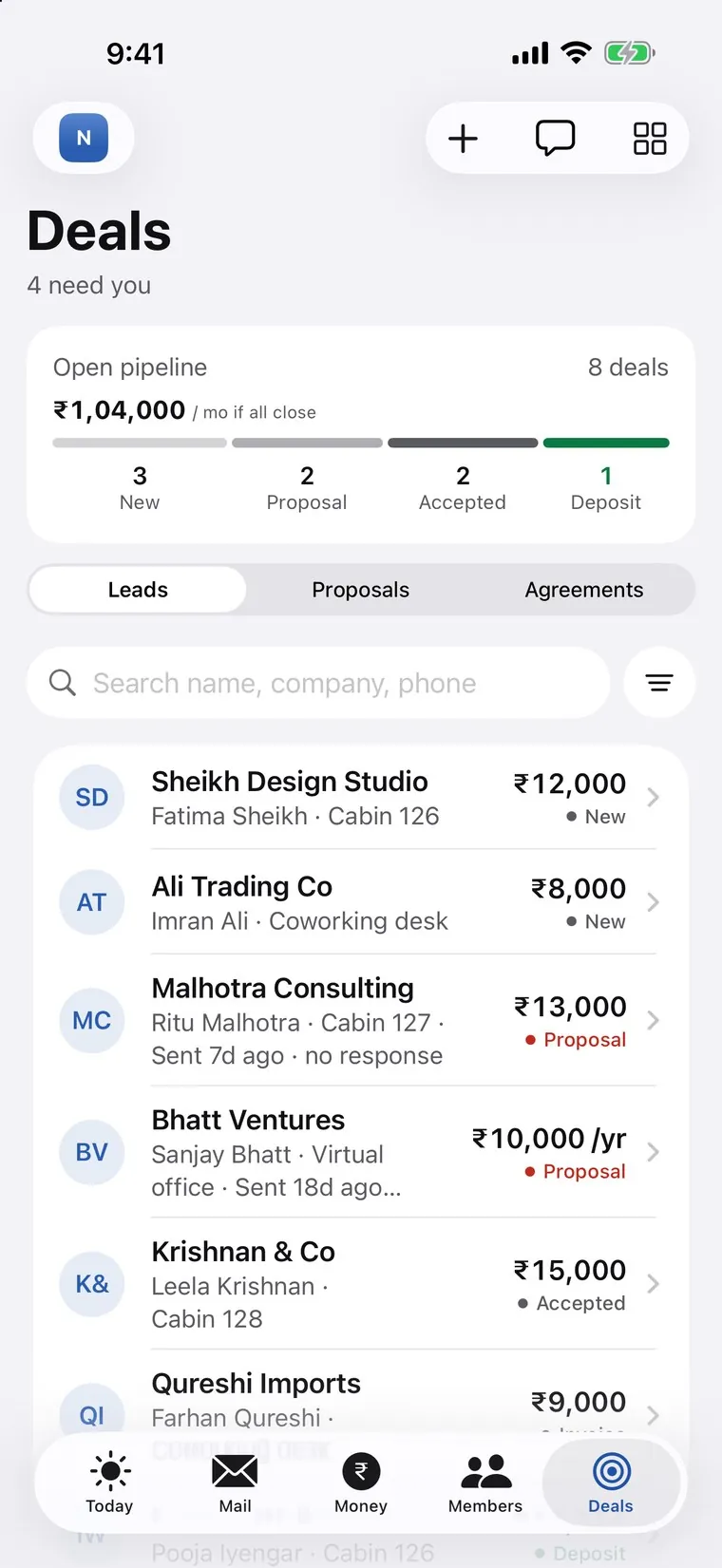
Deals
From enquiry to signed cabin.
Every enquiry lands in one pipeline. Send a proposal, collect the deposit and get the agreement signed online.
- Enquiries from your website and WhatsApp.
- Proposals clients accept from their phone.
- Agreements drafted, reviewed and signed online.
Front desk and community
Reception and the community, from the same app.
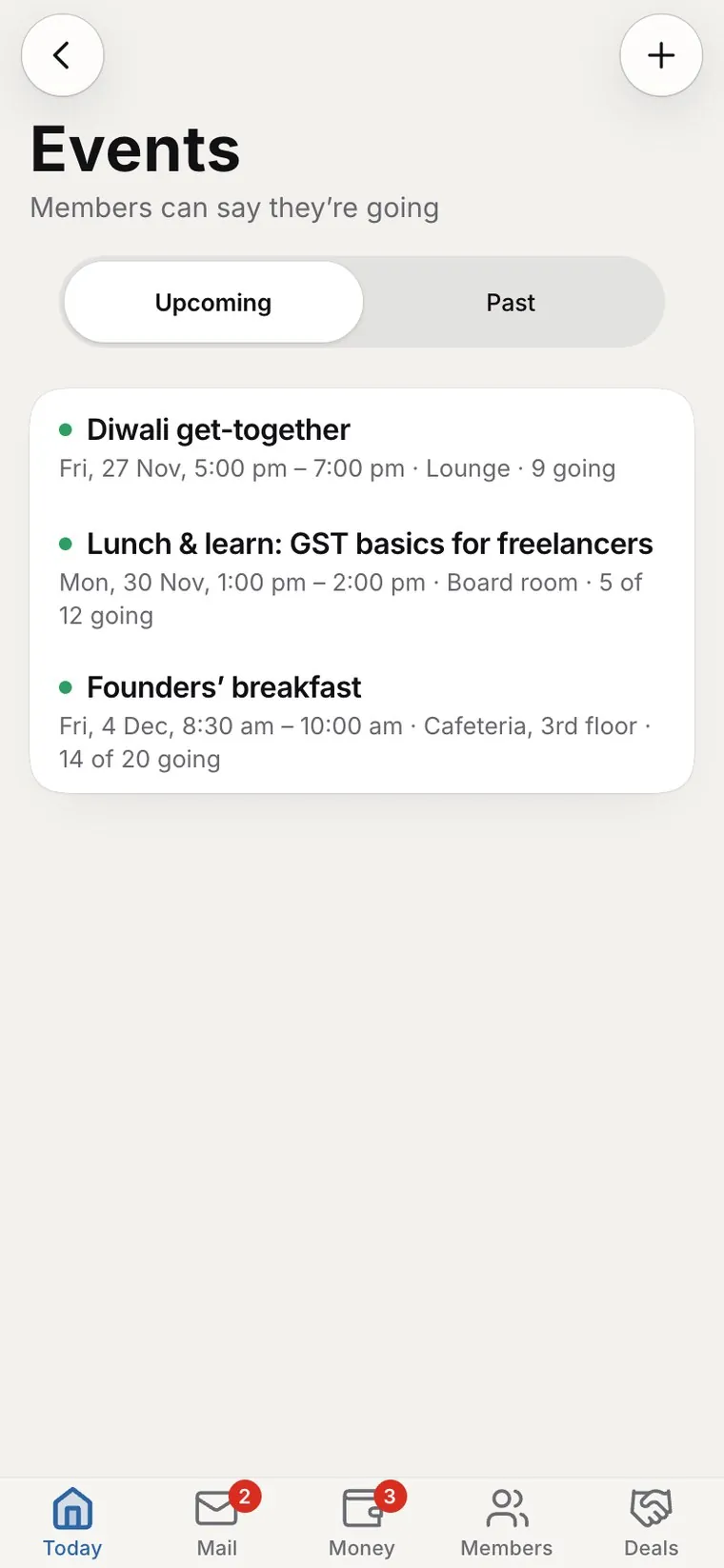
Visitors expected today, parcels waiting at reception, the notice board, events members RSVP to and perks from local partners.
- Visitors and parcels marked arrived, left or collected in a tap.
- Events and perks published once, pushed to members.
- Member surveys a monthly pulse with NPS, sent by app and email.
For members
A member app that does more than pay rent.
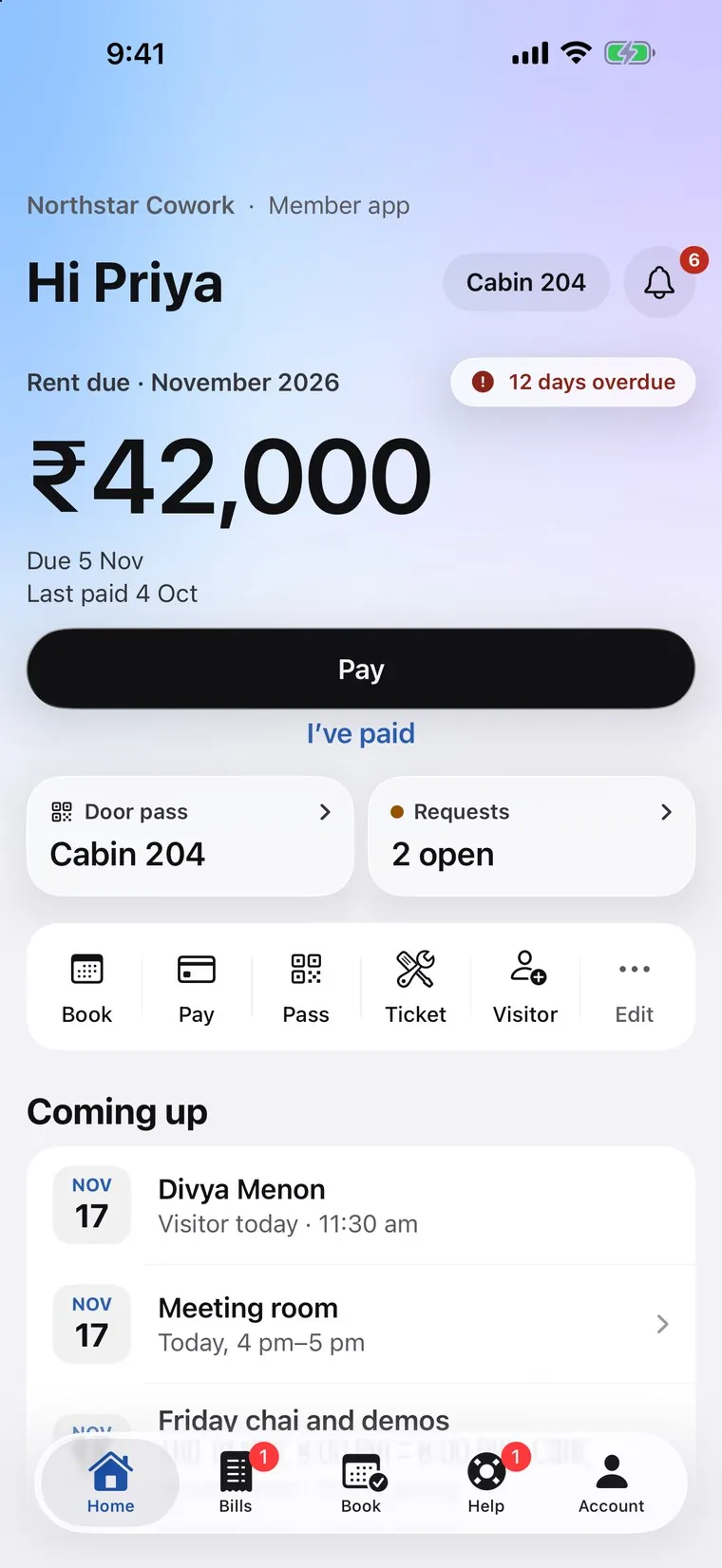
Members pay by UPI and tell you they've paid, book rooms with their free hours, raise requests, see parcels and notices, add their own guests, and RSVP to events.
- Pay by UPI scan, pay, tap I've paid; the office confirms.
- Door pass and Wi-Fi on the Home screen, where the space has them set up.
- Sign in with a code by WhatsApp or email, no password to remember.
Every conversation in one inbox.
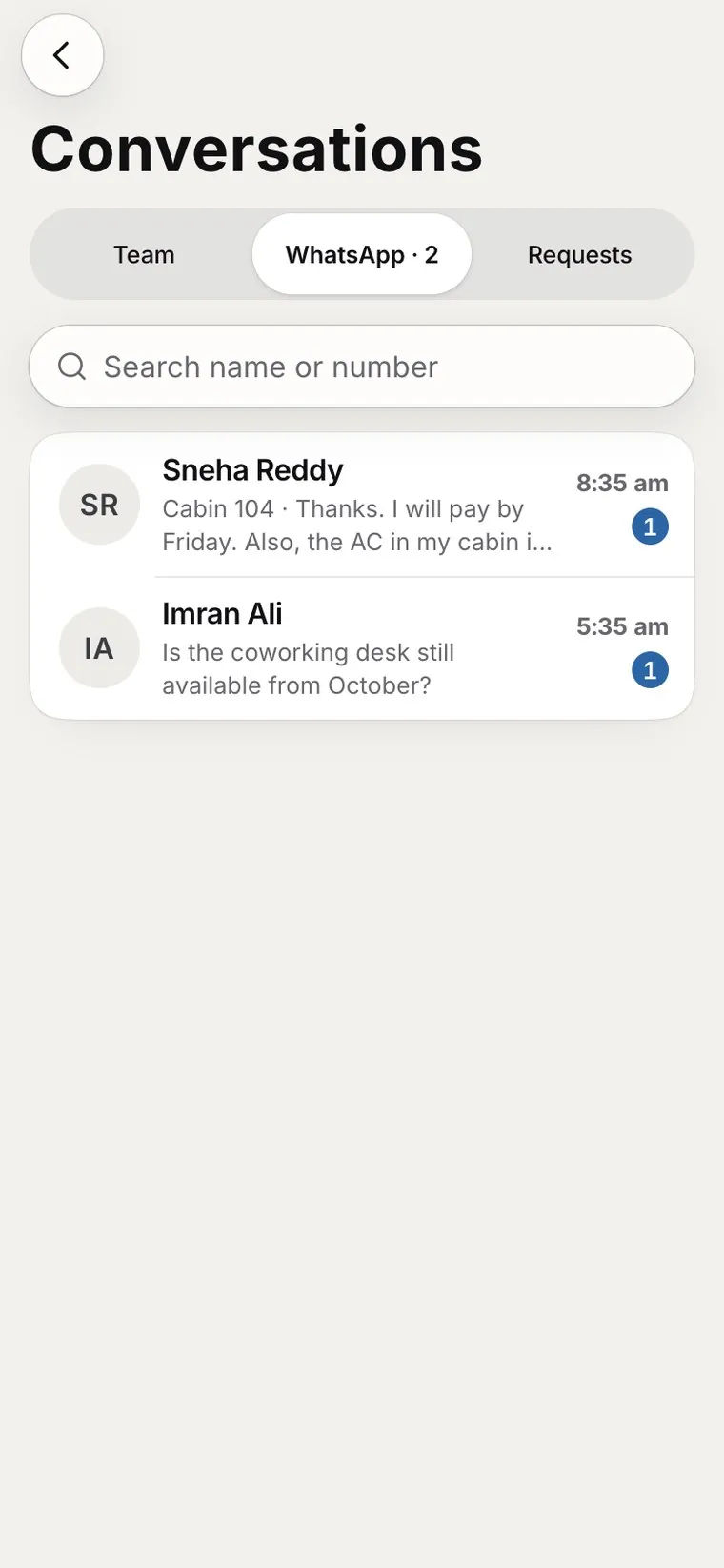
Member and lead messages arrive on your own WhatsApp Business number and sit next to the right record, for your whole team.
- Your own number, so replies come to you.
- Shared inbox for the team.
- Invoices and receipts sent from the same place.
How it works
Up and running in three steps.
See it
Book a 20-minute demo or explore the live app with example data.
Try it
Start a 30-day free trial yourself, with no card, and add your cabins and members.
Run it
Send the month's invoices from the app and watch payments come in.
Questions
Frequently asked
What is a coworking app?
It is software for running a coworking space. Some apps are only for members to book desks; Coworking OS is for the operator: members and cabins, rent and invoices, bookings, enquiries, agreements and WhatsApp, with a member app included.
Is there an app for Android and iPhone?
Yes. Coworking OS is on Google Play for Android and on the App Store for iPhone and Mac, and on the Microsoft Store for Windows, and the full product also runs in the browser on any computer.
Do members get an app too?
Members get their own portal to see bills, pay, book rooms and raise requests, from any phone.
Does the app work without internet?
Yes. Your data is saved on the device, so you can keep working without a signal. Changes sync once you're connected again.
How much does it cost?
Starter is ₹1,999 a month for up to 50 members, and the first 30 days are free. See Pricing for the other plans.
Can I try it before I buy?
Yes. Explore the live app with example data, or start a 30-day free trial.