Product tour
Every part of running a coworking space.
Nineteen modules on one shared record of your members, cabins and money. Here is what each one does.
Dashboard, insights & the monthly report
The month, at a glance.
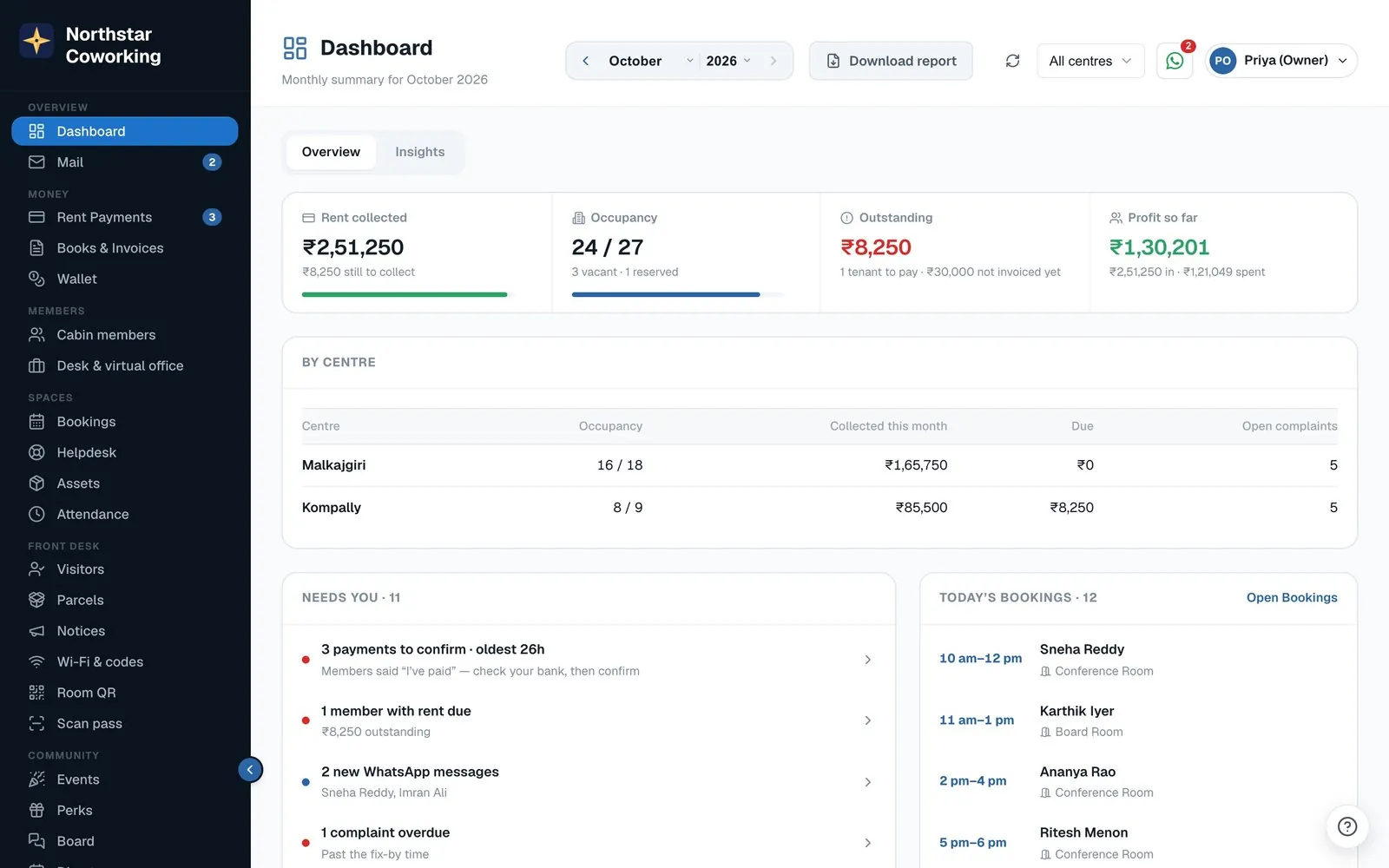
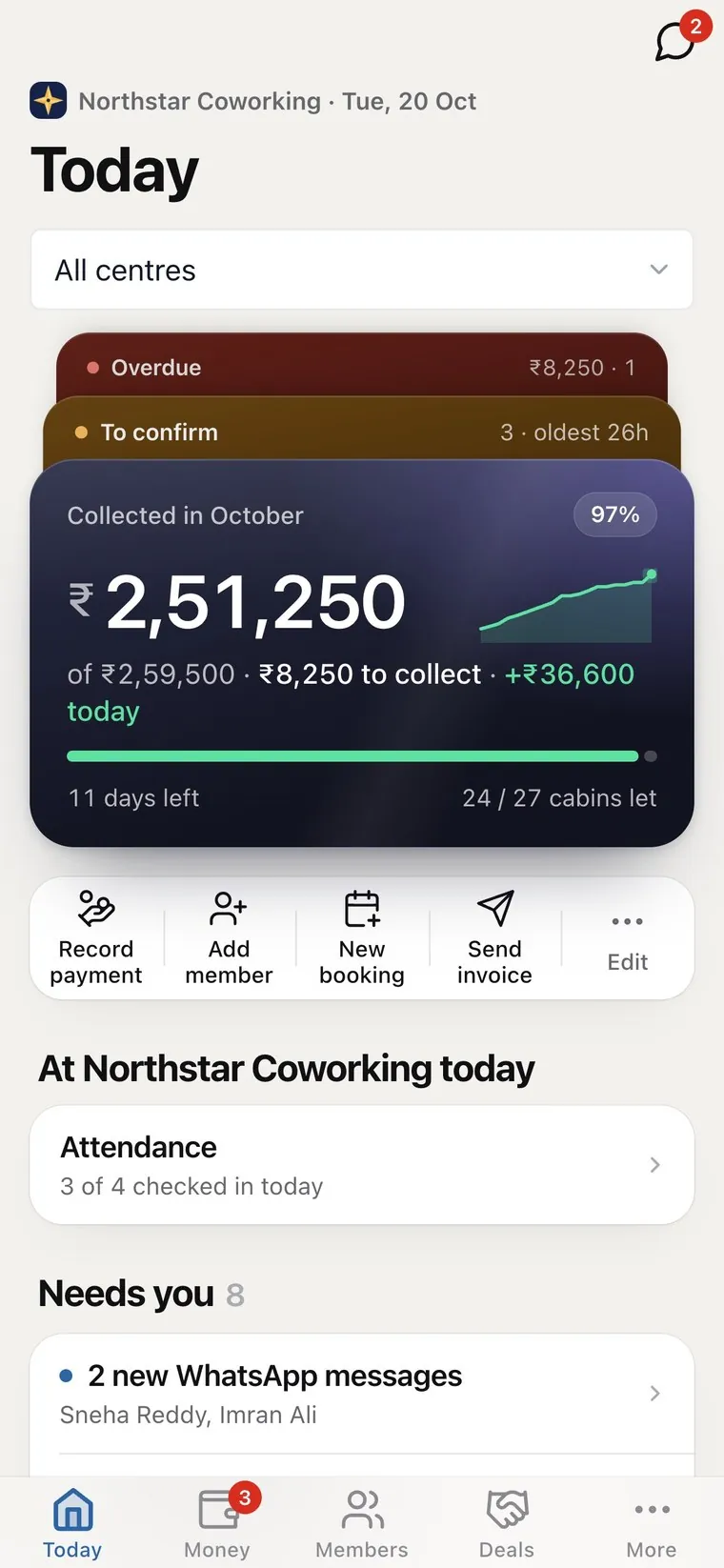
Open Coworking OS and see how the space is doing: cabins let, rent roll, what's collected, what's outstanding and profit so far.
- Occupancy let, vacant and reserved.
- Rent collection collected against demand.
- Profit so far income less expenses, live.
- Bank split collections by each bank account.
- Occupancy report how full each centre has been, month by month.
- Profit by centre income and expenses for each building of the company.
Members & cabins
One record for every member.
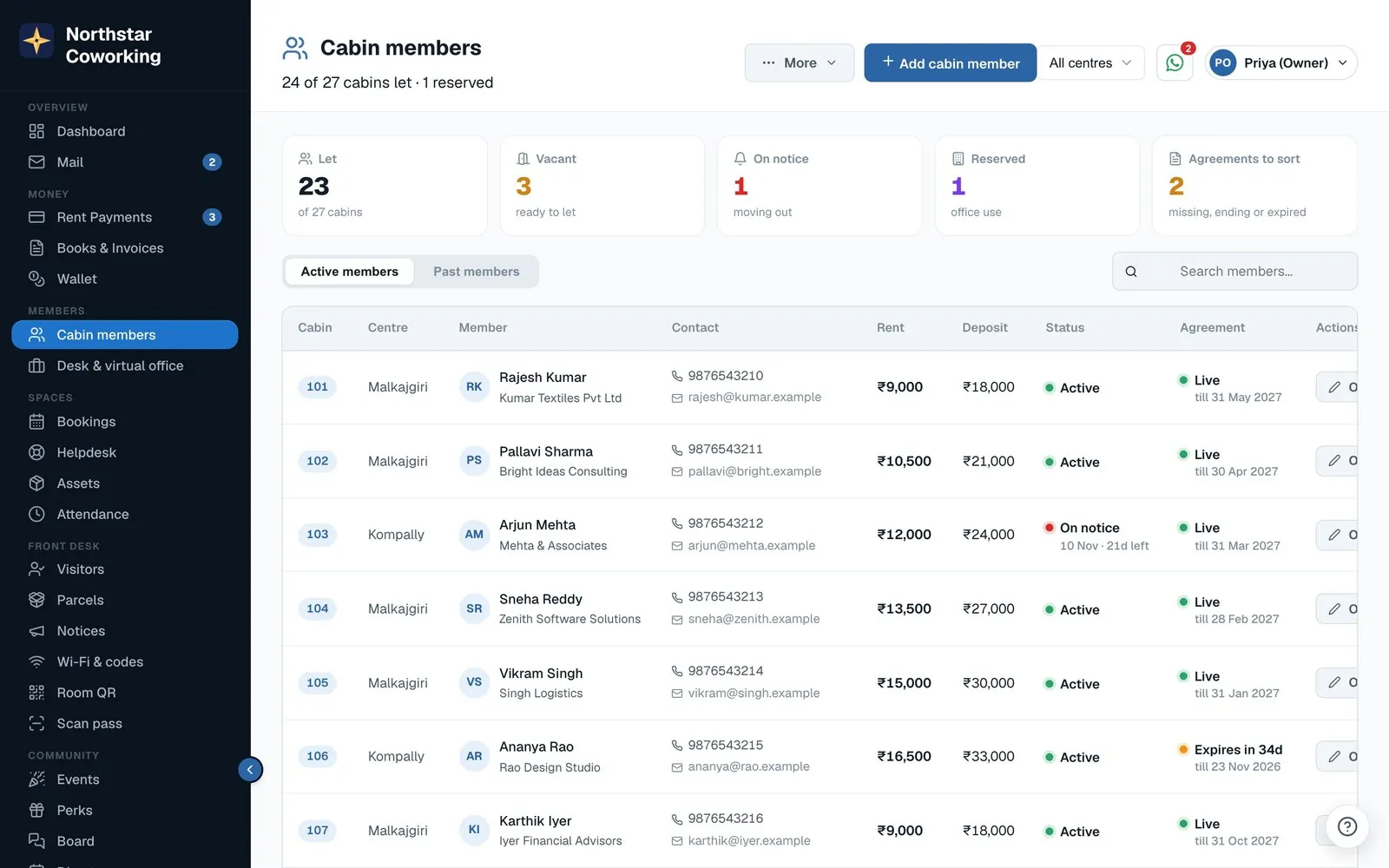
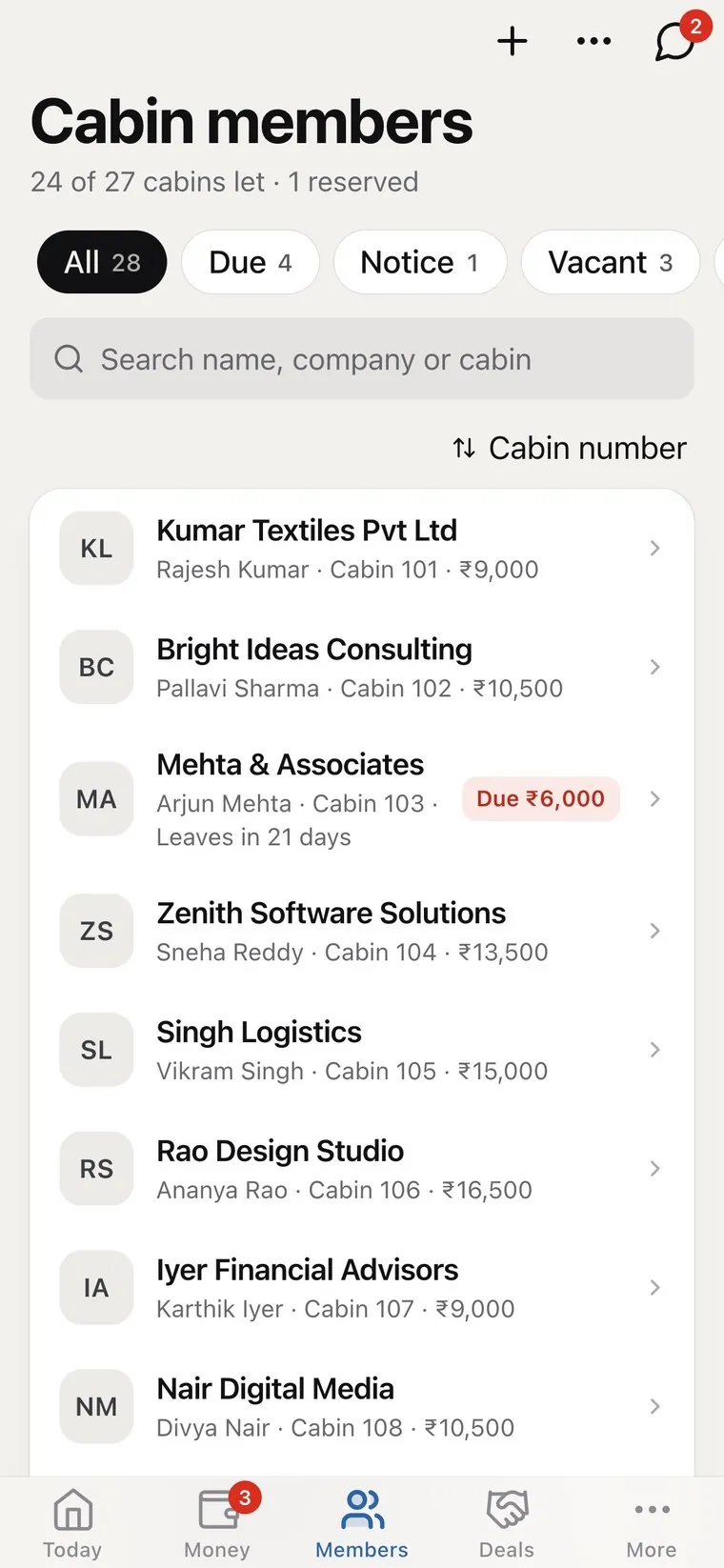
Contact details, cabin, rent, deposit, agreement status and notice period, with the full history behind each one.
- Active and past members kept separately.
- Notice periods with days left, so vacancies never surprise you.
- Deposits recorded and tracked.
- Excel import your whole list in minutes, with 24 hours to undo.
- Referrals switch them on and, once a referred member pays their first invoice, the referrer gets a staff-approved credit on their next autopilot invoice, ₹1,000 by default.
Rent & billing
Rent collection without the chasing.
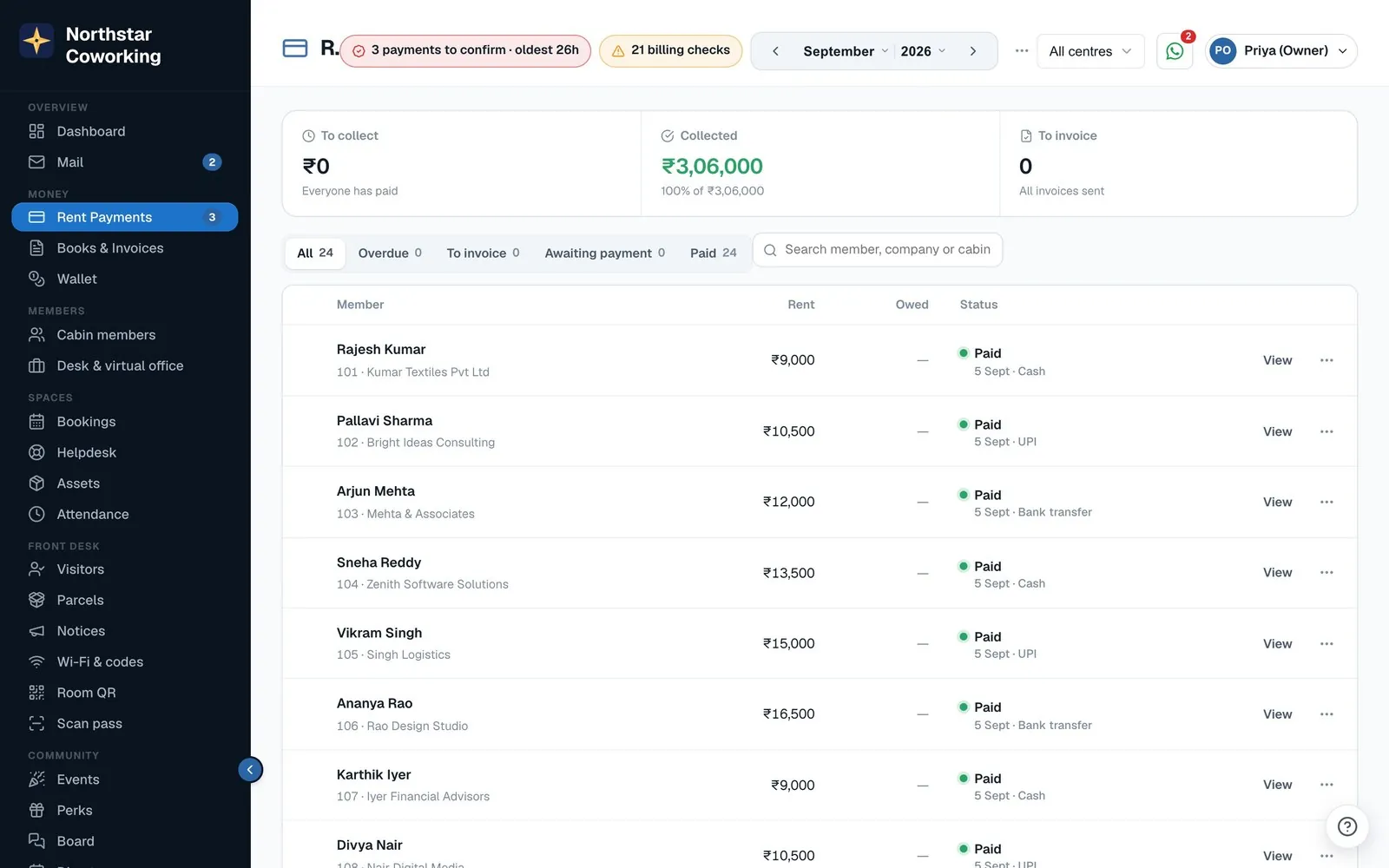
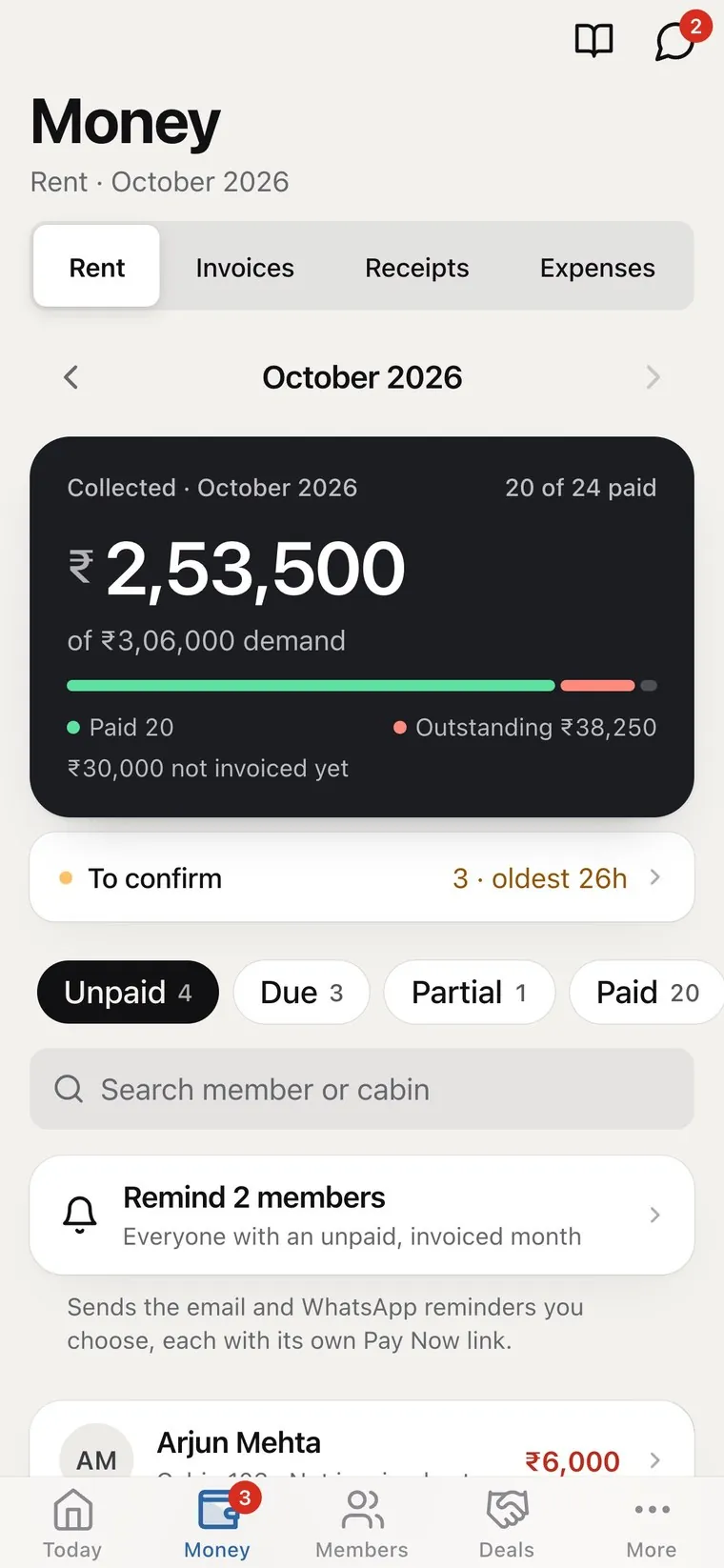
Each month's demand is worked out for you. Send invoices, remind the unpaid and record payments however they arrive. Works with Razorpay, Cashfree, Zoho Payments, UPI and WhatsApp.
- Pay Now links on every invoice and reminder.
- Online payments matched to the member and marked paid.
- Cash, UPI and bank transfer recorded in a tap.
- Part payments and arrears carried forward.
- Pro-rata first month a member who joins mid-month is billed only for the days from their start date.
- UPI QR and “I’ve paid” members pay by UPI and send the UTR; you confirm it in one tap.
- Billing autopilot prepares or sends the month's invoices on the day you choose, with reminders. Off until you switch it on.
- Pay by UPI QR and 'I've paid' every invoice carries a UPI QR; the member taps I've paid with the UTR, and the payment lands in your To confirm queue with the screenshot.
Books & reports
Books your accountant will thank you for.
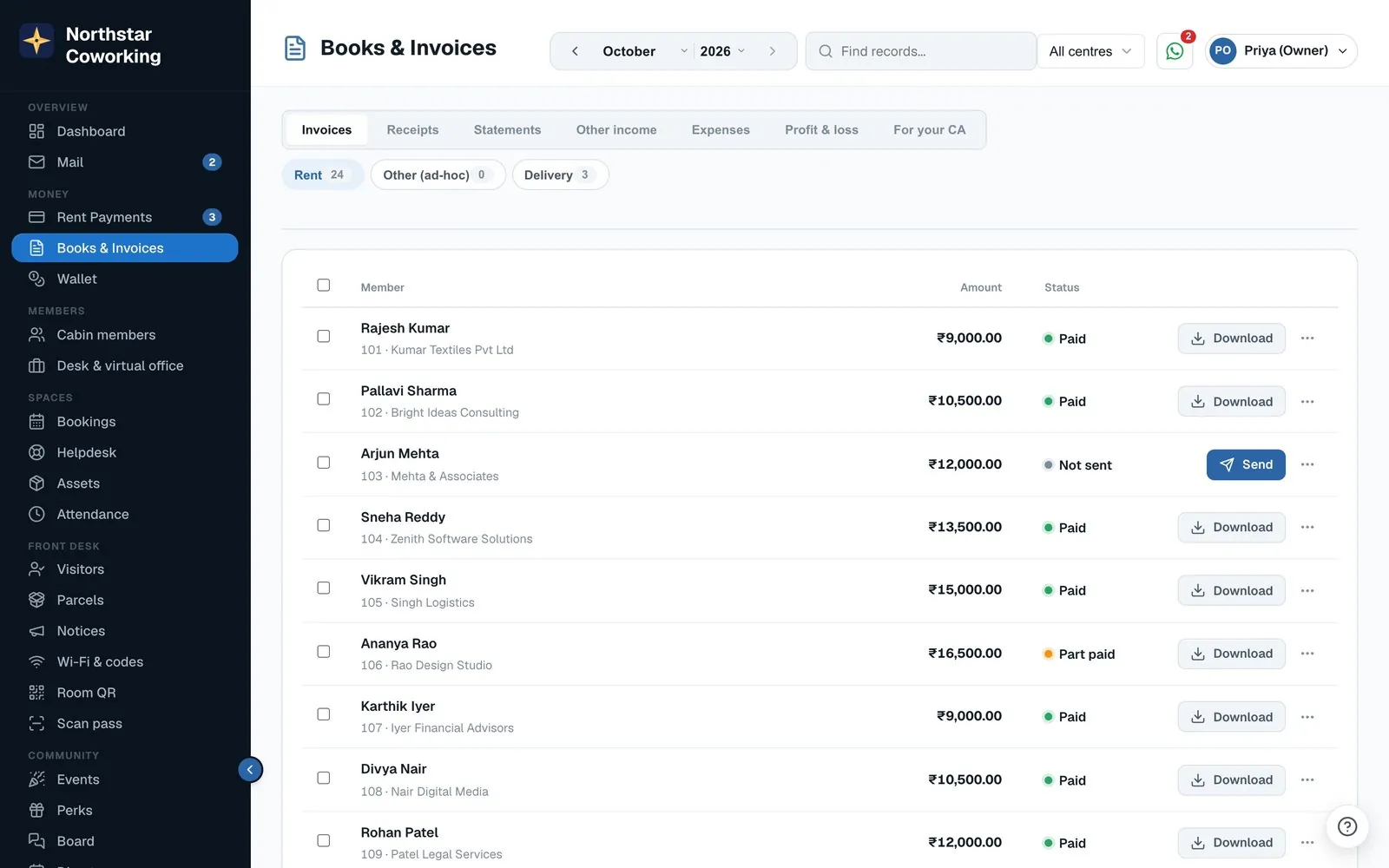
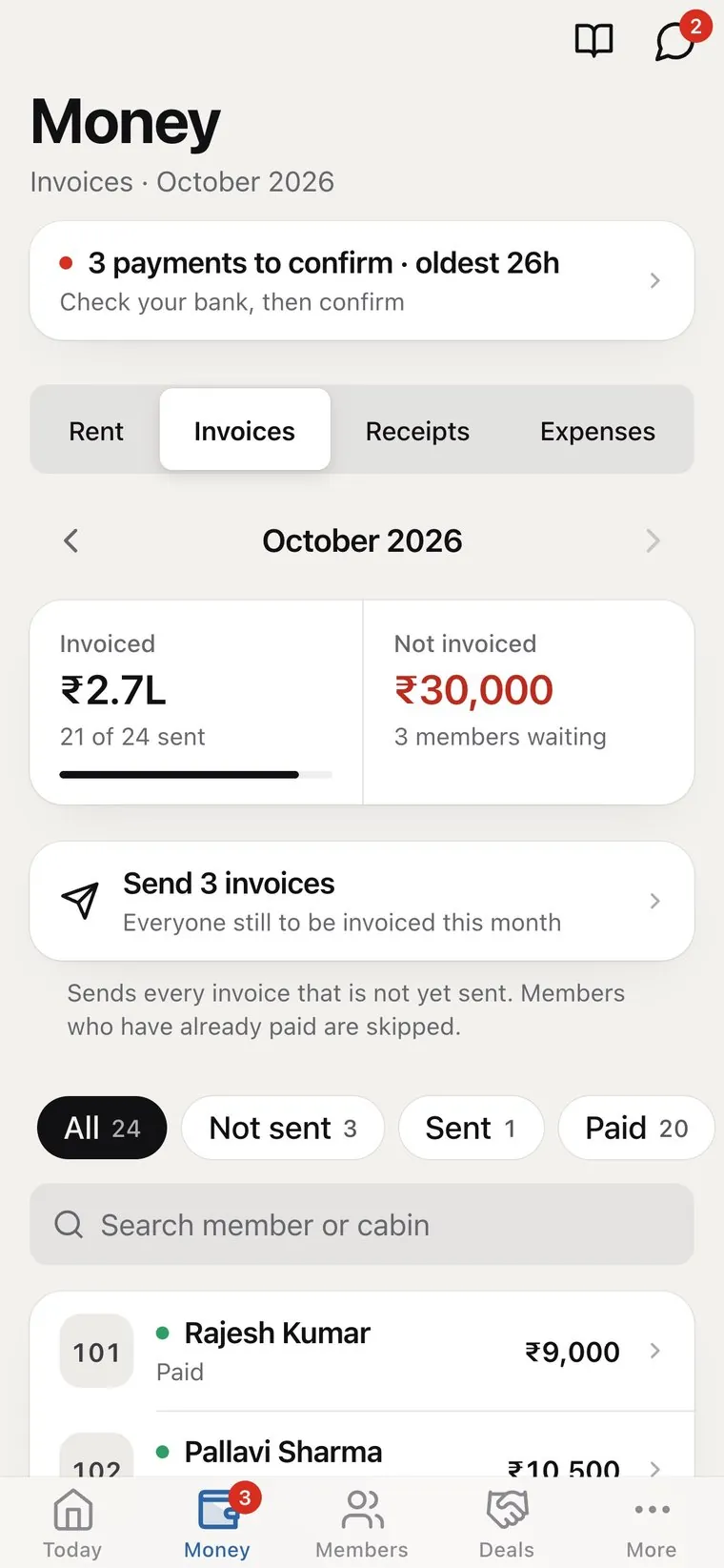
Invoices, receipts, statements, other income and expenses in one ledger, with a P&L you can trust.
- P&L on cash or accrual basis.
- Income by source cabins, desks, meeting rooms and more.
- Statements for any member, any period.
- Clean PDFs receipts, invoices and statements as sharp, real-text PDFs, the same for you, your staff and your accountant.
- Downloadable reports for the month.
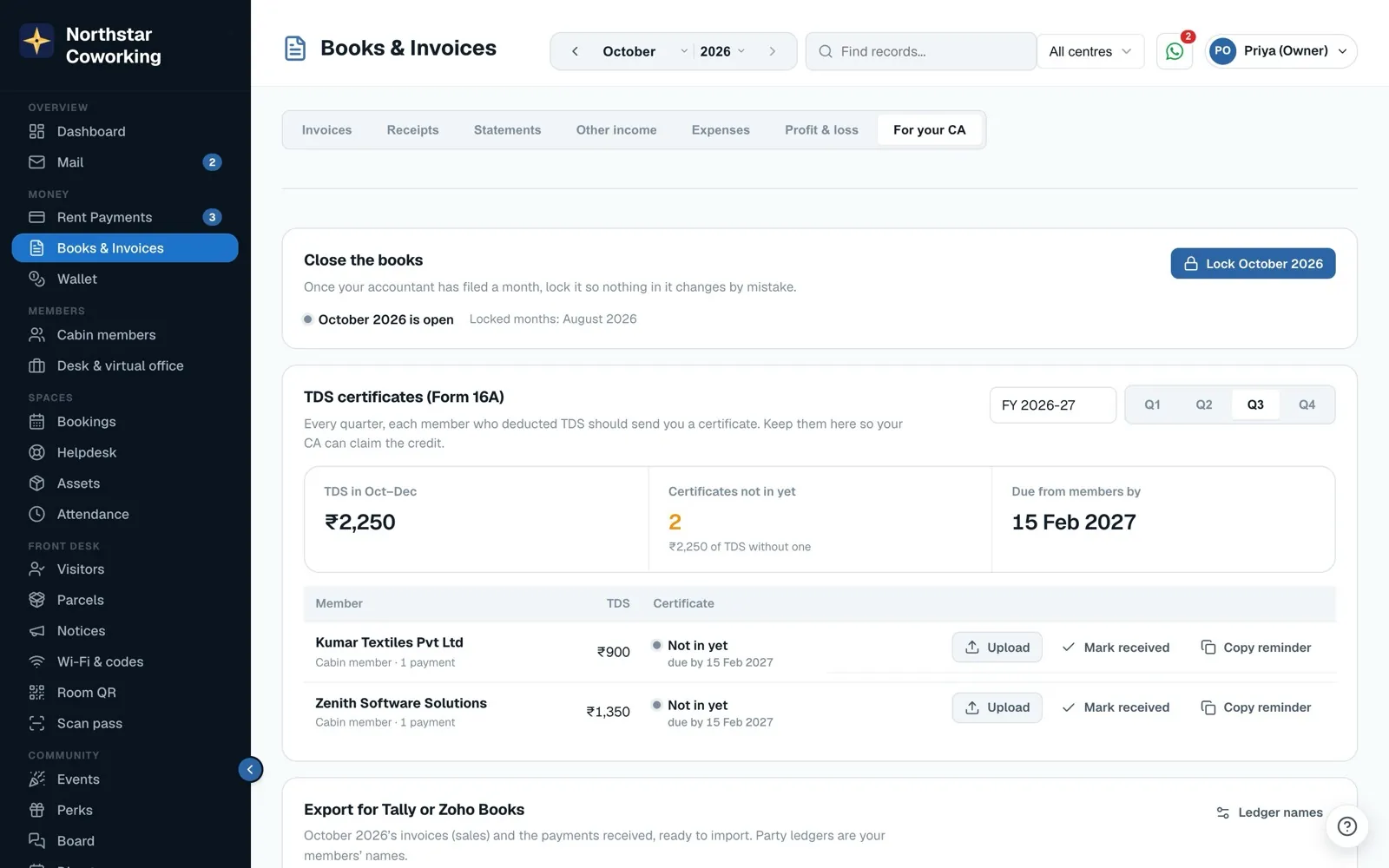
- For your CA TDS and Form 16A tracking, month lock, Tally and Zoho Books export, and a read-only accountant login.
Leads & proposals
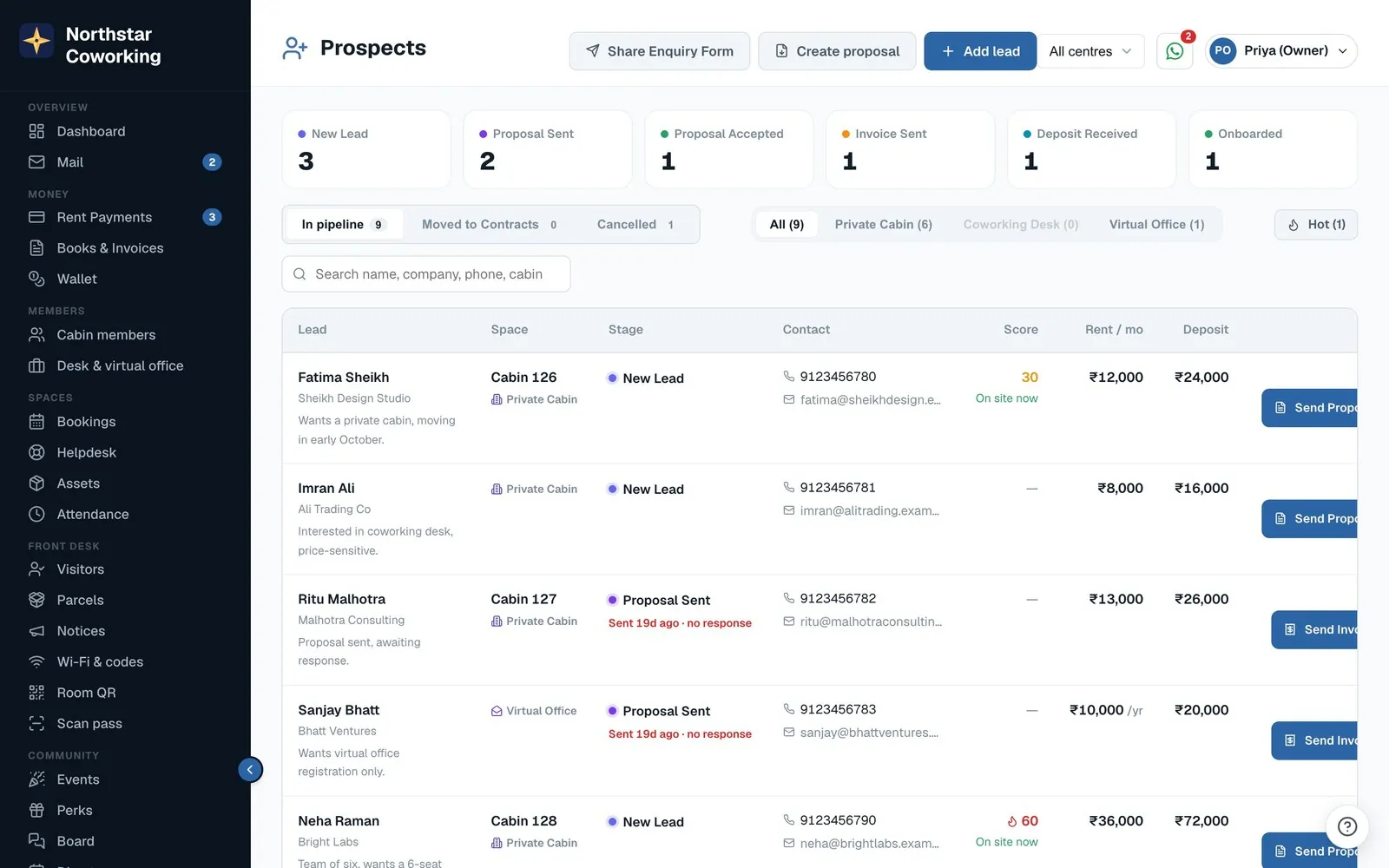
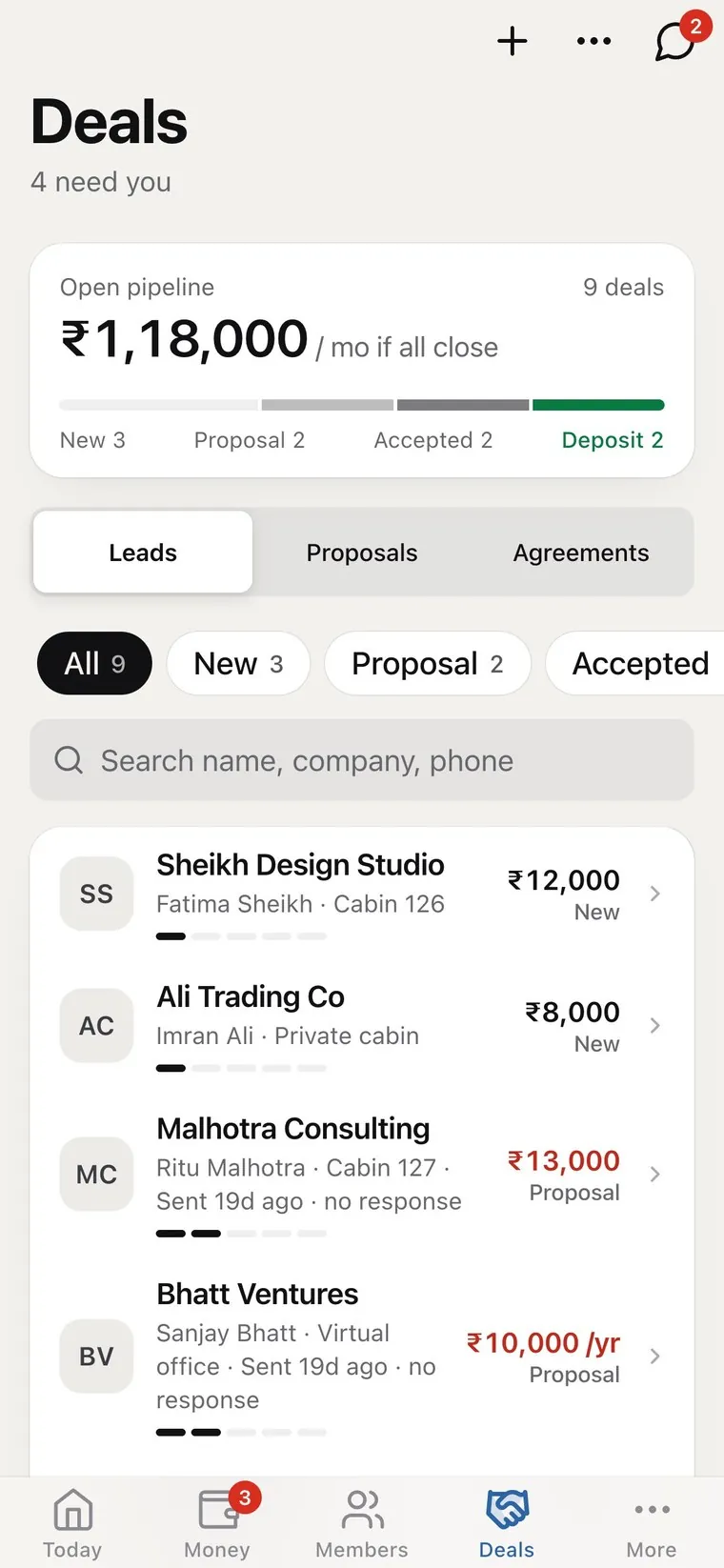
A sales pipeline made for coworking.
Capture every enquiry, see its space and budget, and move it from new lead to proposal to accepted.
- Enquiry form for your website.
- Stages new, proposal sent, accepted, deposit received, onboarded.
- Follow-up flags for proposals with no response.
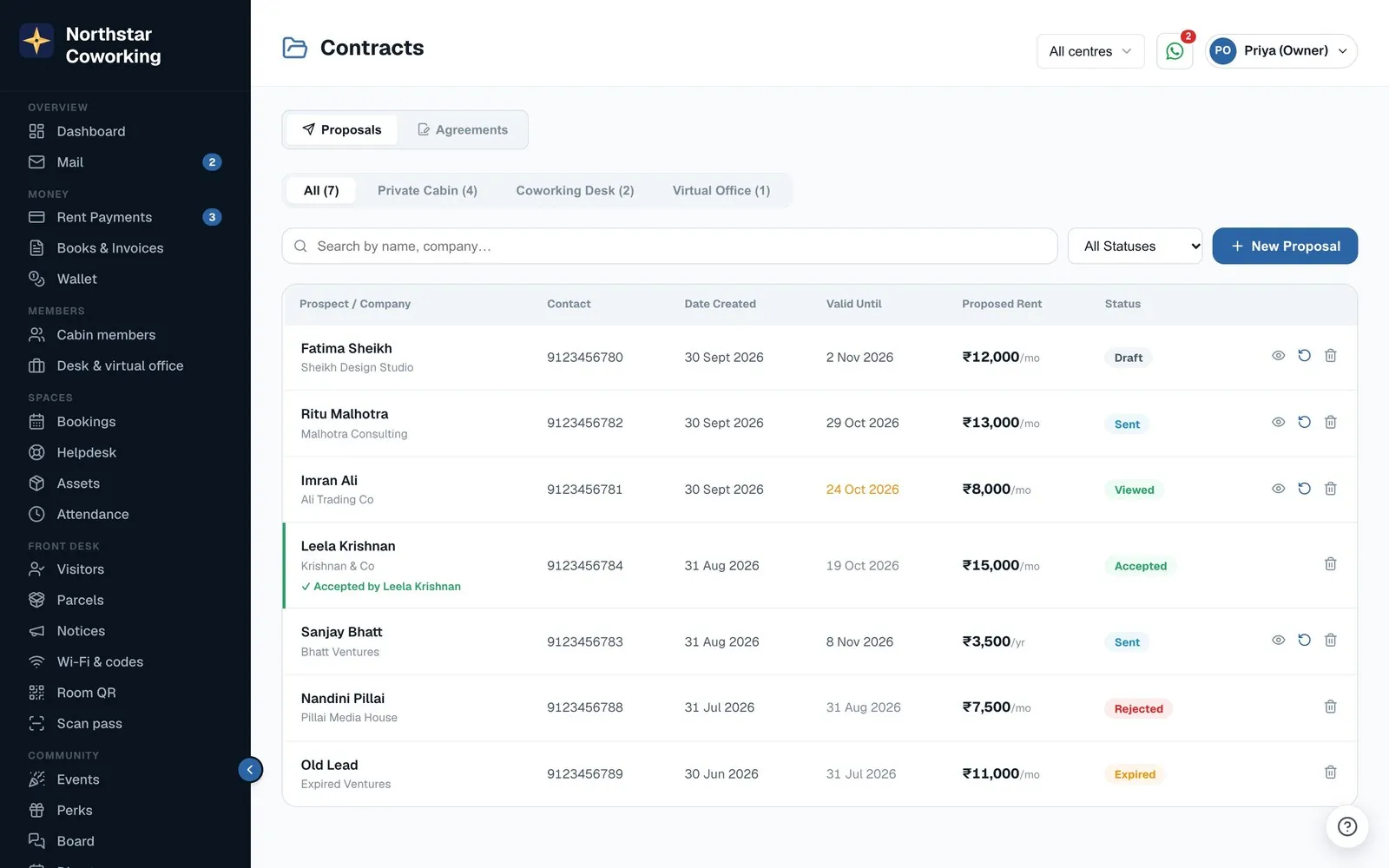
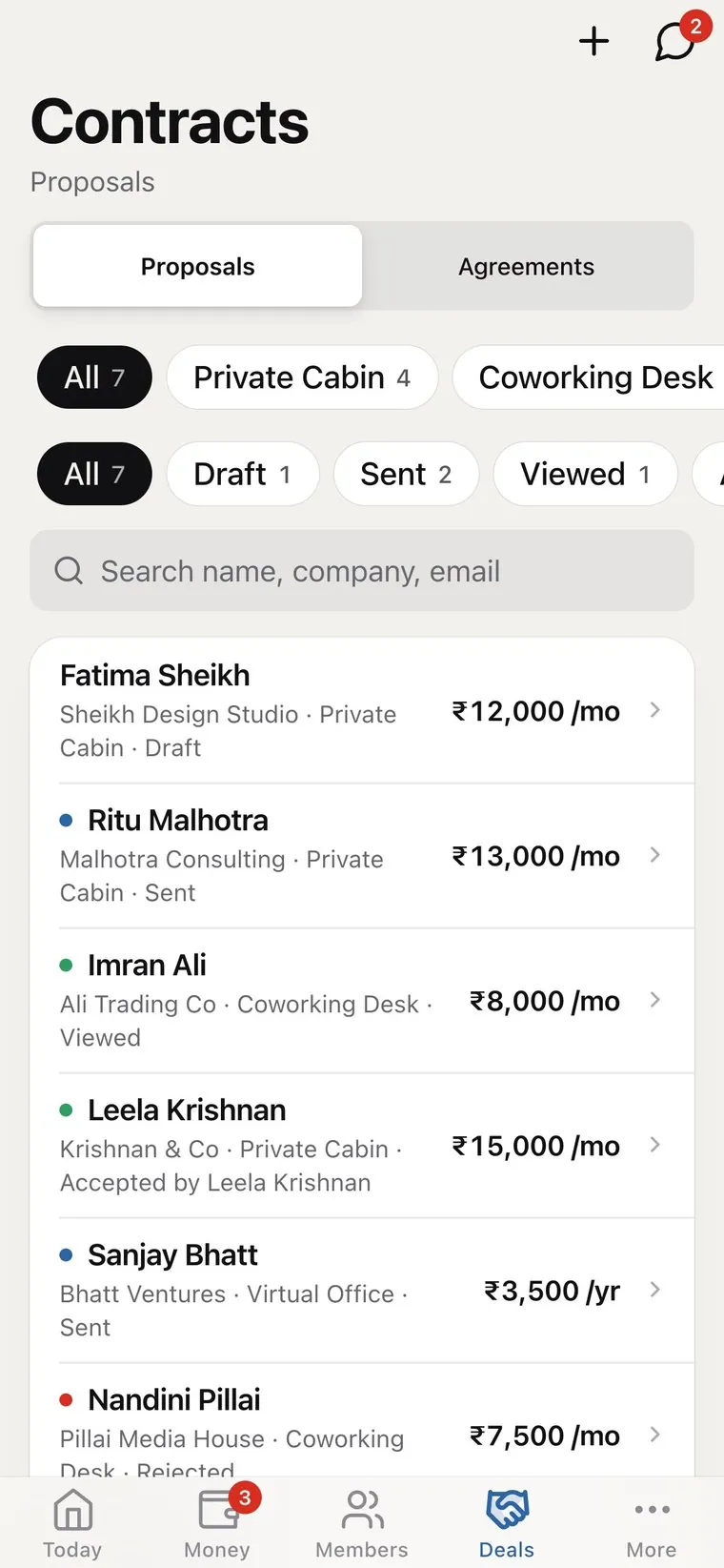
- Proposals your client accepts from their phone.
Agreements & e-sign
From accepted proposal to signed agreement.
Draft the leave-and-licence agreement, let the client review it, and collect signatures online, all linked to the member.
- Proposal tracking draft, sent, viewed, accepted, expired.
- Draft review so clients can comment before signing.
- Online signatures from any device.
- Documents stored with the member.
Room & desk bookings
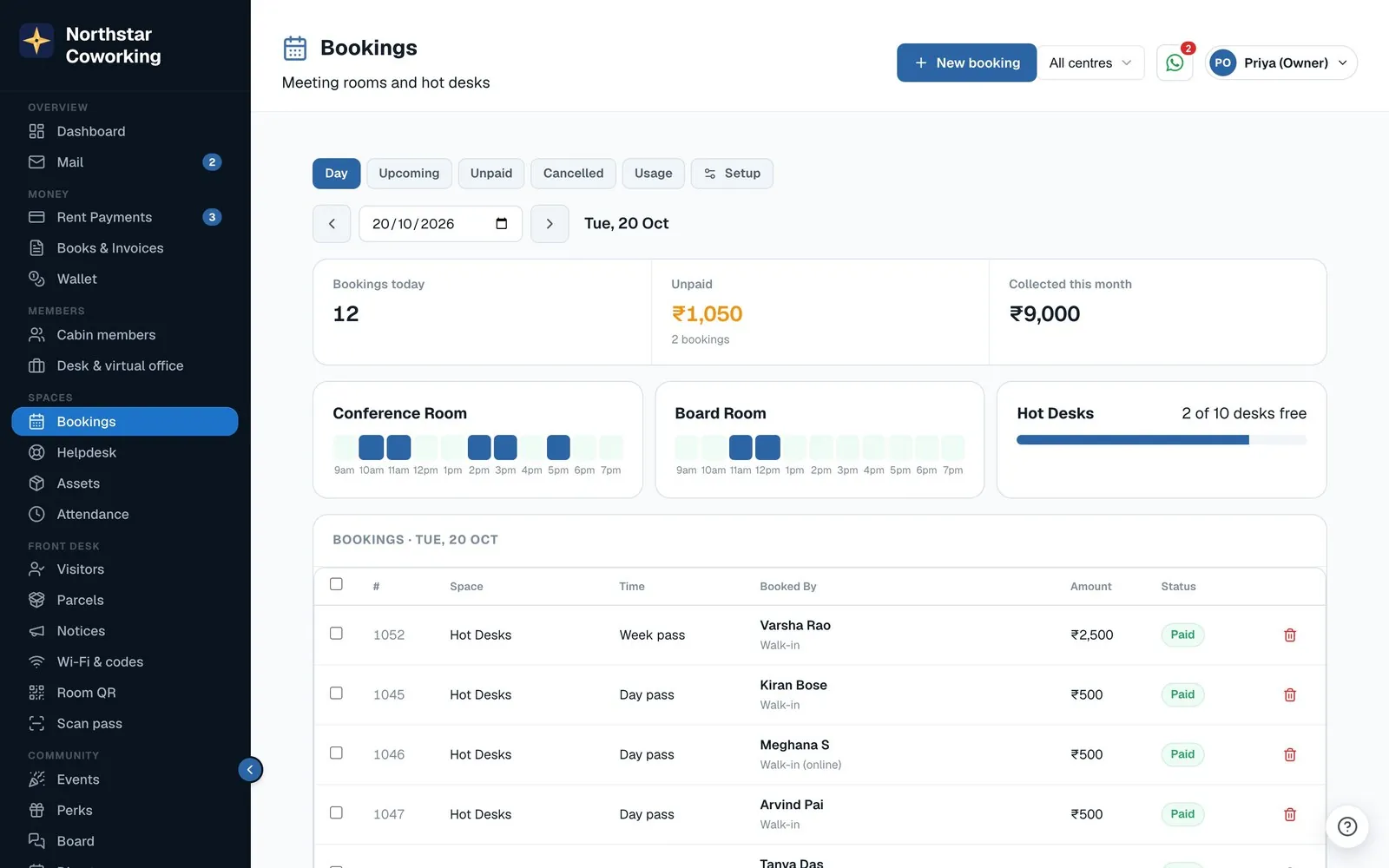
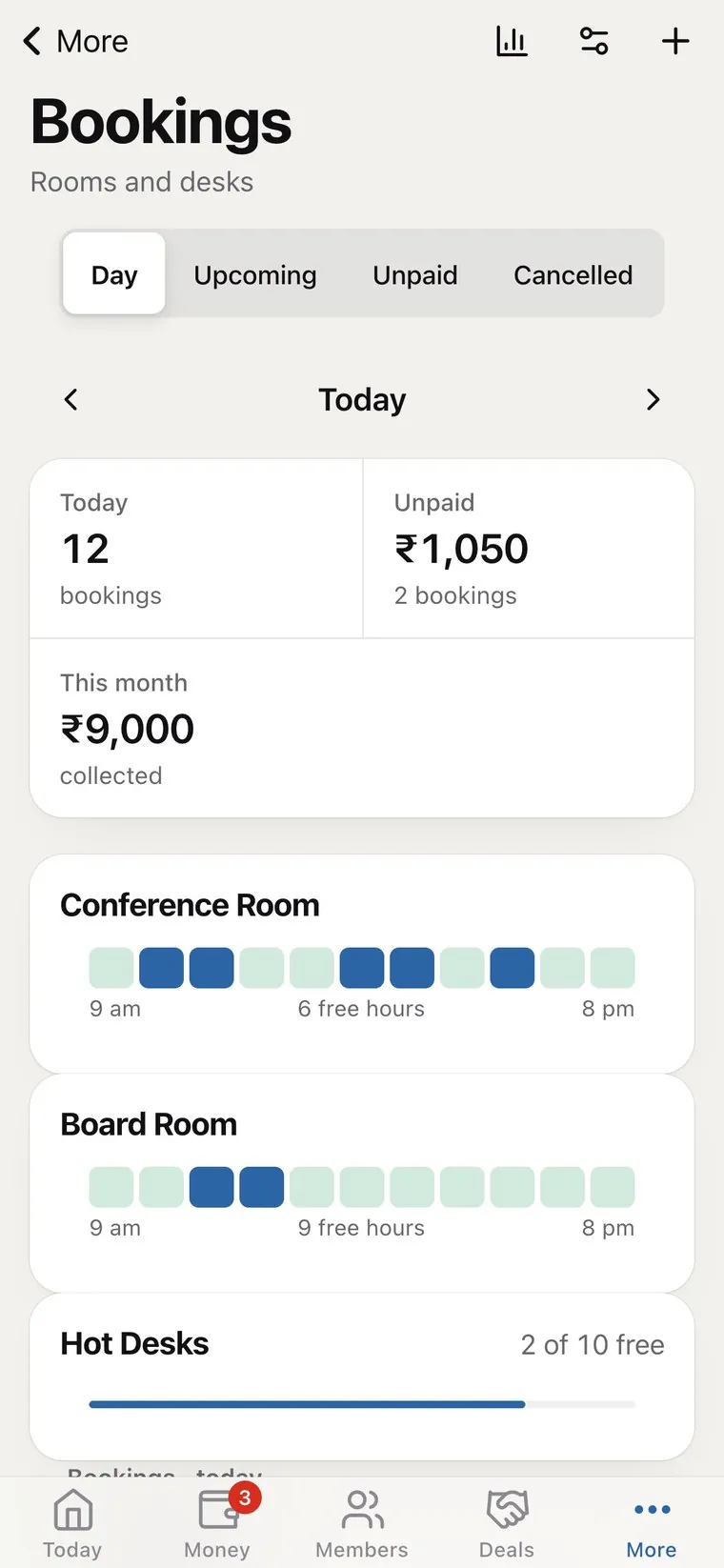
Meeting rooms and hot desks, booked online.
A public booking page for walk-ins and a Book button in the member app, with the rules your space already runs on.
- Hourly, daily and pass pricing for rooms and hot desks.
- Free hours for members, used first, then paid.
- Paid online when walk-ins book; chosen members can pay later.
- Reminders and self-serve cancel within your cut-off.
- Floor plans of cabins, desks and meeting rooms; members pick a desk or room from the map when they book.
- Door screens a tablet outside each meeting room shows whether it is free and what is next, and books on the spot with the room PIN.
WhatsApp inbox
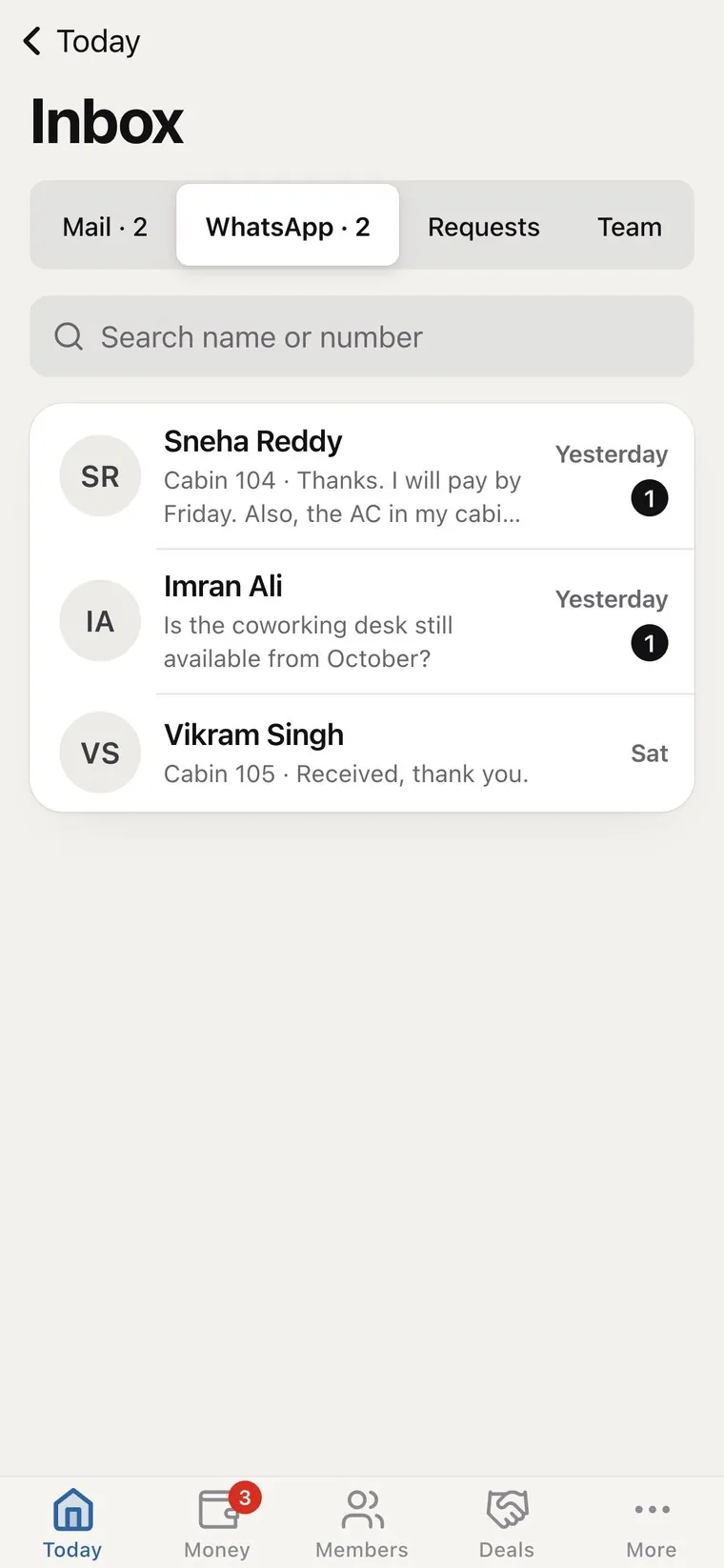
Every conversation, with context.
Messages from members and leads arrive beside their cabin and account, so the answer is already in front of you.
- Your own number through WhatsApp Business.
- Unread and requests kept separate.
- Reminders and receipts sent from the same place.
- Member app where members see bills, pay and book rooms.
- Team chat for your staff, with WhatsApp-style voice notes, photos and @mentions that notify the person named. On the web, iPhone and Android.
Business email, inside the app.
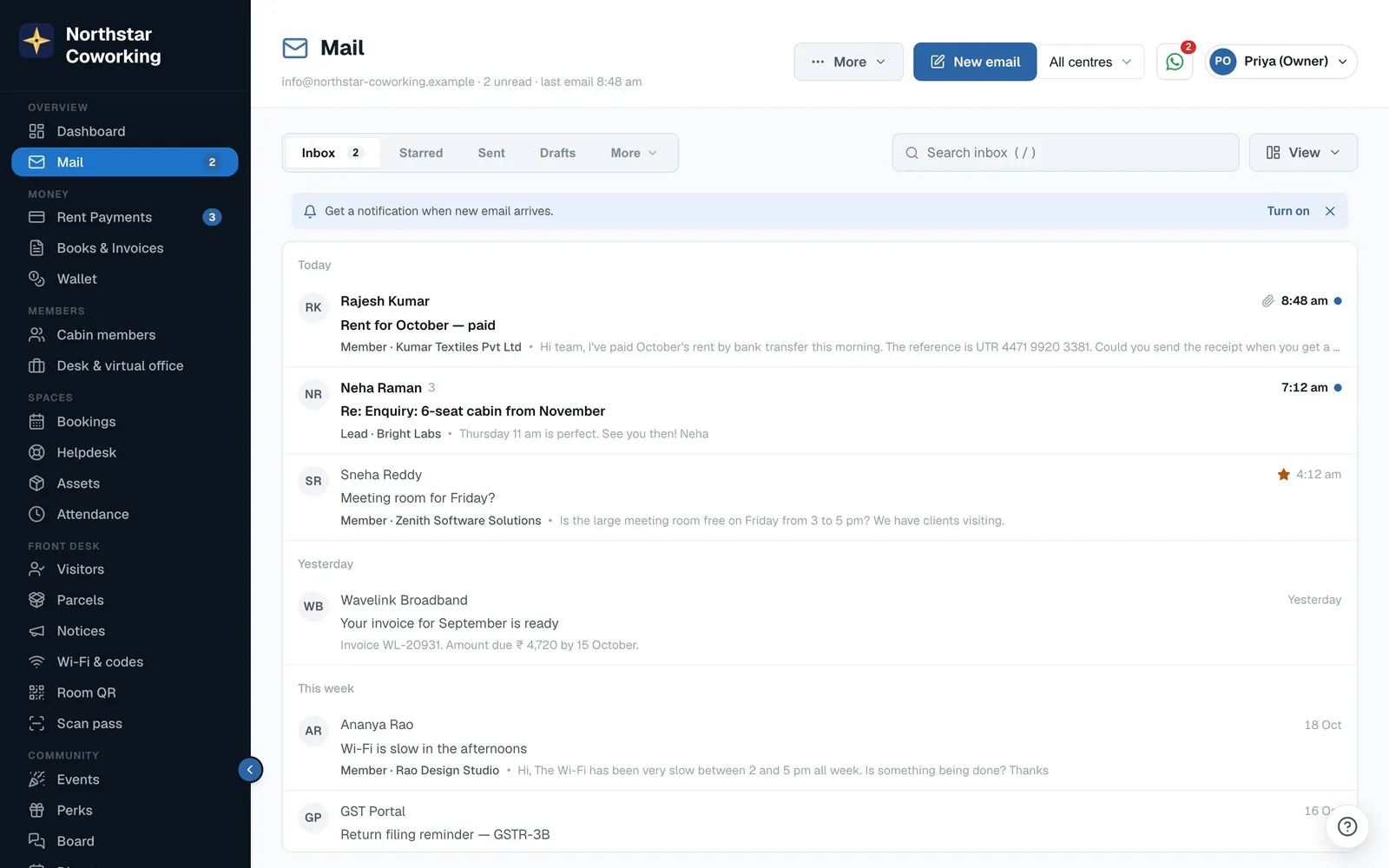
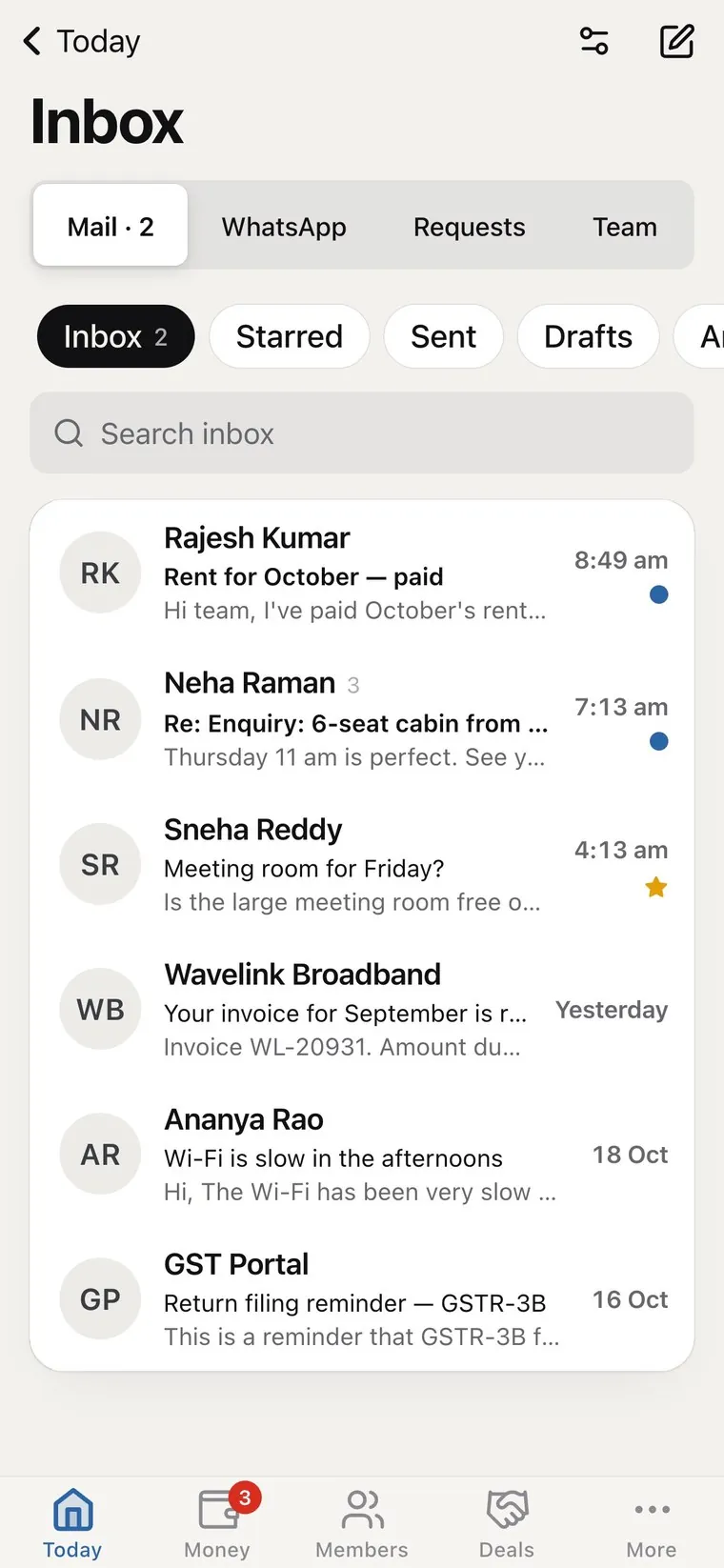
you@yourspace.com, without Zoho or Google Workspace. Personal mailboxes and shared team inboxes like info@ and bookings@, and every email shows which member, lead or vendor it is from.
- Your own domain added in one screen; DNS set up for you at Hostinger, Cloudflare or GoDaddy.
- Knows your customers a member or lead chip on every message; one click opens their record.
- Templates and attachments fill in the member's name and amount; attach invoices and agreements from Coworking OS.
- Move in from Zoho or Gmail import an export file or copy straight from the old server.
- All inboxes every mailbox you can open in one list, on the web app.
Website kit
Your own website, working for you.
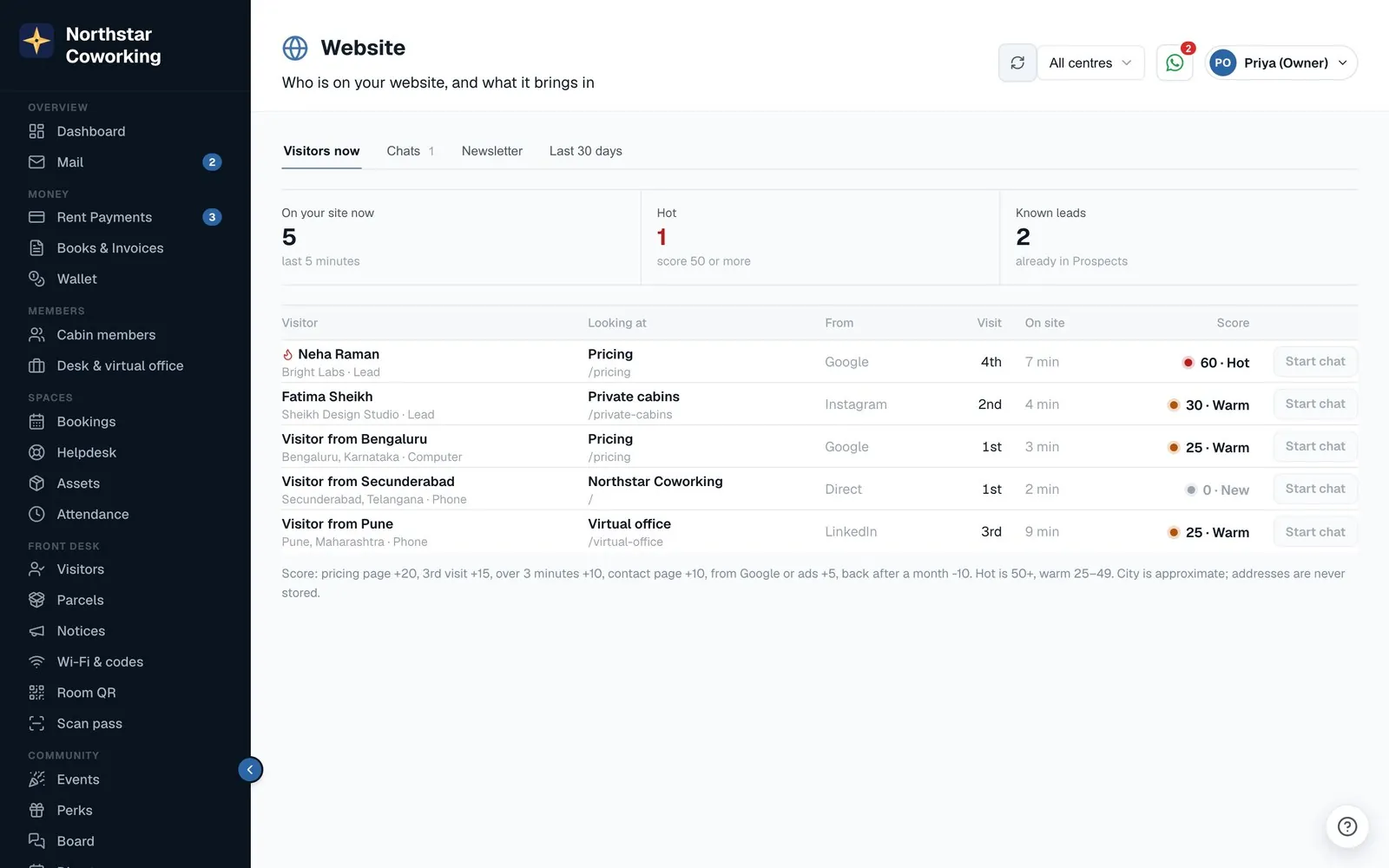
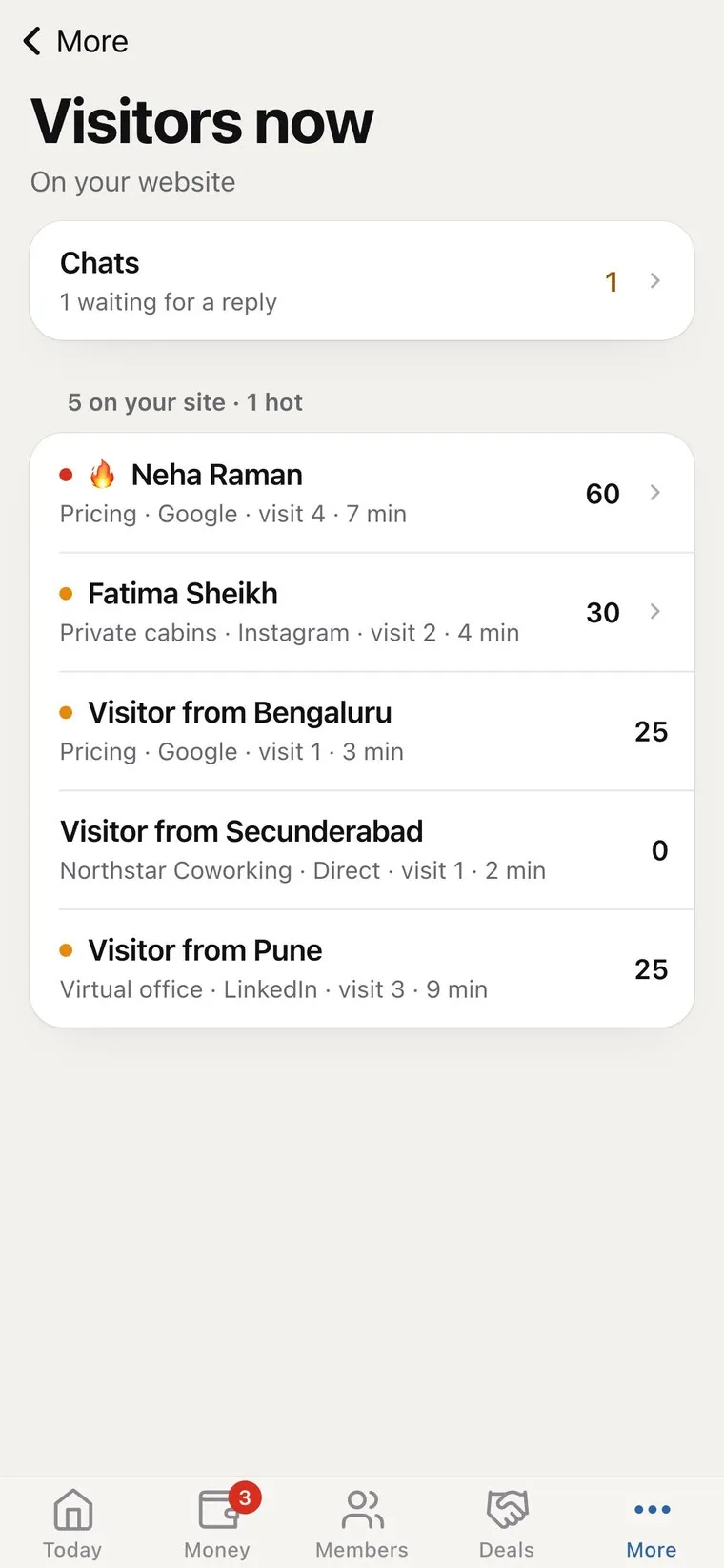
One line of code on the site you already have. A chat bubble, lead forms, 'what's free' answers and visit booking from your real cabins and calendar, and a newsletter, all landing in Coworking OS as leads.
- Live chat and lead forms every message and form becomes a lead in Prospects, matched by phone or email, with the page and source.
- What's free & prices answered from your real cabins and desks: how many are free and a 'from' price, never cabin numbers.
- Book a visit at a real open time; it shows on the lead with an email confirmation.
- Lead score and Signals pricing-page and return visits add up; a push alert when a known lead is back on your site.
- Newsletter double opt-in subscribers, a block editor, sent from your own Mail address, with opens and clicks.
- Answer bot replies from your own FAQ, never makes things up, hands over to a person.
Front desk
Reception, without the register.
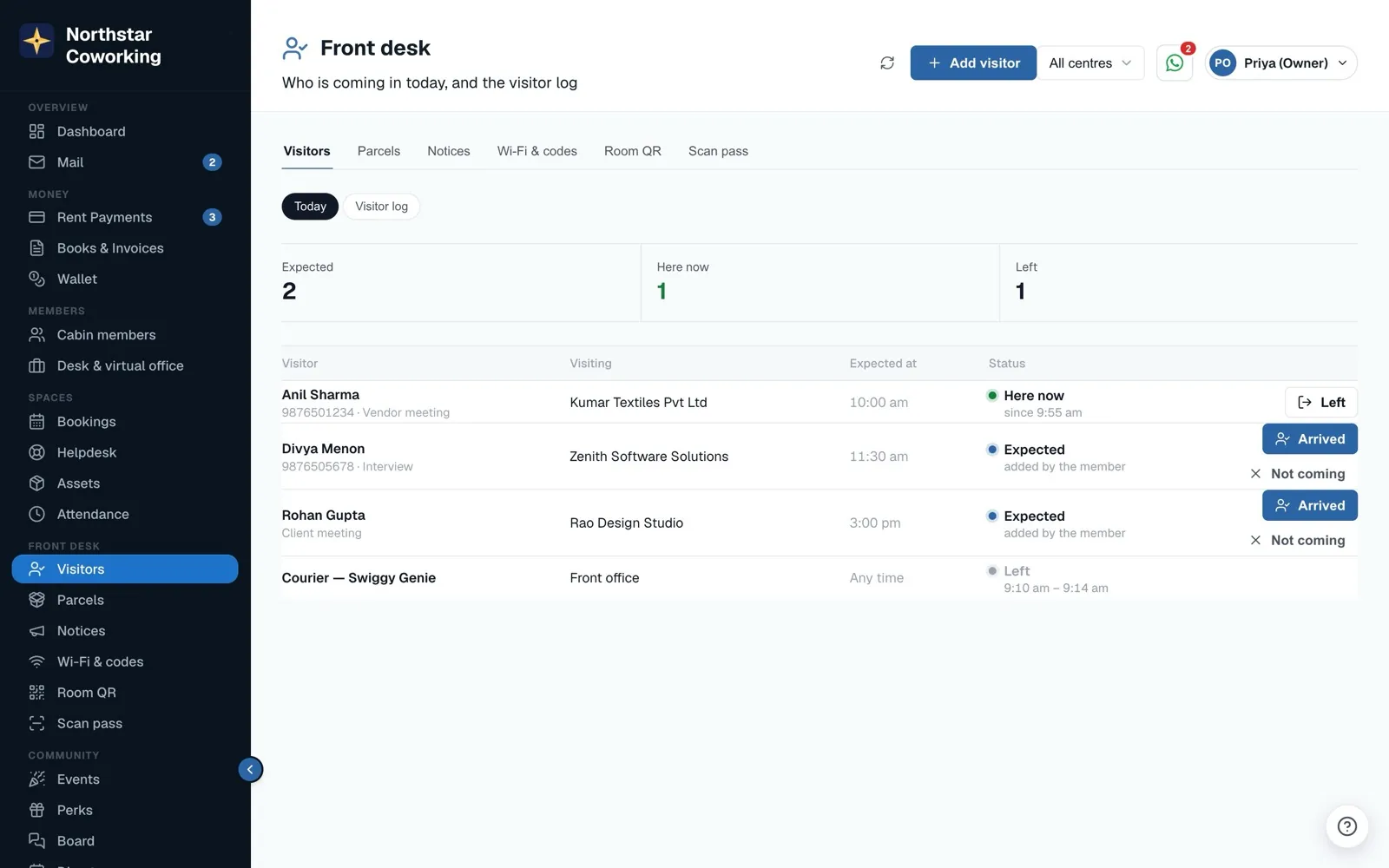
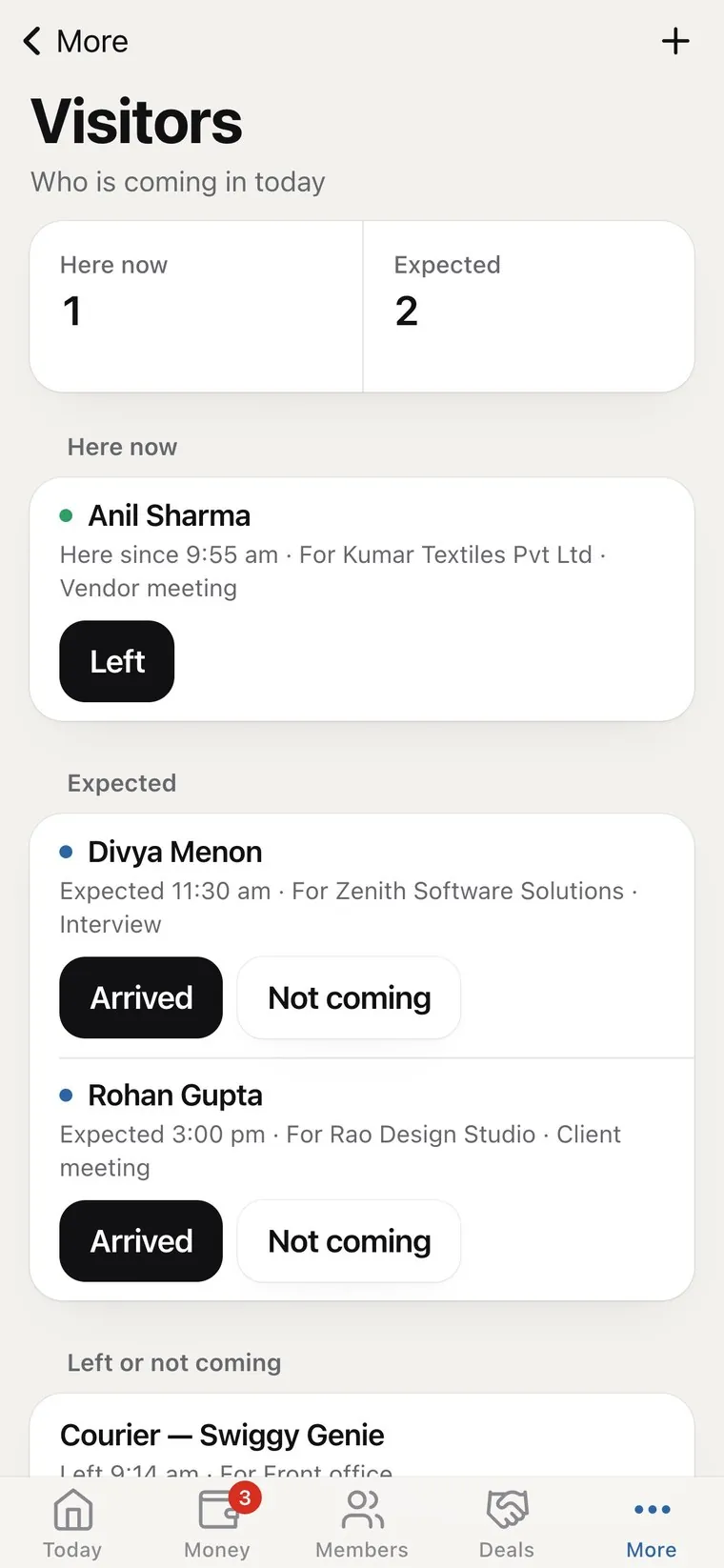
Who is coming in today, parcels waiting at reception, the notice board, Wi-Fi and door codes, and a printable QR poster for every meeting room.
- Visitors expected, here now and left, with a log you can export. Members add their own guests from the app.
- Parcels logged with a photo and a pickup code; the member sees it in the app and collects it with the code.
- Postal mail for virtual office members, with a scan of each letter in their app.
- Notices to the whole space or one centre, pinned, with a show-until date.
- Wi-Fi & codes member Wi-Fi per centre with a join QR; staff-only codes stay with staff.
- Room QR an A4 poster per room; scanning it opens today's free times.
- Scan pass see who a member is from their pass, and revoke a lost one.
Community
A space people stay in.
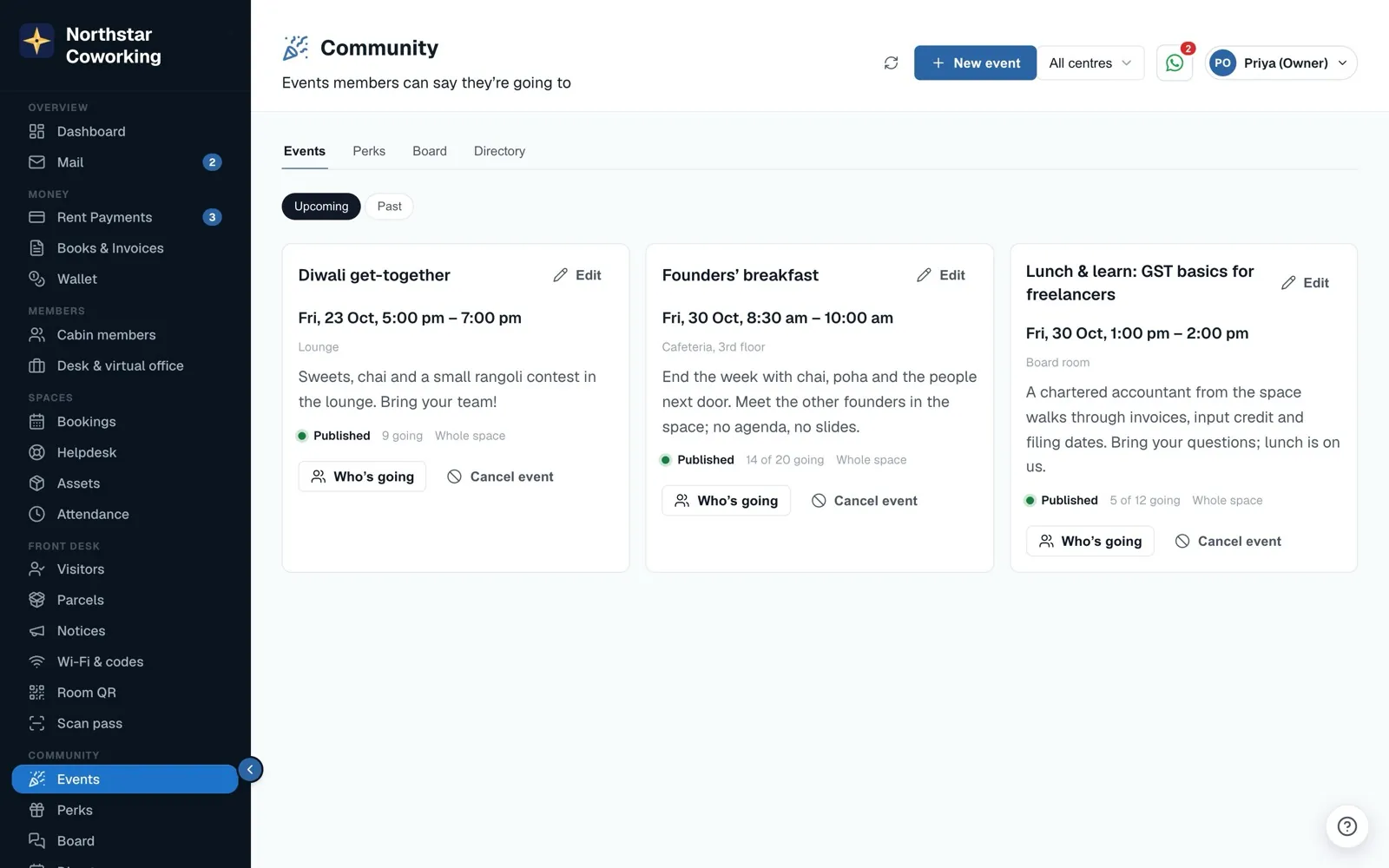
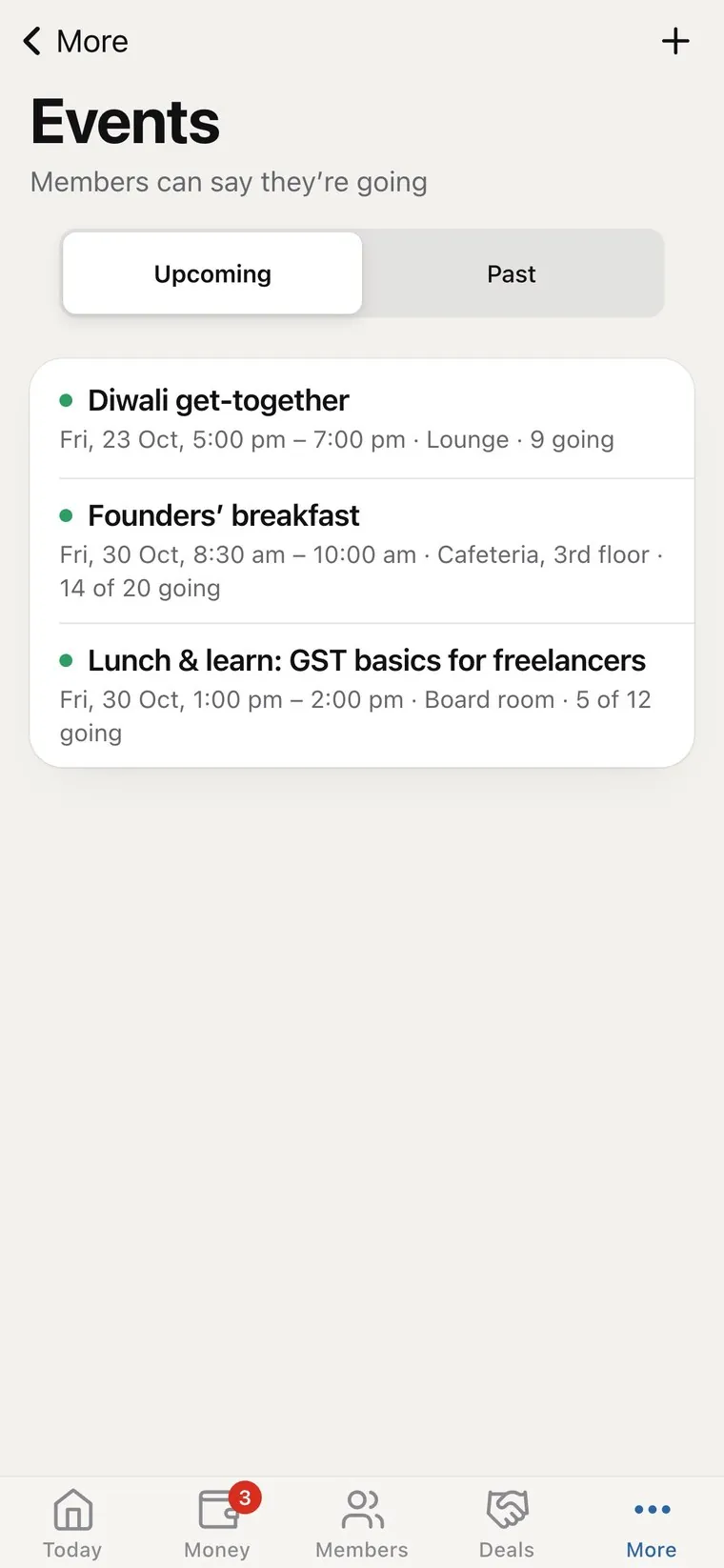
Events members RSVP to, perks from local partners, a board where members ask for help and offer services, and a directory each member chooses to join.
- Events publish once; members of those centres get a push and say Going or Can't go. Capacity and a who's-going list.
- Perks partner offers with how to claim and a valid-until date.
- Board Ask for help, Offering services, Jobs & leads, Buy / sell. Helpful marks, reports, and staff pin or hide.
- Directory opt-in only; each member decides what to show, from name and company to phone and email.
- Low ratings reach you a helpdesk rating of three stars or fewer sends staff a push.
Member surveys
Ask, every month, in 45 seconds.
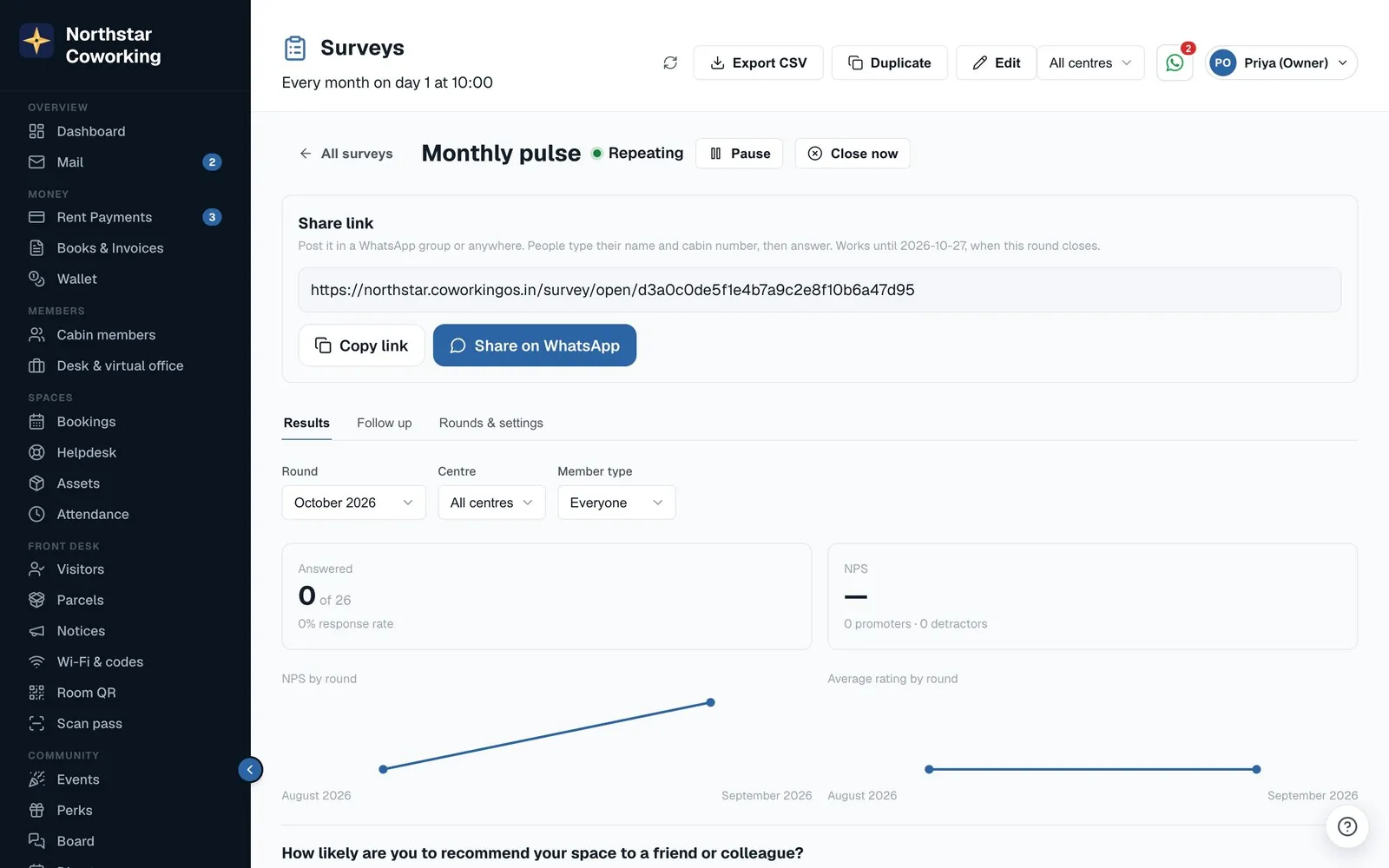
A monthly pulse with NPS, a quarterly facilities check, a check-in 14 days after move-in and an exit survey, each sent by app and email, with results that tell you what to fix first.
- Templates monthly pulse, facilities check, new member check-in, exit survey, event feedback, meeting rooms, annual.
- Named answers members see that {space} will see their name and cabin; results show from the first answer, with a Who answered list.
- Share link one open link per round to post on WhatsApp; people give name and cabin and are matched to the member.
- What to fix first the three lowest-rated areas and the most-picked improvements, in plain sentences.
- Detractors everyone who scored low, with one tap to open a helpdesk request.
- Google reviews happy respondents are offered your Google review link, with no pressure and no incentives.
- Fatigue control nobody gets two surveys in 30 days unless you say so.
AI connector
Ask your space a question.
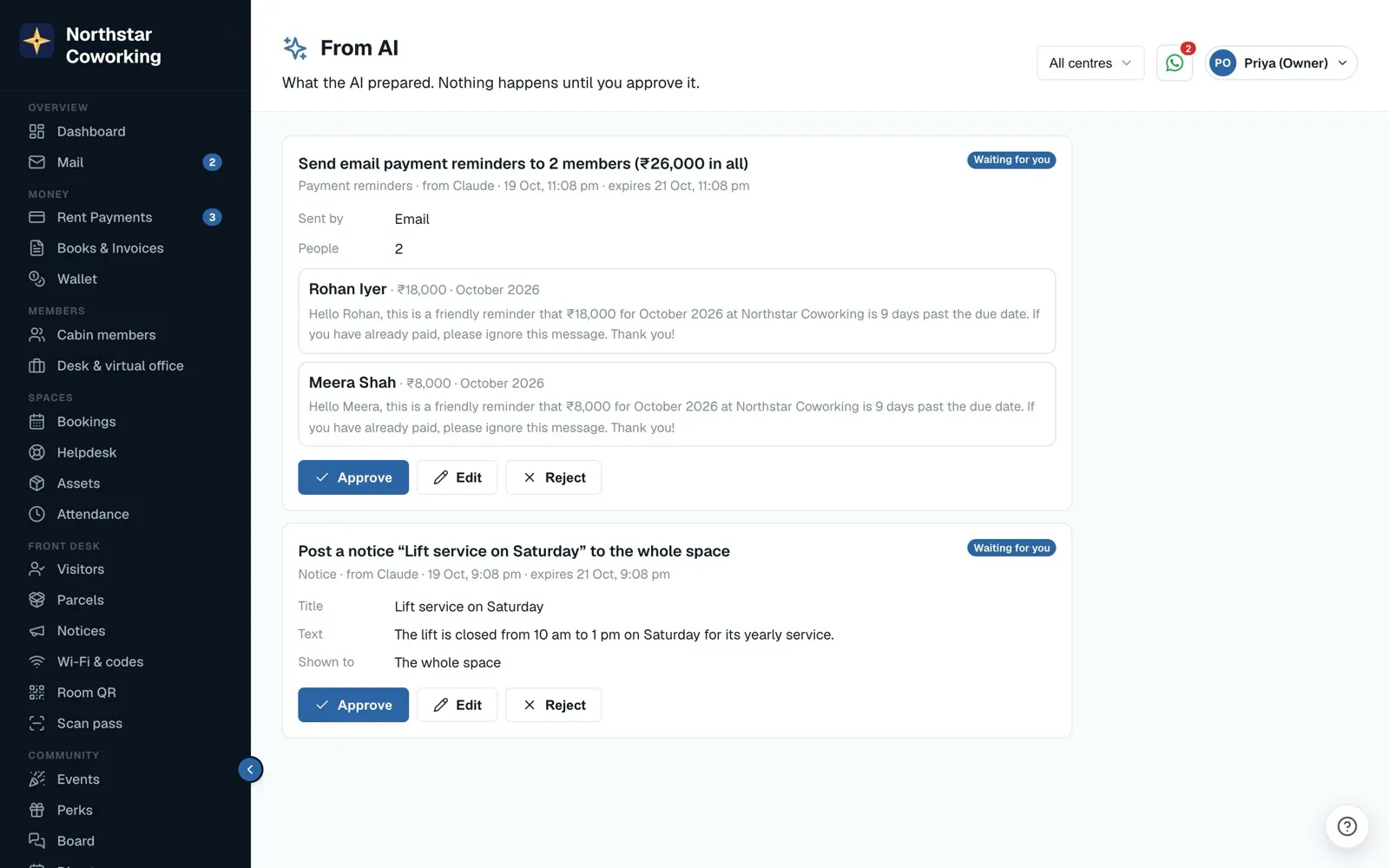
Connect Claude or ChatGPT to your space and ask in plain words: who is overdue, what is free, how October compared with September. Read-only by default; drafts for approval if you switch them on.
- 25 questions it can answer overdue rent, collections by month, late payers, free cabins, deposits, bookings and room use, agreements ending, helpdesk trends, survey totals, leads, move-outs, the monthly report.
- Never sees documents, phone numbers, emails, bank details, ID proofs, mail or WhatsApp messages.
- Drafts you approve payment reminders, a helpdesk request, a room booking or a notice land on the From AI page, where you approve, edit or reject. Nothing is sent on its own.
- Each person as themselves role and centre limits apply; every question is in the Activity log.
- Free in every plan Claude works on any plan; ChatGPT needs a paid ChatGPT plan.
Accountant kit
Your CA's month, done by the 5th.
TDS on receipts, a Form 16A tracker, a month lock so closed books stay closed, and exports your accountant can open straight in Tally Prime or Zoho Books.
- TDS deducted on the Record payment form; receipts print the section under the Income-tax Act, 2025.
- Form 16A tracker per member and quarter: received, missing or not in yet, with the certificate stored.
- Month lock nothing dated in a locked month can change; only a Super Admin unlocks.
- Tally Prime XML and Zoho Books CSV sales and receipt vouchers with the ledger names you set once.
- Accountant login read-only, Books only, enforced in the database.
Helpdesk
Every complaint, tracked to a fix.
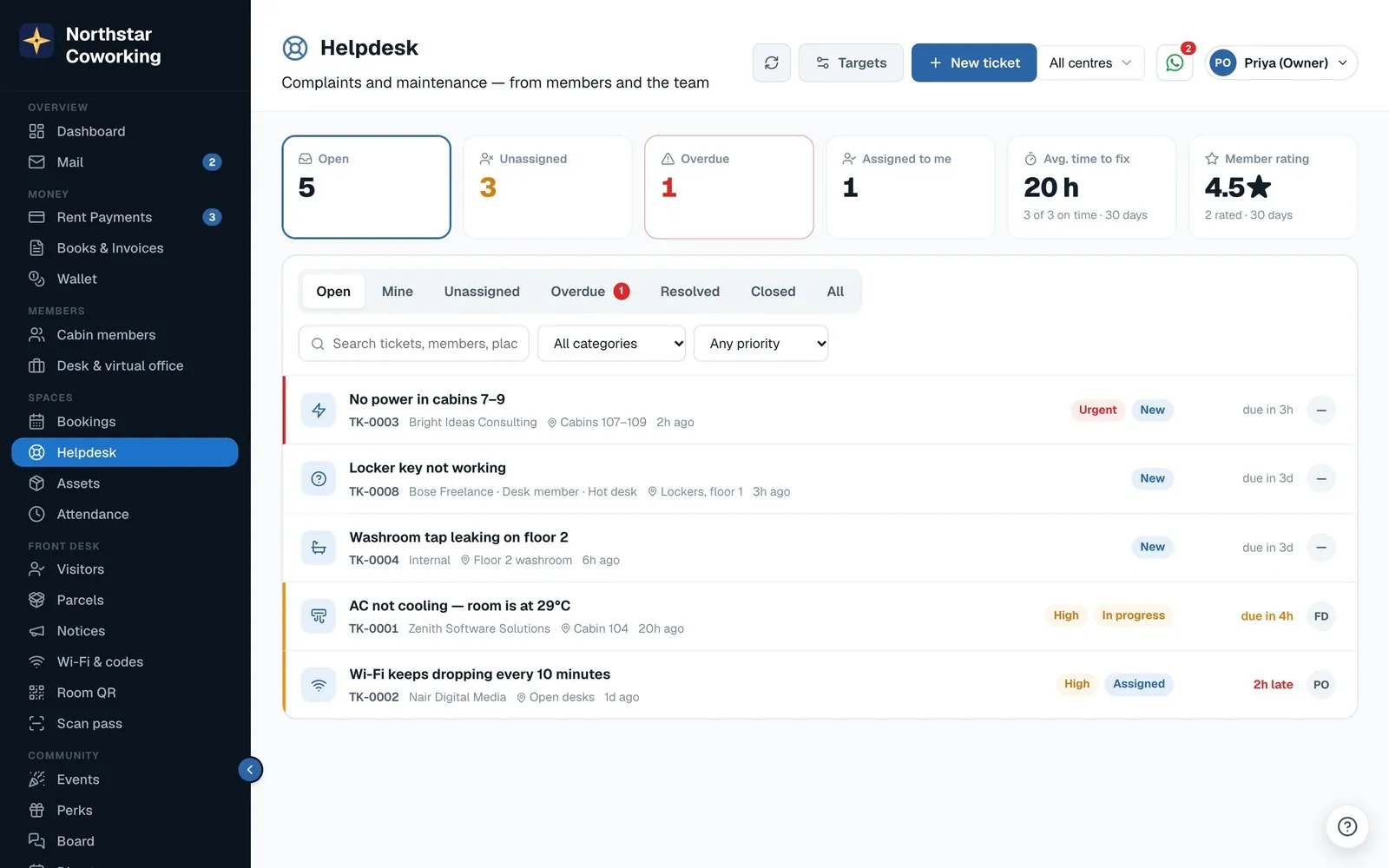
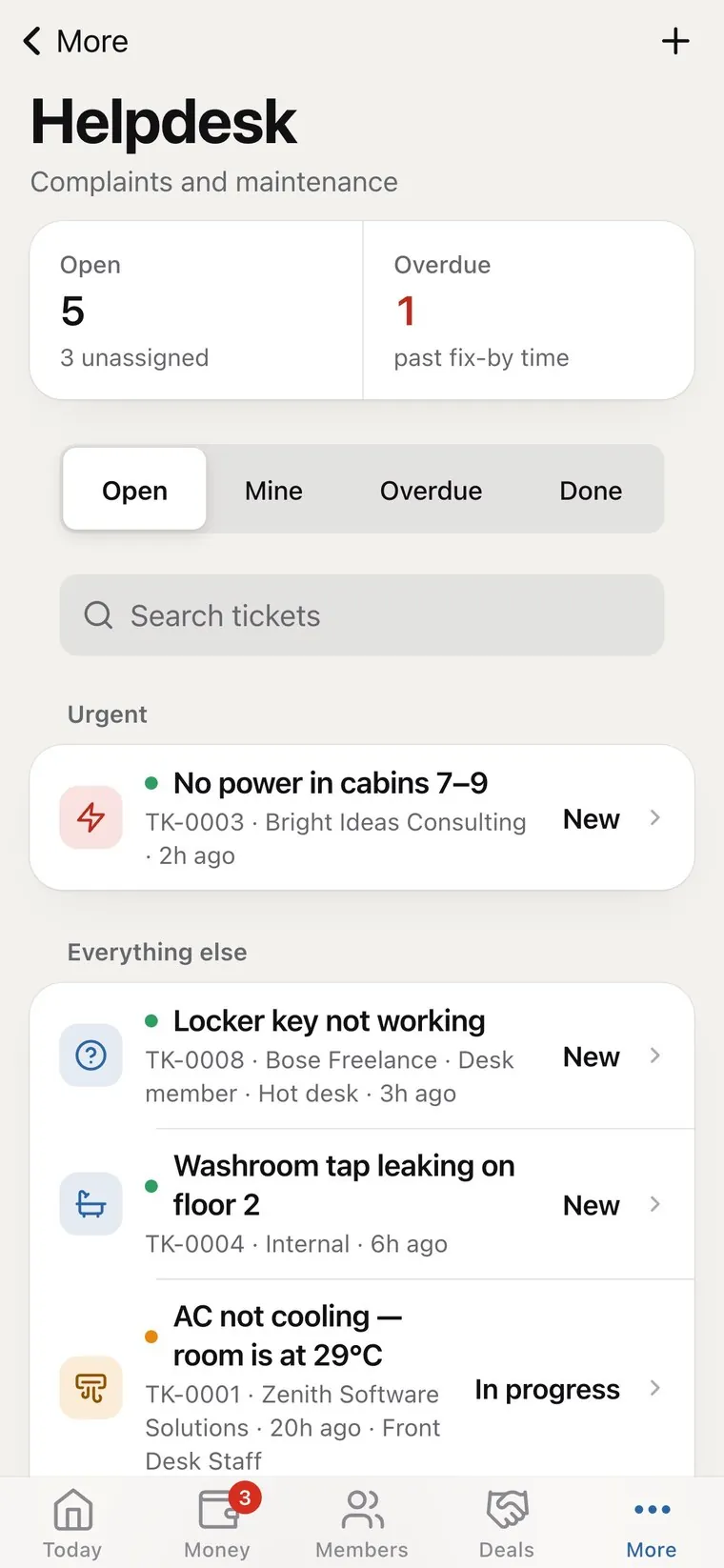
Members report a problem from their phone with a photo. Your team assigns it, replies and fixes it on time, and the member confirms it is done.
- Report in two taps Wi-Fi, AC, cleaning and nine more categories, with photos.
- Response and fix targets per priority, with overdue tickets flagged.
- Replies and internal notes the member sees one, never the other.
- Confirm and rate members close the loop with a star rating.
- Front desk visitors, parcels, notices and Wi-Fi, so reception stops repeating itself.
Assets & maintenance
Serviced before it breaks.
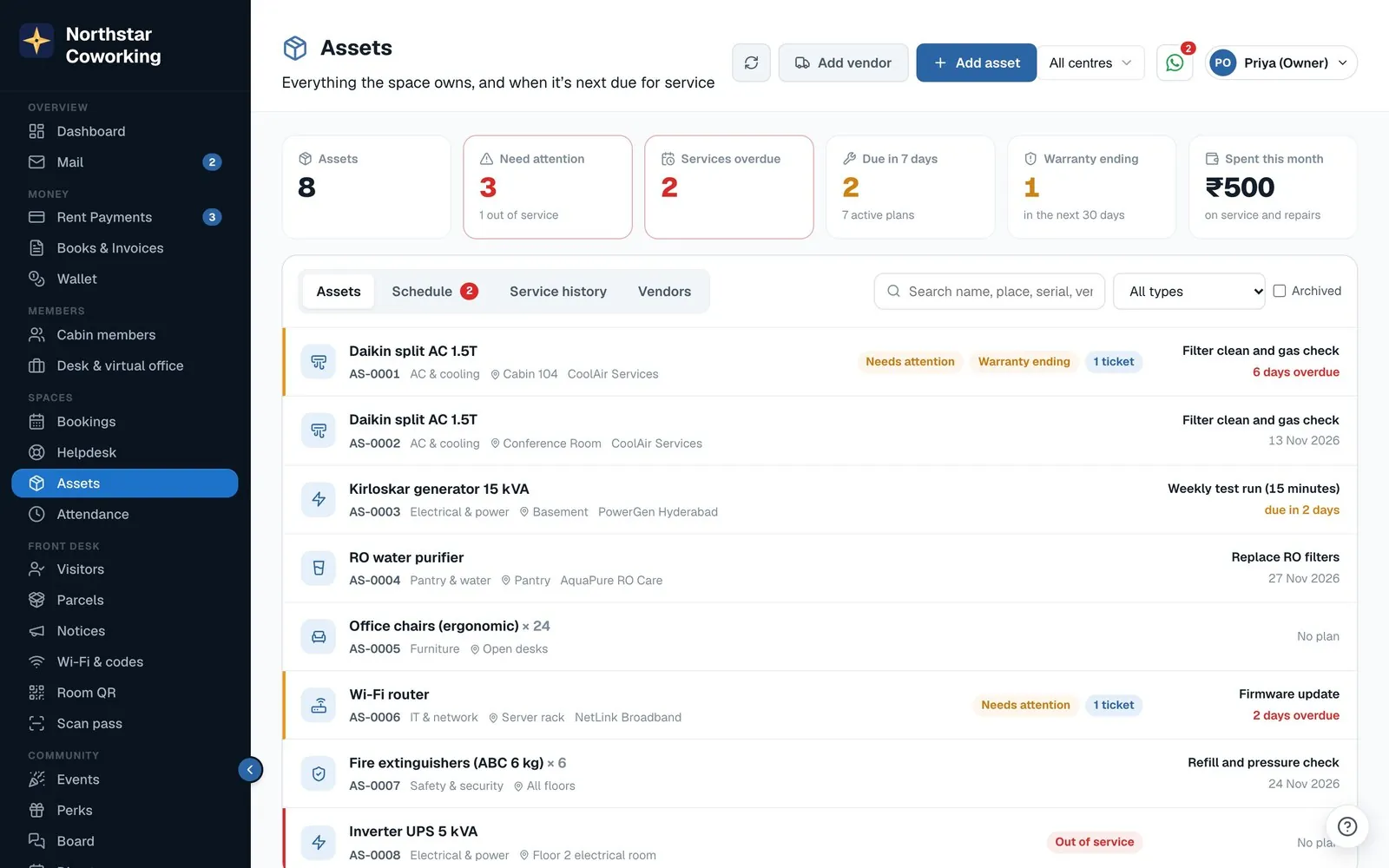
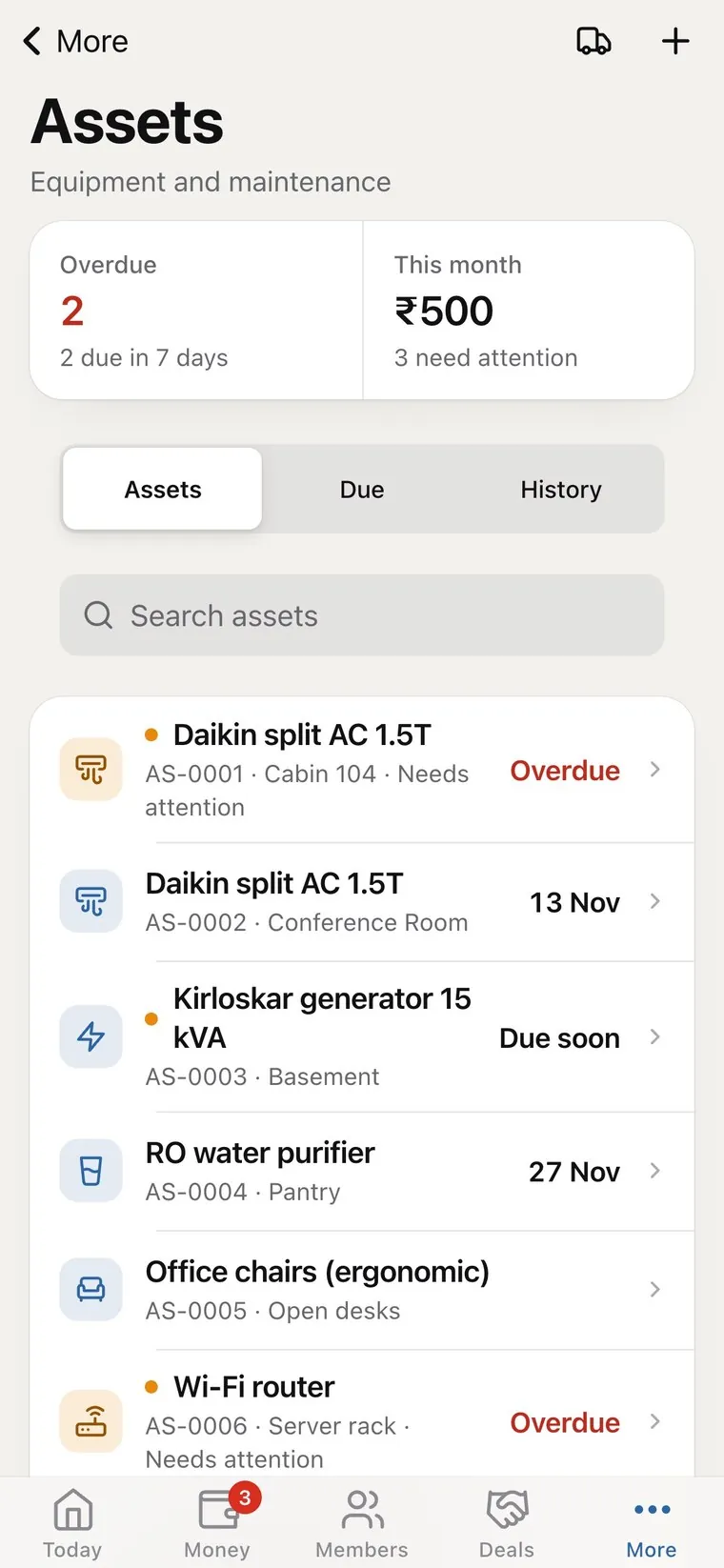
A register of every AC, purifier, generator and router, with service plans that remind you when each is due.
- Service plans every month, every quarter, or one-time; the next date rolls forward.
- Service records with the bill photo, added to your expenses in one tap.
- Warranty alerts before the warranty runs out.
- Linked to complaints see every ticket raised about an asset.
- AMC contracts annual maintenance contracts tracked with their renewal dates.
Credits & add-ons
Extras without the cash.
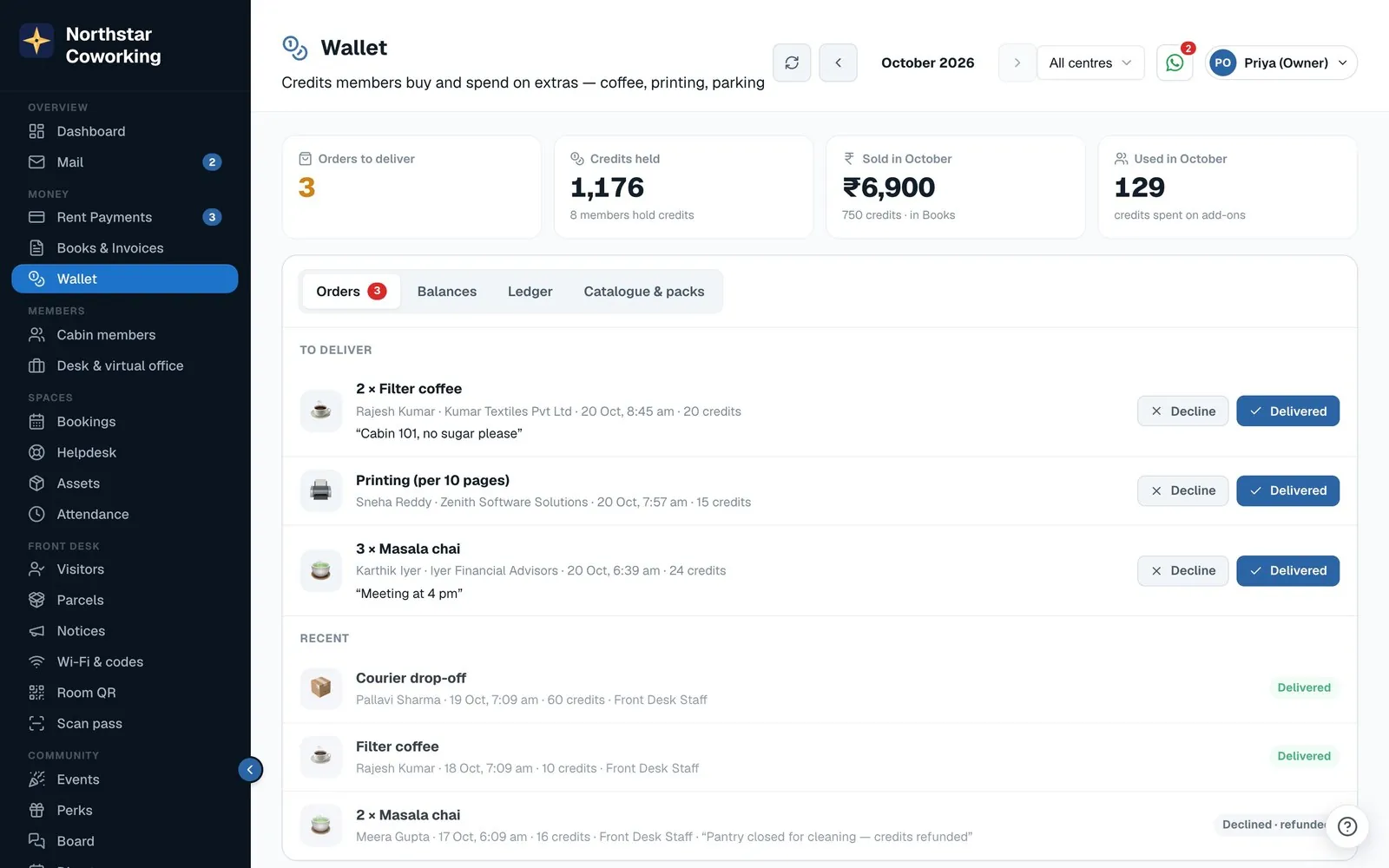
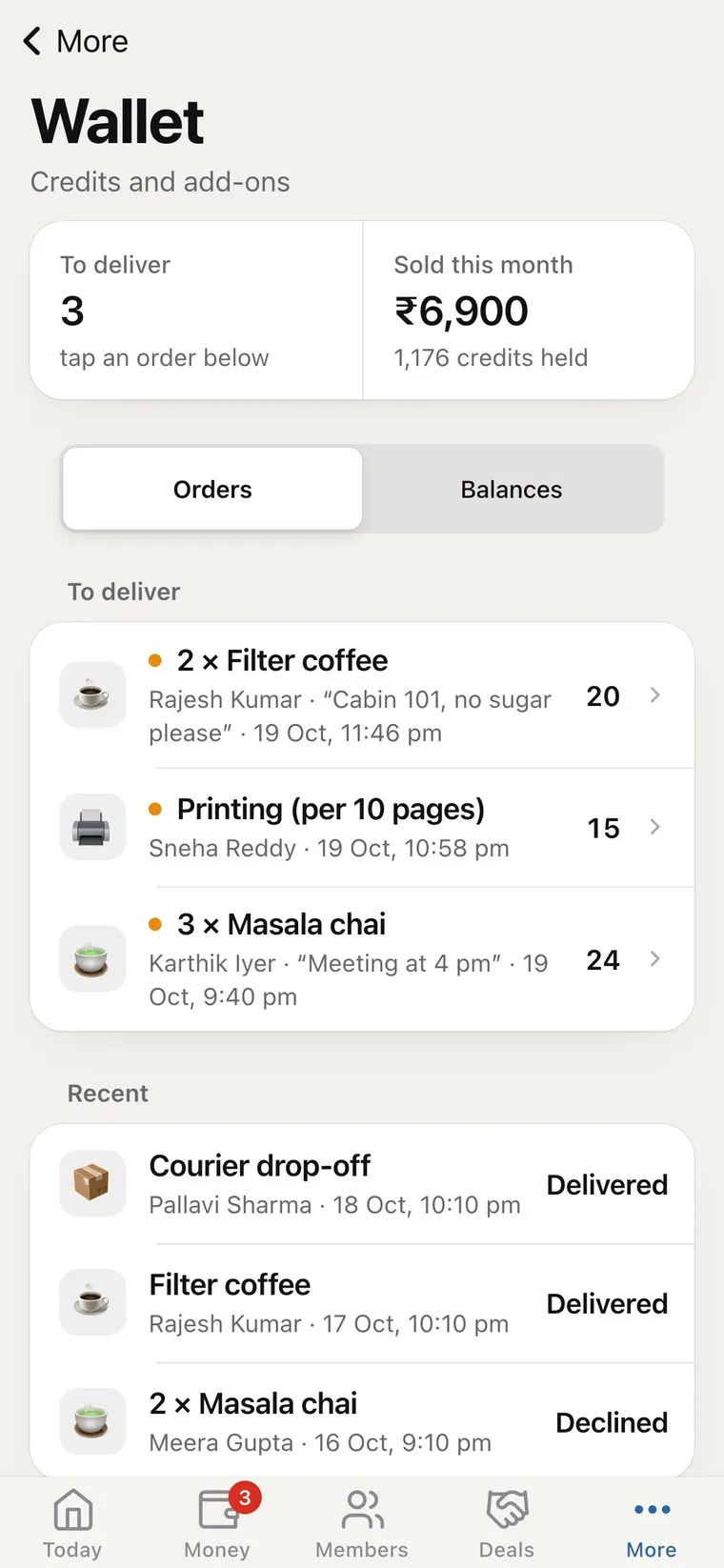
Members buy credits online and spend them on coffee, printing, parking or courier handling. You see every credit in and out.
- Credit packs paid online through your own gateway; income in your books.
- An add-on menu you price in credits; orders reach your phone.
- Deliver or decline declined orders refund themselves.
- Monthly credits for chosen members, added on the 1st.
Field staff & attendance
Your ground team, on their own phones.
Housekeeping, security and other floor staff get a simple app of their own. They sign in with their mobile number and a PIN, no email needed, and use it in English, Telugu or Hindi.
- Today's jobs and checklists with photo proof when each one is done.
- Gate and visitor log for security, at the entrance.
- Check-in inside the building only a location circle you set from your phone or by pasting Google Maps coordinates.
- Late check-ins marked automatically.
- You see everything with a notification on your phone at every check-in and check-out.
- Staff get notified too on their own phone, in the Coworking OS app.
- Staff register, salary and payroll for the owner, on the web app: shifts (night shifts too), late, half day and overtime, week offs and holidays, corrections with a reason, advances taken back from salary, printable payslips, and a finalised month that can't change by itself. Covers your staff and housekeeping and security.
Today · Northstar Workspaces
iPhone & Apple Watch
On your members' iPhone and Apple Watch.
The Coworking OS iPhone app goes beyond the screen: the member pass in Wallet and on the wrist, widgets and Live Activities, and booking a room straight from its QR code.
- Apple Wallet the member pass and each room booking as passes in Wallet.
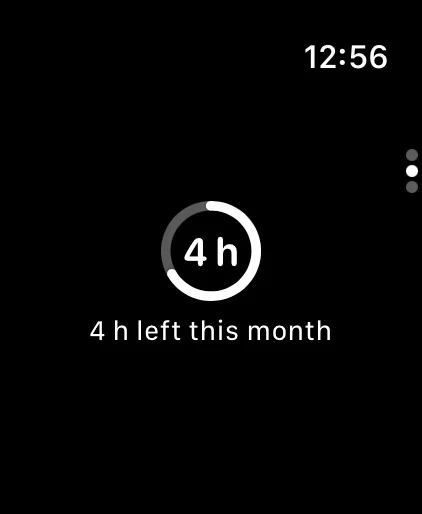
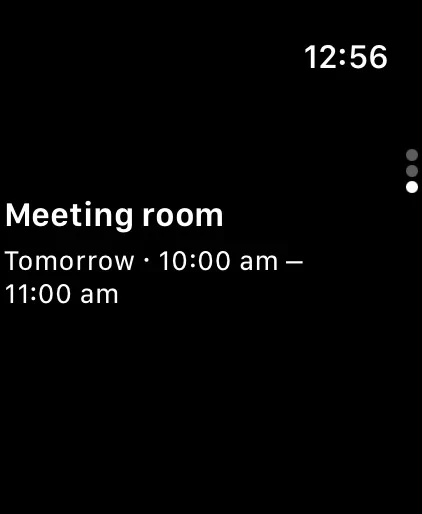
- Apple Watch the member pass on the wrist, meeting room hours left this month, and the next booking.
- Widgets and Control Centre the next booking and hours left on the Home and Lock Screen, with buttons in Control Centre.
- Live Activities a booking that starts soon counts down on the Lock Screen and in the Dynamic Island.
- App Clip scan a meeting room's QR poster to see free times and book, without installing the app.
- Sign in with Apple and iPhone Duo one-tap sign-in, and a layout that fills both screens of iPhone Duo.
Coworking OS for Mac
For the space's owner and team, on the Mac.
The full desktop screens in a Mac app of its own, on Apple silicon and Intel Macs. Members and field staff keep using the phone apps.
- Mac notifications even with the window closed.
- Touch ID lock so the app stays private on a shared desk.
- Menus and shortcuts ⌘1–⌘7 to move around, ⌘N for a new window, ⌘F to find, ⌘P to print.
- PDFs open in Preview receipts, invoices and statements.
- Same account, same data sign in as you do on the web. Download on the Mac App Store.
Coworking OS for Mac