Skip to content
Home/Help centre/Tenants & cabins

Tenants & cabins

Send an announcement to all tenants

Water maintenance tomorrow, holiday closure, new cafe menu: one message to everyone.

StaffScreens show the demo workspace, Northstar Coworking.

Open Tenants and click More → Broadcast.
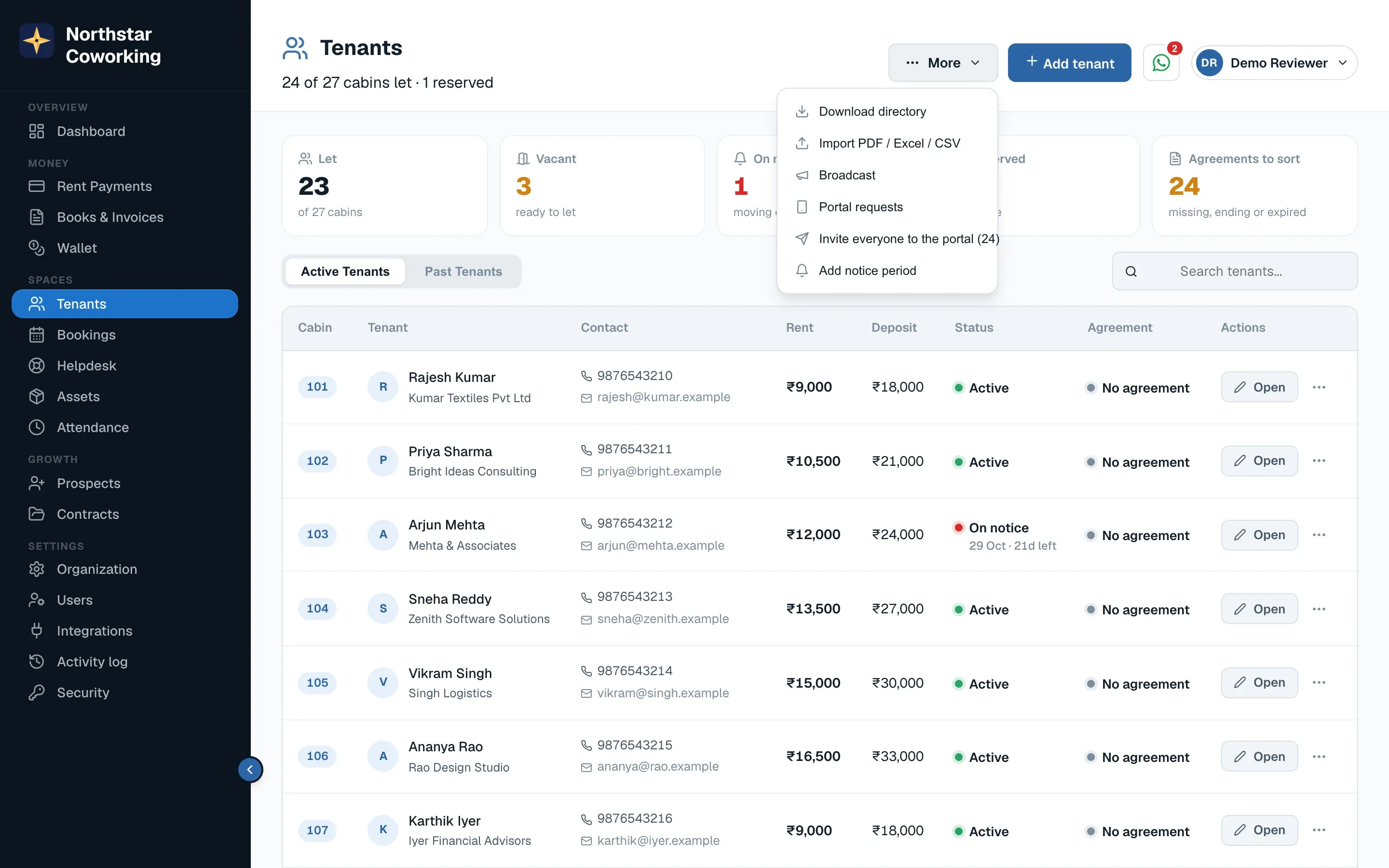
The More menu: directory download, import, broadcast, portal invites and notice periods.
  1. Write the announcement. Keep it short; it goes out as a WhatsApp message and an email.
  2. Choose everyone, or filter to a floor or a set of cabins.
  3. Preview and send. The message is saved on each tenant's page under communications.
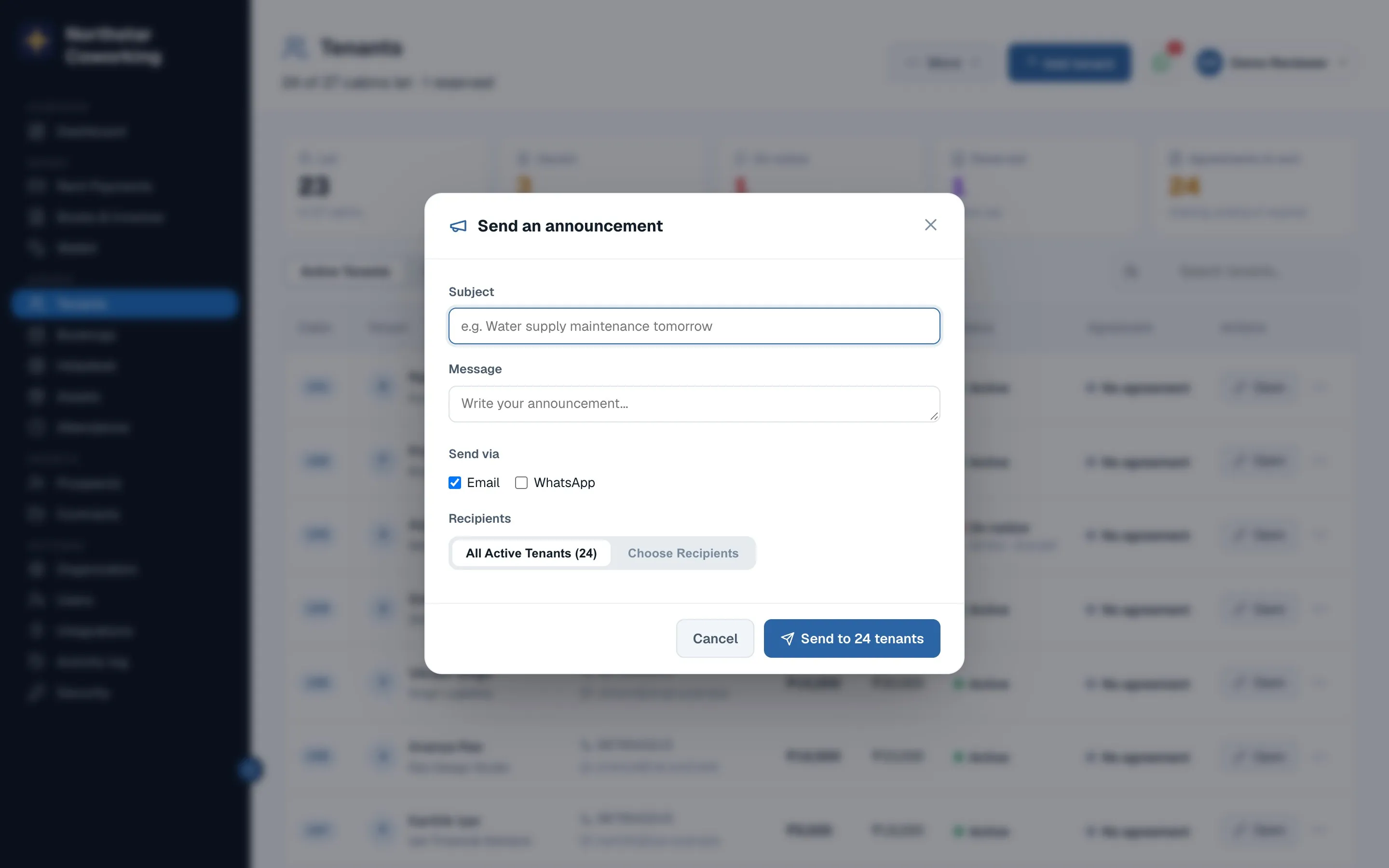
Writing a broadcast.
Broadcasts use your WhatsApp Business number, so replies come to you.

Related guides

Still stuck? WhatsApp us or write to info@coworkingos.in. Tell us the tenant or screen and we'll sort it with you.

Coworking OS in 95 seconds, shown with the demo workspace. Sound on; captions are in the player menu.

WhatsApp us
WhatsAppBook a demo