Open Rent Payments. The month is shown at the top right; the app opens on the current month.
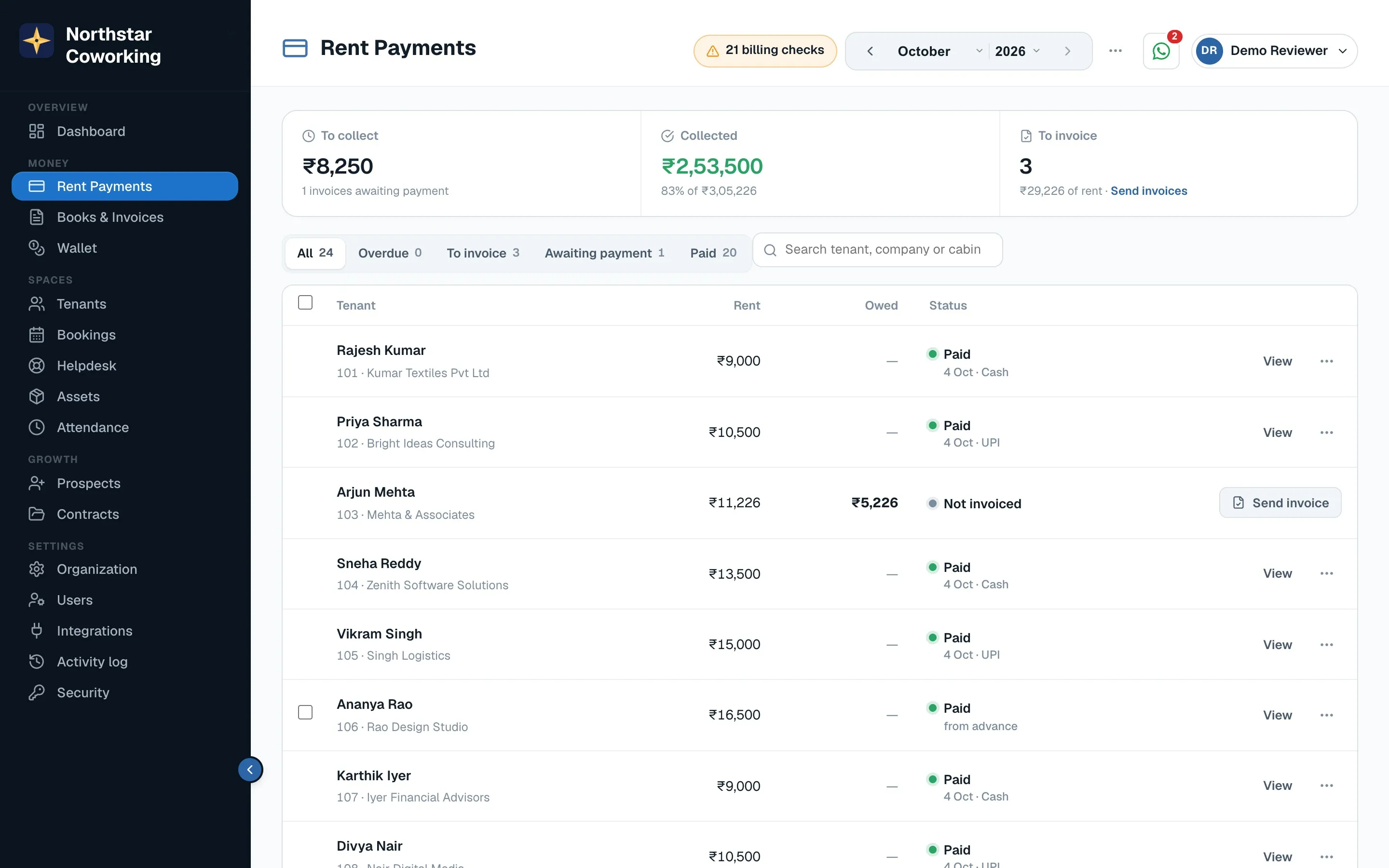
- Click Send invoices (top right, under 'To invoice'). This opens Books & Invoices with the month's invoices ready.
- Check the list. Each tenant shows their rent and a Send button.
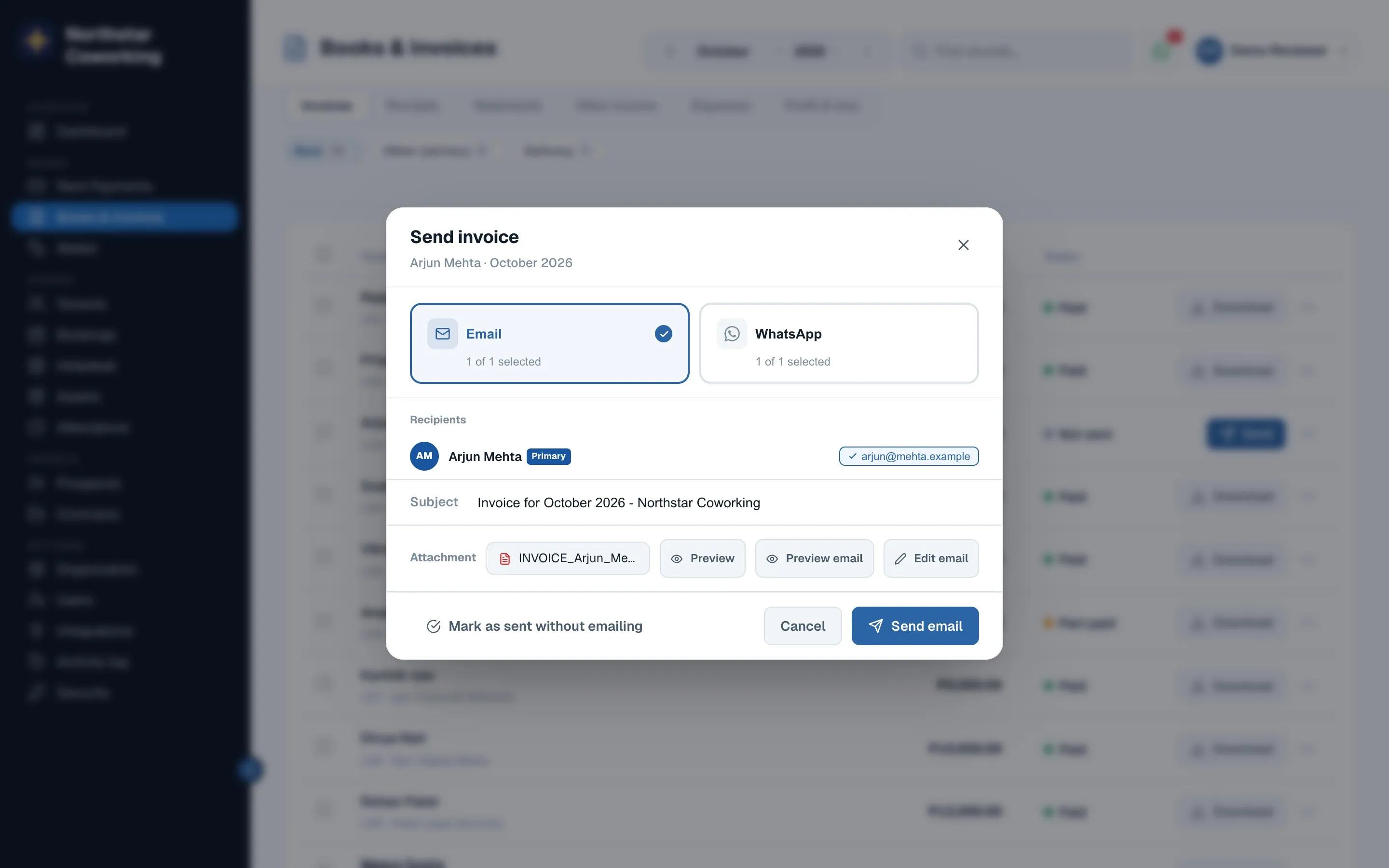
- Click Send on one tenant, or tick several and send together. Choose WhatsApp and/or email; both are ticked when the tenant has both on file.
- Done. The status changes to Sent, and back in Rent Payments the tenant moves to Awaiting payment.
What the tenant gets
A message with the invoice PDF and a Pay Now link. If they pay through the link, the invoice is marked paid and the receipt goes out by itself. If they pay by cash, cheque or a bank transfer, you record it: see Record a payment.
Good to know: an invoice is only sent when you click Send; nothing goes out by surprise. Rent for a tenant who has given notice stops at the notice date.
Related guides
Record a payment (cash, UPI, cheque, transfer) →Remind everyone who hasn't paid →Receipts, invoices and statements →
Still stuck? WhatsApp us or write to info@coworkingos.in. Tell us the tenant or screen and we'll sort it with you.