Open Contracts → Agreements.
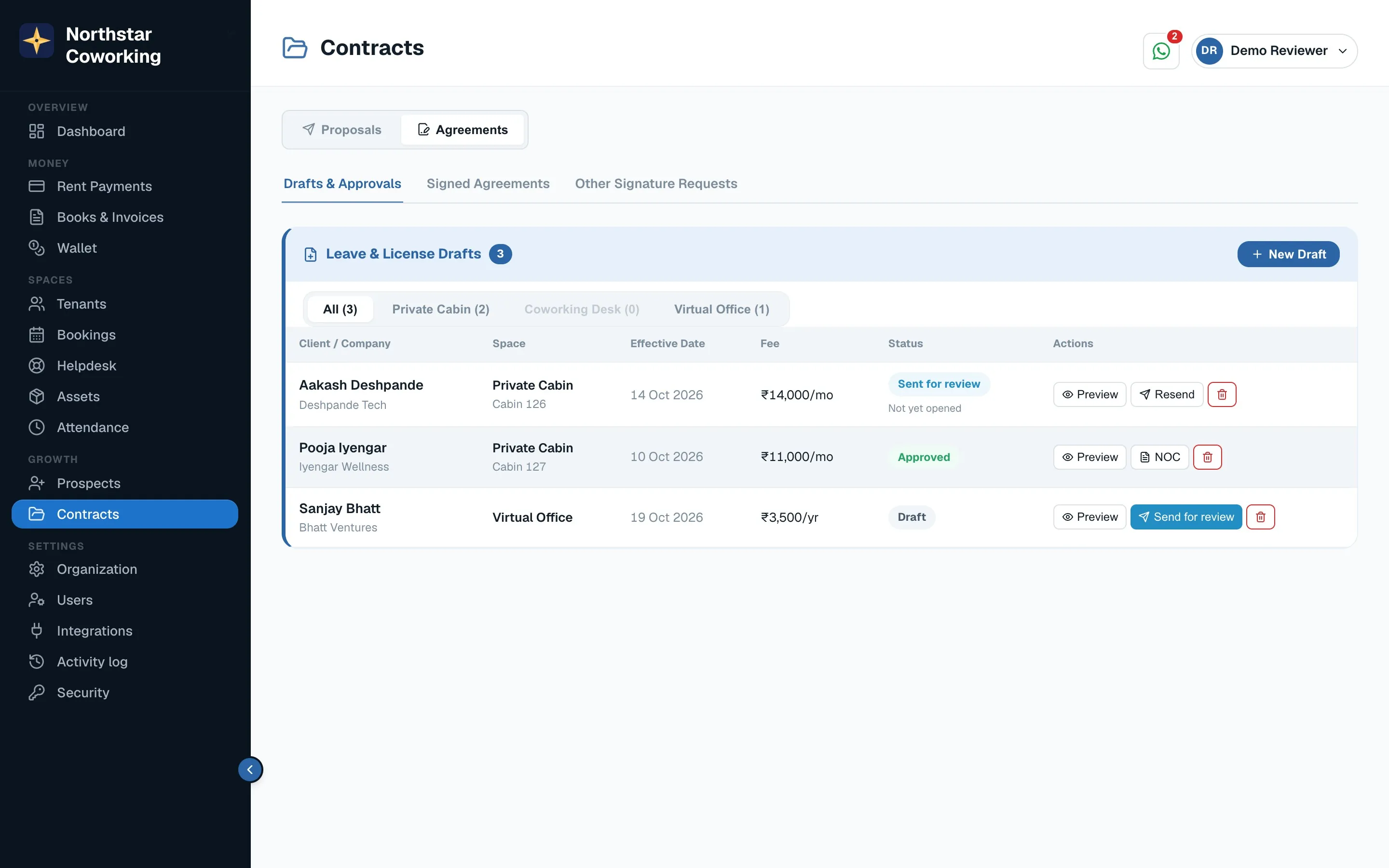
- Open the draft created from the accepted proposal and check the terms: dates, rent, deposit, annual hike, notice period.
- Click Send for review. The client gets a link to read and request changes.
- When both sides agree, click Send for signature. Choose who signs on your side (the signatory from Settings) and whether the signer must verify by OTP.
- Each party signs from their phone. The signed PDF is attached to the tenant's record and appears in their portal under Documents.
Super Admin only: staff can prepare drafts but cannot send agreements for signature.
Related guides
Still stuck? WhatsApp us or write to info@coworkingos.in. Tell us the tenant or screen and we'll sort it with you.