Open Helpdesk. Open tickets show first, with priority and the time left on the fix target.
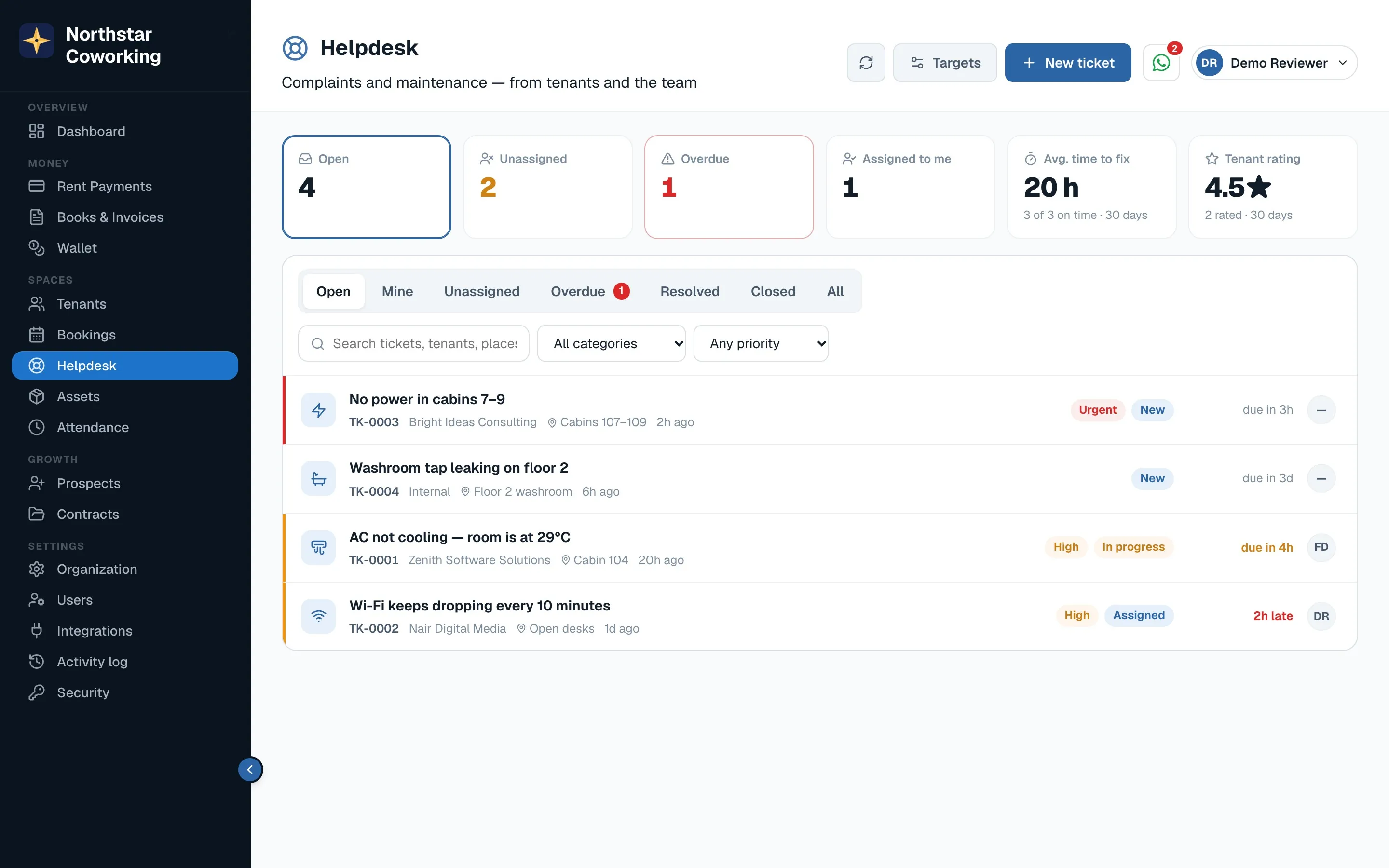
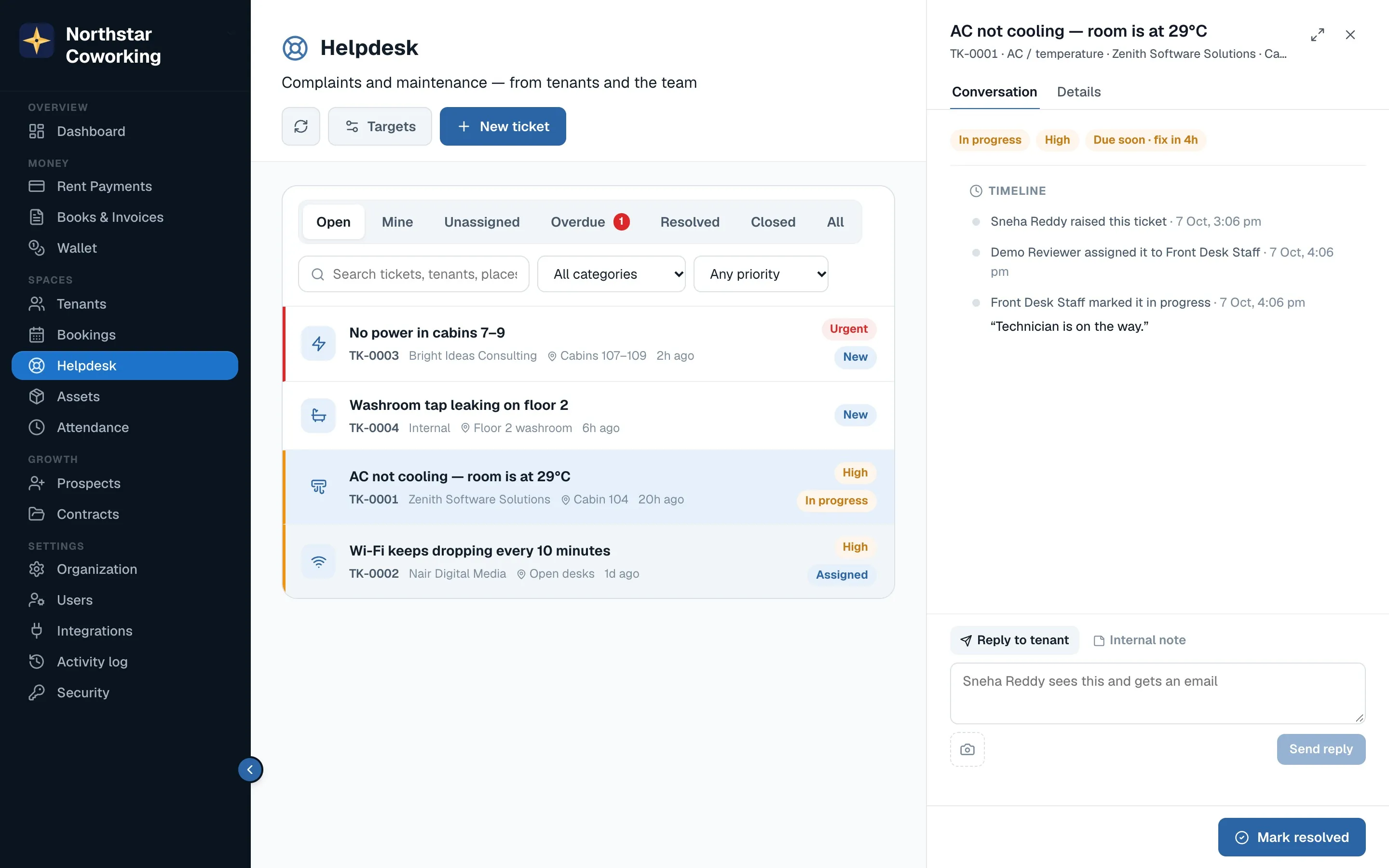
- Open a ticket. You see what was reported, the cabin, photos if any, and the conversation so far.
- Assign it to a team member and set the priority. The assignee is notified.
- Update the status as you go: In progress, then Mark resolved with a note. The tenant is told on WhatsApp and asked to confirm.
- If the tenant says it's not fixed, the ticket reopens with their note.
Raising one yourself
Click New ticket for something your team noticed. Tenants raise theirs from the portal; those arrive here with the cabin filled in.
Targets: set how many hours each category should take under Helpdesk → Targets. Overdue tickets are flagged on the Dashboard.
Related guides
Still stuck? WhatsApp us or write to info@coworkingos.in. Tell us the tenant or screen and we'll sort it with you.