Open Bookings and click Setup.
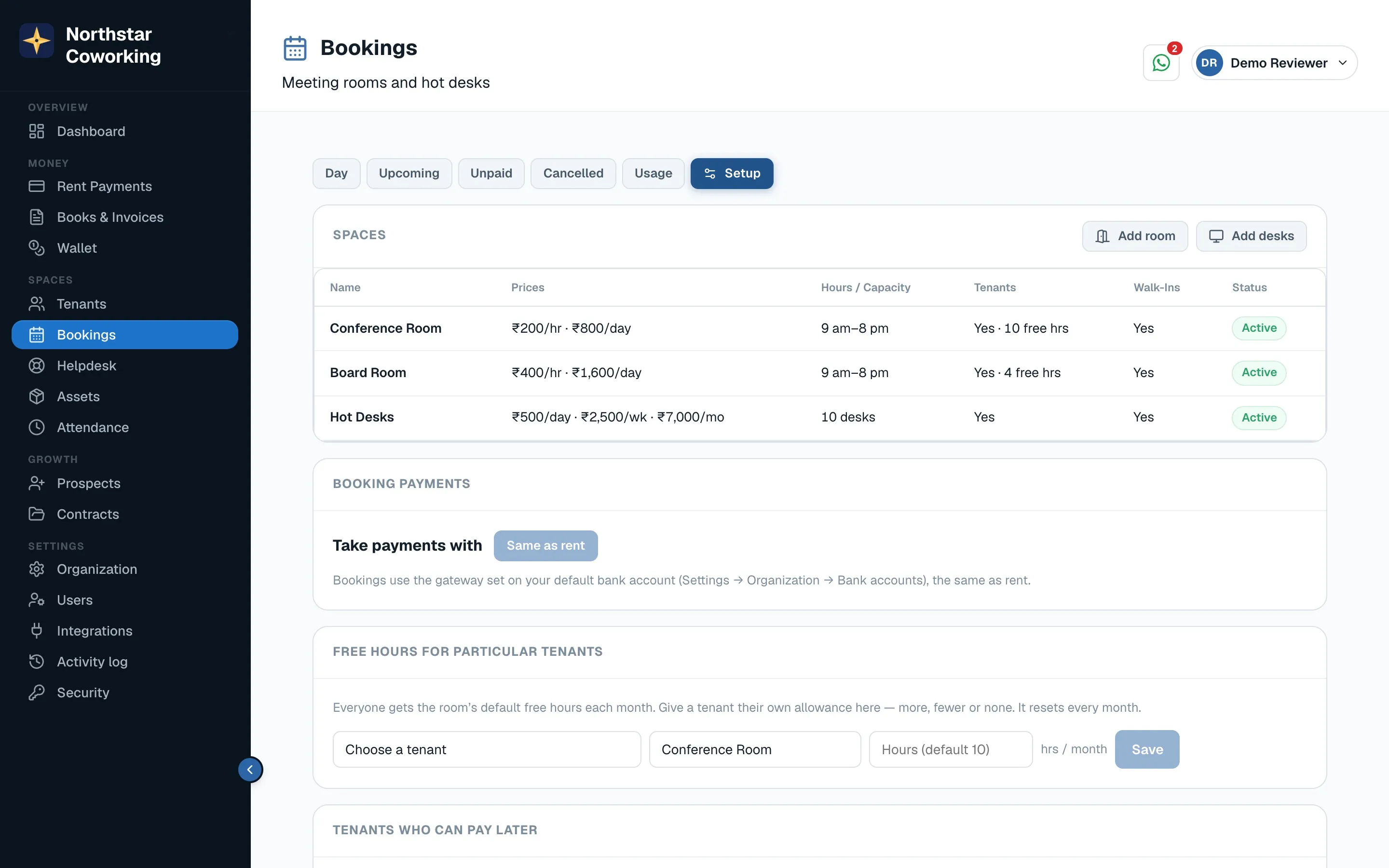
- Spaces: add each meeting room and your hot-desk area with capacity.
- Hours and prices: opening hours, hourly and full-day rates for rooms, day / week / month passes for desks.
- Free hours for tenants: how many room hours a member gets each month before paying.
- Holidays & closures: dates nobody can book.
- Take payments with: your connected gateway. Walk-ins pay upfront; you can allow trusted tenants to pay later.
- Walk-in booking page: switch it on and copy the link (your-space.coworkingos.in/book) to your website, Google listing and Instagram.
Terms & refund policy written here are shown on the public page and in the confirmation message.
Related guides
Still stuck? WhatsApp us or write to info@coworkingos.in. Tell us the tenant or screen and we'll sort it with you.