Open Bookings. The day view shows every room's slots and the desks free.
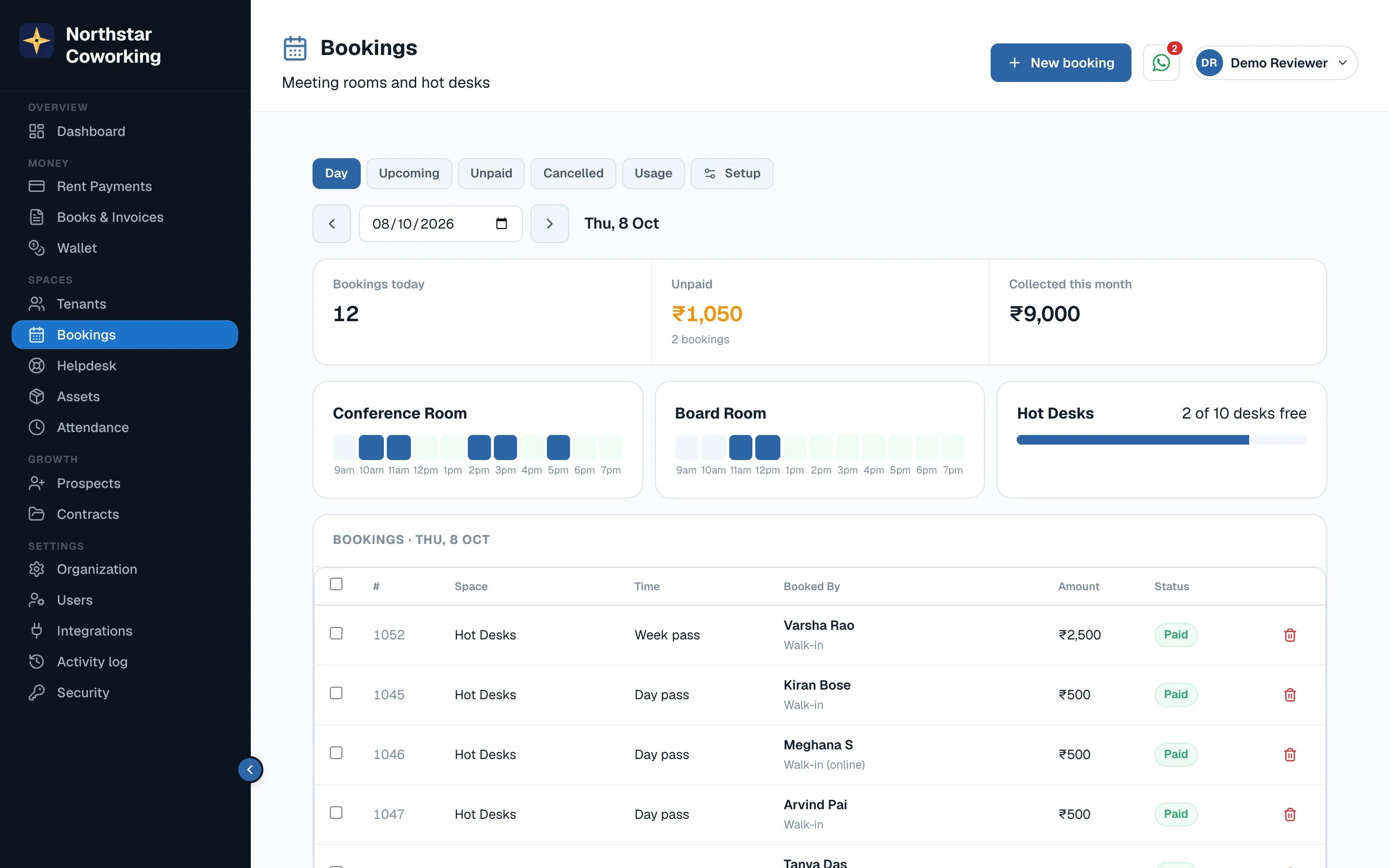
- Click New booking.
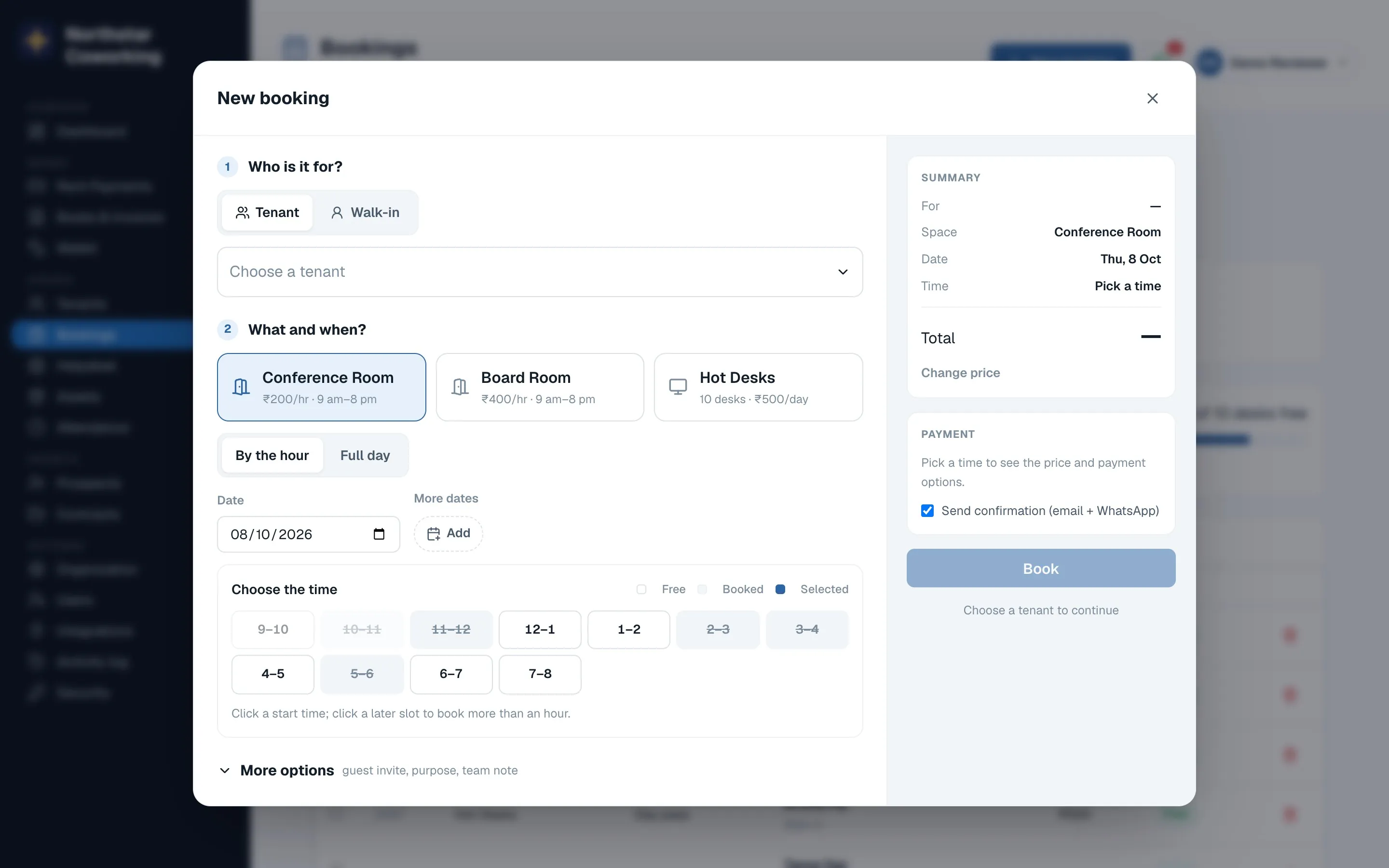
- Choose Tenant (pick the member; their free hours are used first) or Walk-in (enter name and mobile).
- Pick the space, the date and the time or the pass. The price appears on the right.
- Choose payment: pay online (a link is sent), pay at the desk (mark paid now), or pay later for tenants you allow.
- Book. The confirmation goes out on WhatsApp and email.
Changes and cancellations
- Open the booking from the list to cancel, mark paid or mark refunded.
- The app blocks a double booking; if a slot is taken you see it before saving.
Members can also book themselves from the portal; those bookings show here the same way.
Related guides
Still stuck? WhatsApp us or write to info@coworkingos.in. Tell us the tenant or screen and we'll sort it with you.