Open Settings → Organization → Mail → Policies. It's one long page with an index on the right.
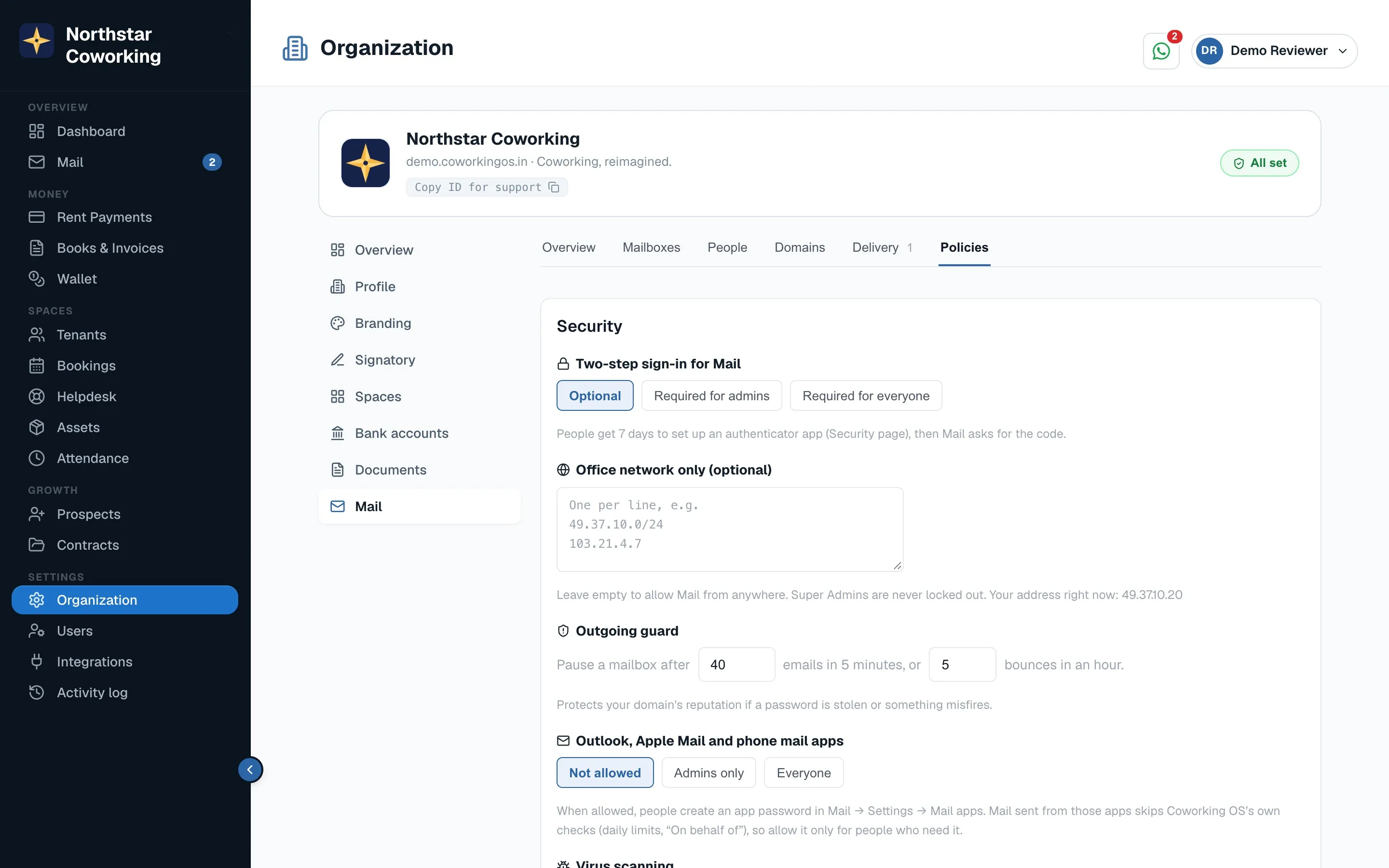
Security
- Two-step sign-in: Optional, Required for admins, or Required for everyone with a mailbox. People get seven days to set it up.
- Mail apps (app passwords): Not allowed, Admins only, or Everyone. Governs Outlook, Apple Mail and phone mail apps, arriving shortly.
- Allowed countries and office network: restrict where Mail can be opened from. New-device and new-country sign-ins alert the person and the admins.
- Virus scanning, dangerous-attachment blocking and phishing banners ('this email claims to be from Hemanth but came from outside') are always on.
Signature & templates
The organisation's signature template and the saved email templates everyone can use (rent reminder, booking confirmation and so on), with placeholders for the tenant's name, cabin, amount due and month.
Compliance
- Retention: how long mail is kept before automatic deletion, per mailbox type.
- Legal hold: freeze a mailbox so nothing in it can be deleted while a matter is open.
- Compliance search & export: search across all mailboxes and export the results; every search is logged and limited to Super Admins and Compliance viewers.
- Restore: bring a mailbox back from the nightly backup.
- Data requests: handle a person's request to see or delete their data.
Reports and the audit log
- Mail per day, storage by mailbox, login activity, bounces and spam, each exportable; Schedule emails a report weekly or monthly to chosen people.
- The audit log records every admin action (who, what, before → after, when) and sensitive user actions, kept two years, with CSV export.
- Tools: analyse an email's headers in plain words, check a domain's DNS and ports, send a test email and see its trace.
Related guides
Protect your account with 2FA →Mailboxes, shared inboxes and who sees what →Delivery: did my email reach them? →
Still stuck? WhatsApp us or write to info@coworkingos.in. Tell us the tenant or screen and we'll sort it with you.