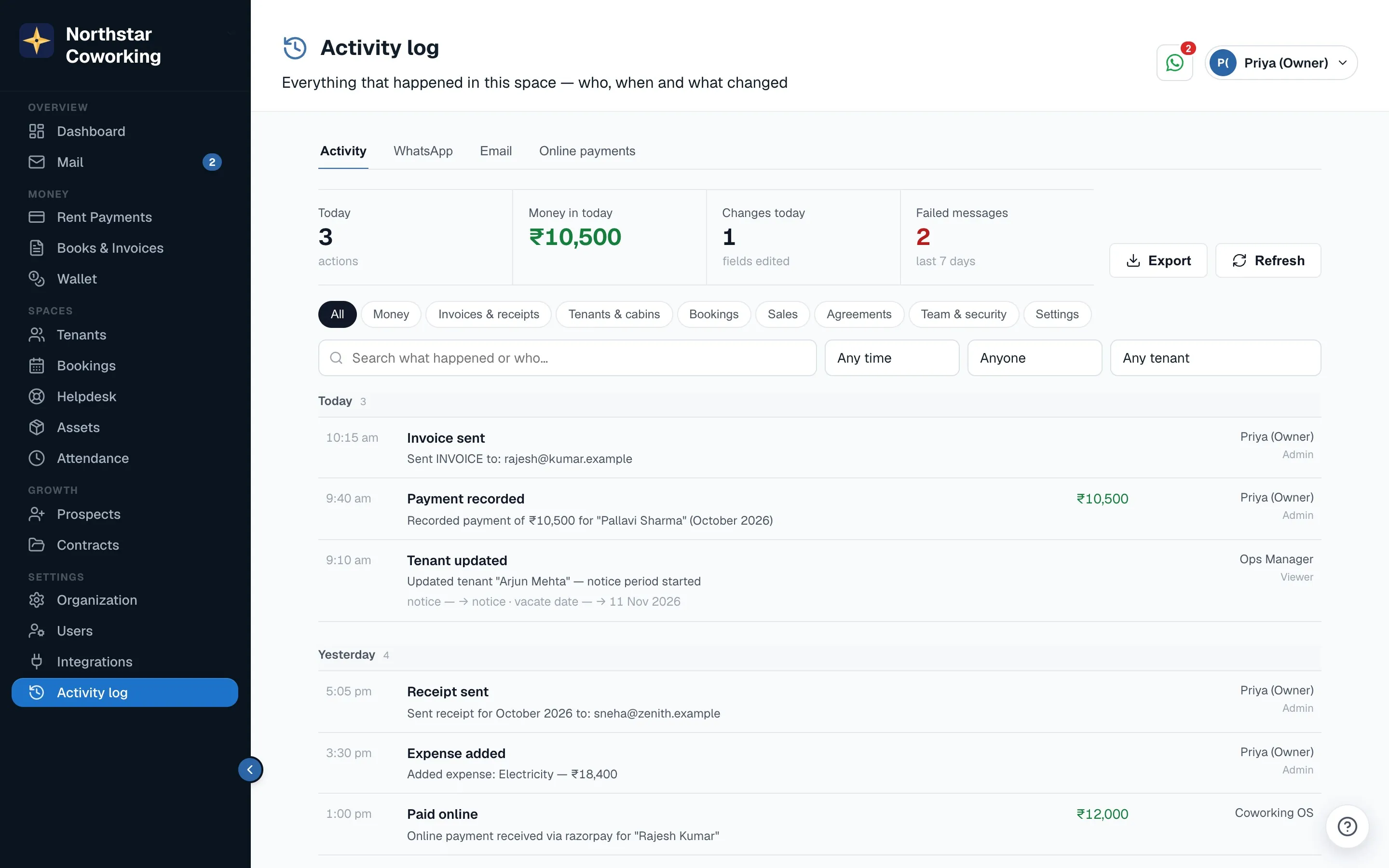
Open Activity log in the left menu, under Settings. Super Admins and guest viewers can open it.
A record you can trust
- Lines can't be edited or deleted, by anyone, Super Admins included.
- Who did it is recorded by the database from the signed-in account, with the time. It can't be typed in or changed.
- Things Coworking OS does by itself, like invoices sent by Billing autopilot, are shown as done by Coworking OS. Online payments name the gateway.
Find what you need
Across the top are today's numbers: actions, money in, changes and failed messages. Click Today to see only today.
- Category chips: All, Money, Invoices & receipts, Tenants & cabins, Bookings, Sales, Agreements, Team & security, Settings.
- Search what happened or who did it.
- When: today, the last 7 or 30 days, this month or last month.
- Anyone and Any tenant narrow it to one person or one tenant.
- Clear filters brings everything back; Load older at the bottom goes further back.
See exactly what changed
Click any line. A panel opens with the exact time, who did it and from where (web app, phone app, tenant app or automatic), and the tenant, with links to open the tenant or see all their activity.
For an edit, What changed lists each field with its Before and After, for example rent ₹25,000 → ₹27,500. Messages show their delivery status.
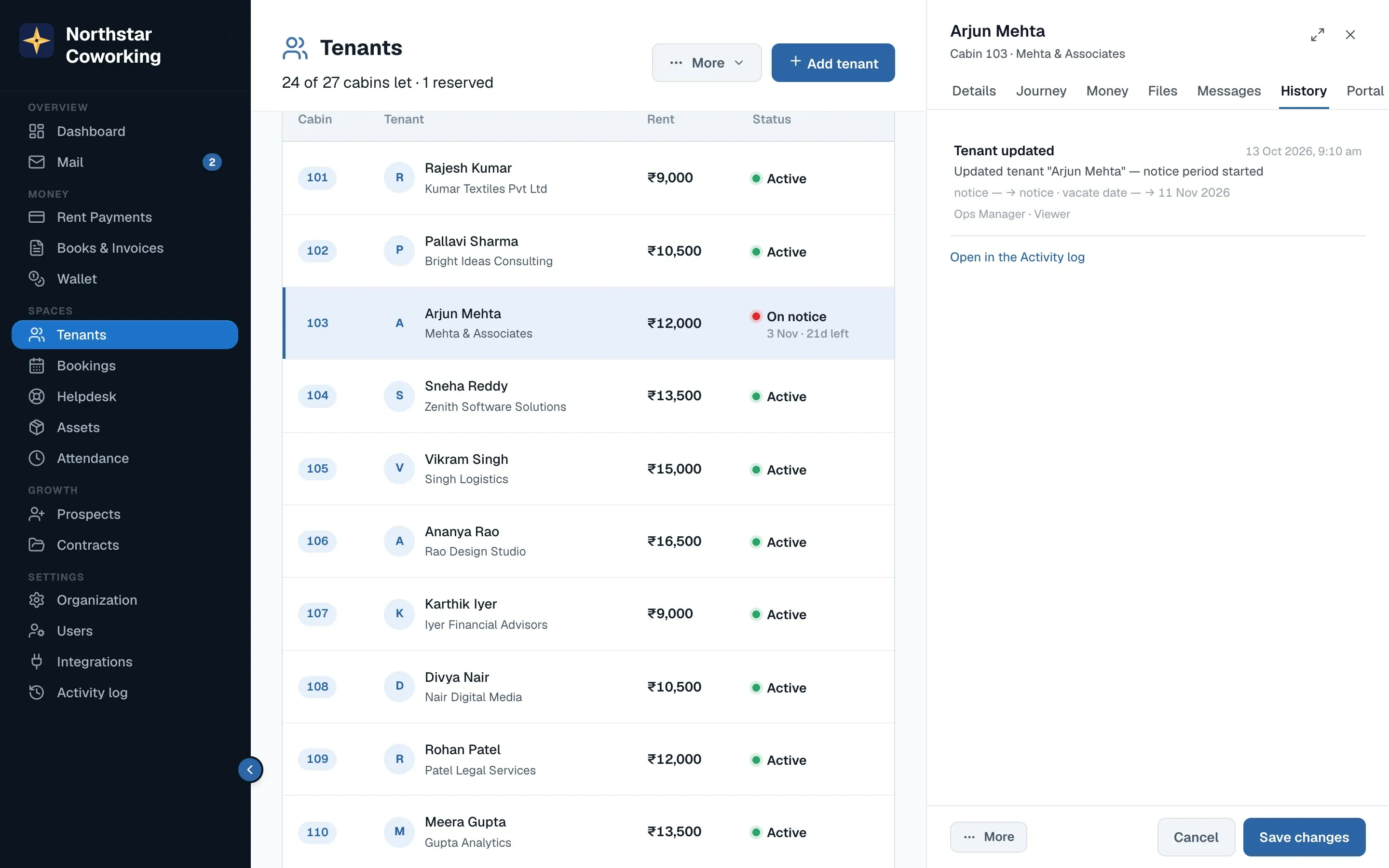
Each tenant's record also has a History tab with the same lines for that tenant alone.
Other tabs and export
- WhatsApp, Email and Online payments tabs list every message sent and every gateway payment.
- Export (Super Admins) downloads what you have filtered as a spreadsheet (CSV) for your CA. The download itself is recorded in the log.
Related guides
Still stuck? WhatsApp us or write to info@coworkingos.in. Tell us the tenant or screen and we'll sort it with you.