Centres are for one company with several buildings, say Madhapur, Gachibowli and Kondapur, with one brand, one team, and books split by building. Separate companies or brands should use a Group instead (see Running several companies? Ask for a Group).
Every space has a centre called Main. With only one centre, nothing about centres shows anywhere.
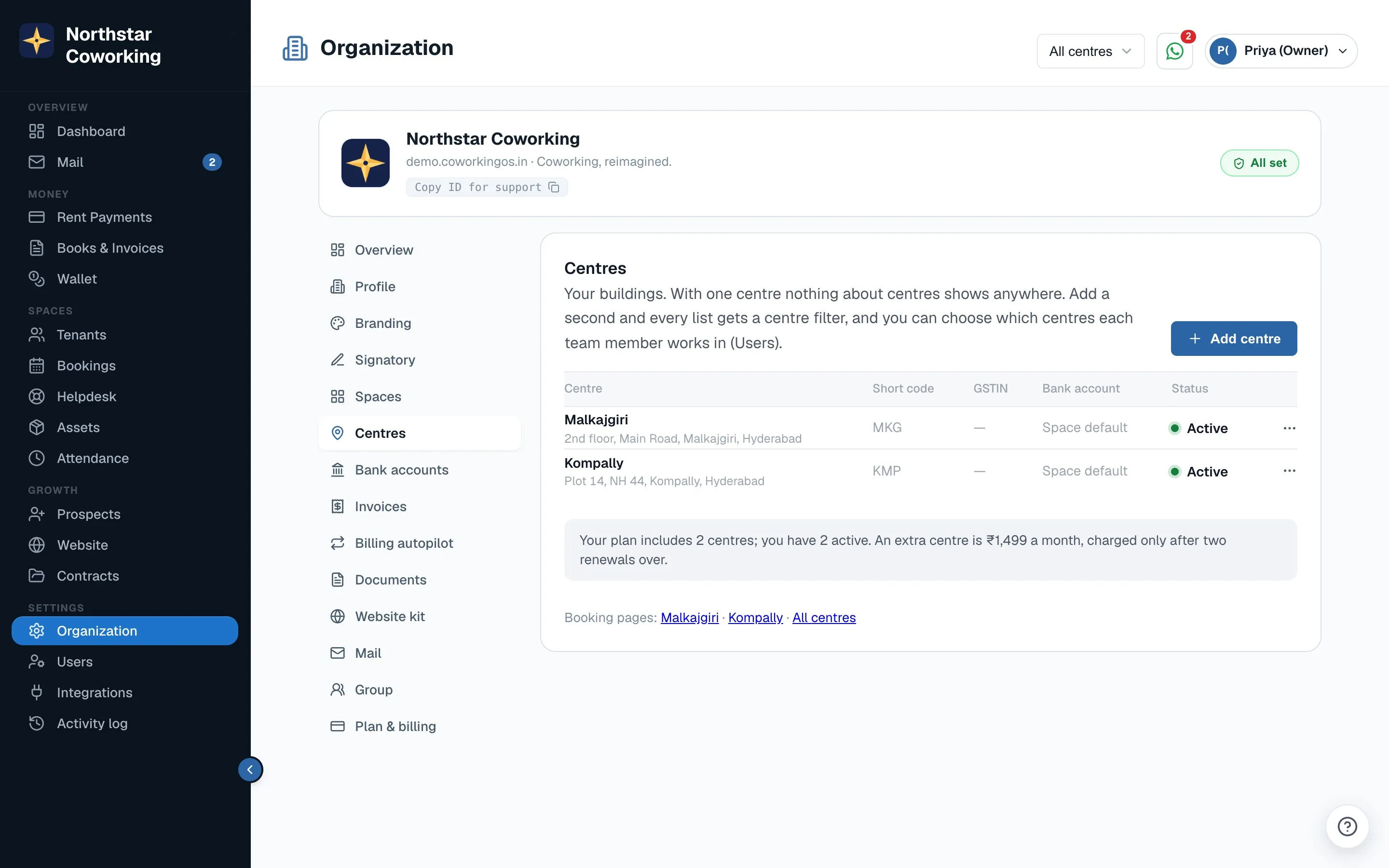
Add a centre
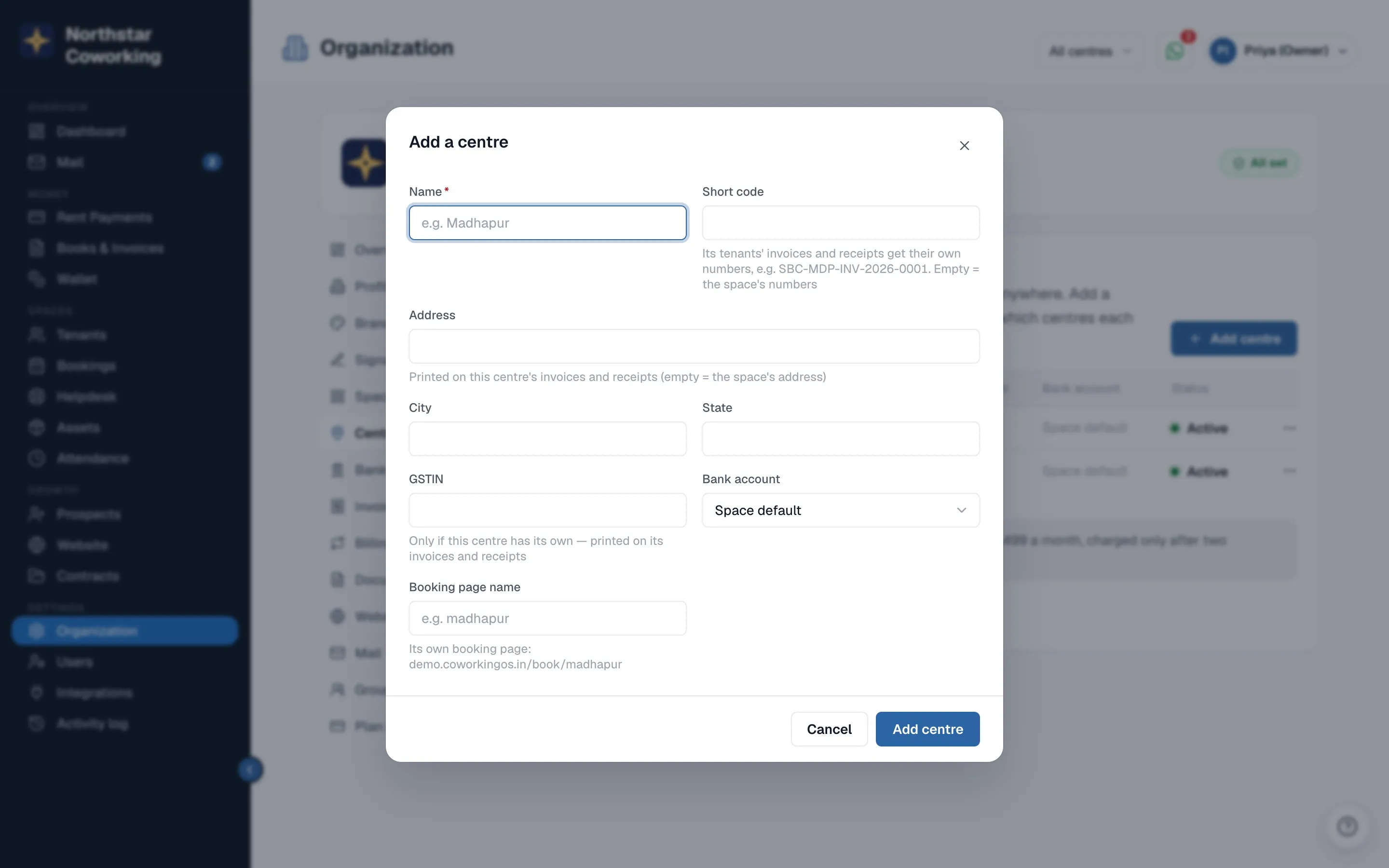
- Open Settings → Organization → Centres (Super Admin only) and click Add centre.
- Enter the Name; a Short code (used in that centre's invoice numbers, e.g. SBC-MDP-INV-2026-0001; empty keeps the space's numbers); the Address, City and State (printed on its invoices and receipts); a GSTIN if the building has its own; a default Bank account; and a Booking page name for its own public booking page.
- Click Add centre. Then open your cabins and rooms and set each one's centre. A tenant's centre is the centre of their cabin; virtual office clients get one directly.
Who sees which centre
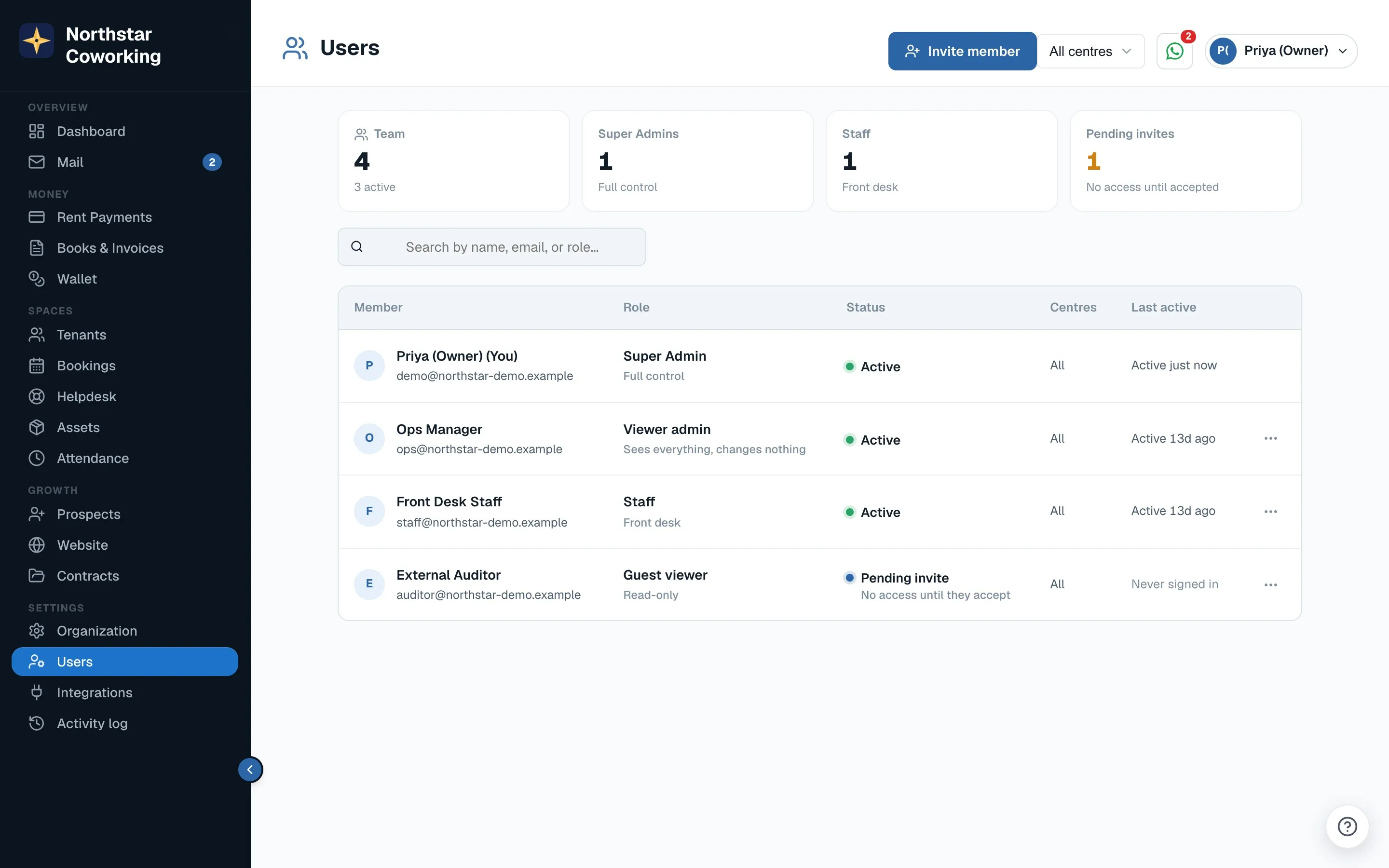
- In Users, each person has a Centres choice: All, or the centres you tick. Existing staff keep all centres, so nobody loses access on the day you add one.
- The database enforces it: a Madhapur front-desk person can't read or count Gachibowli's tenants, rent, bookings, complaints, leads or expenses.
- Super Admins always see every centre, and only a Super Admin can change someone's centres. Each change is in the Activity log.
Working with centres
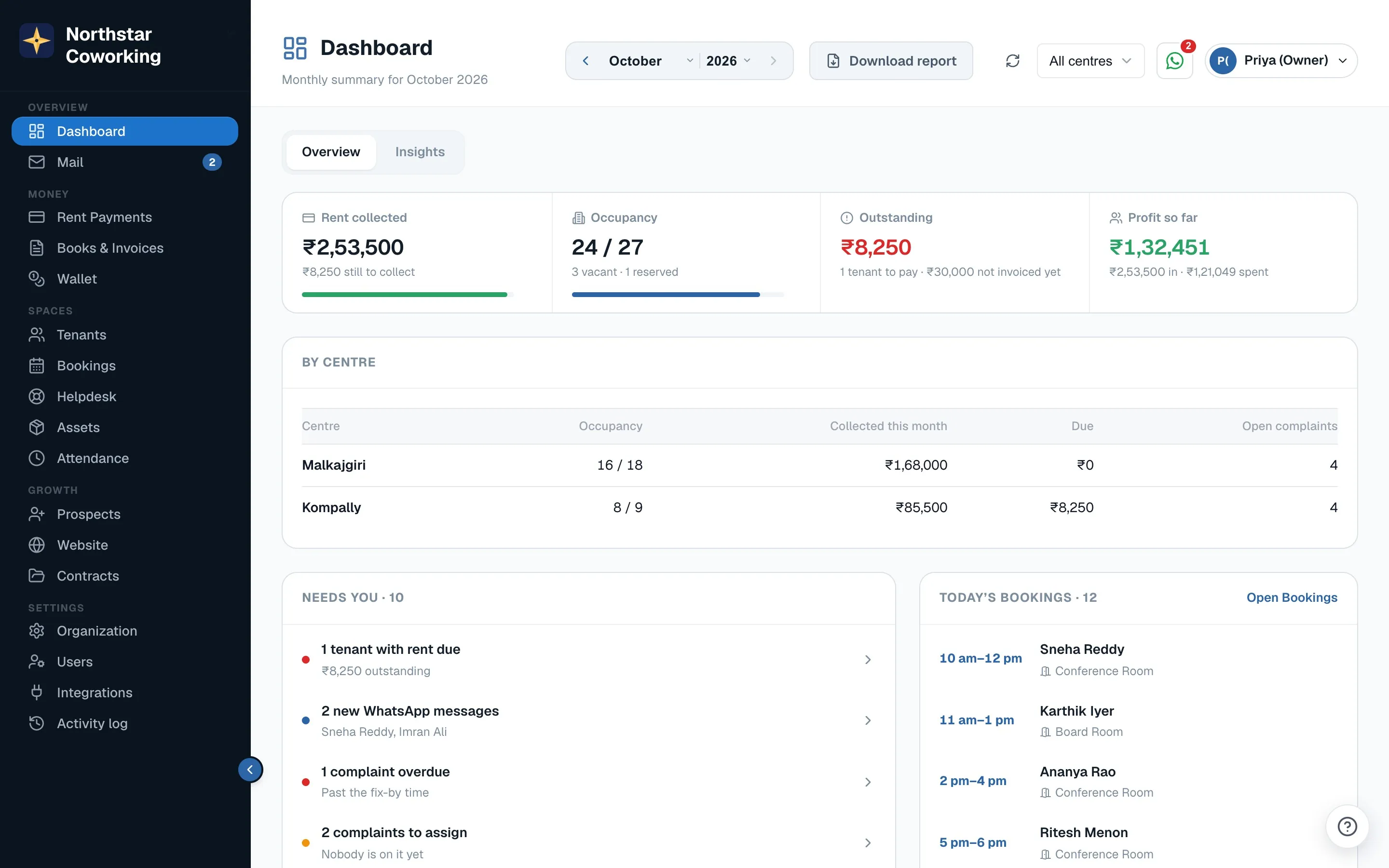
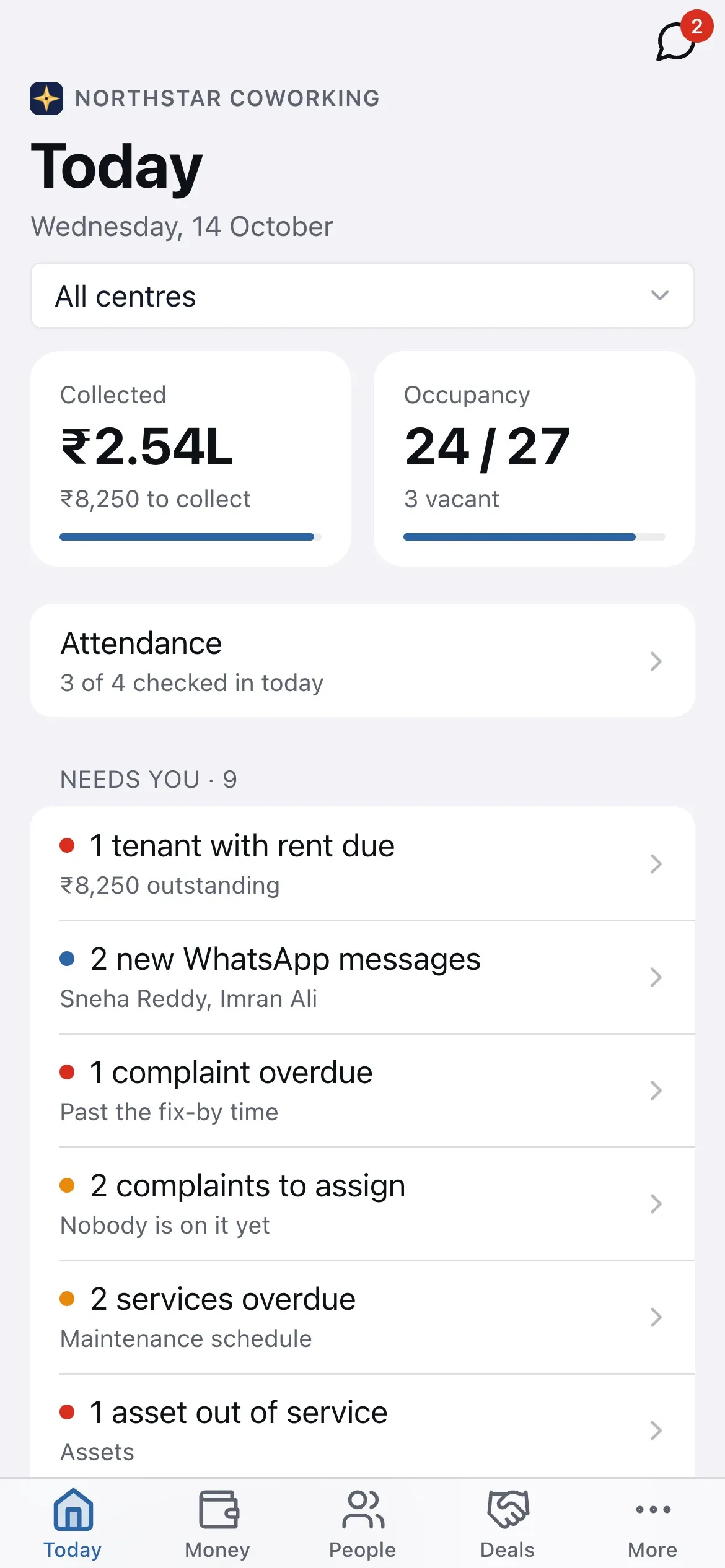
- With two or more centres a switcher appears in the header (and at the top of Today in the phone app): All centres, or one. It's remembered per person; every list and report follows it, and 'Add' forms default to it.
- Dashboard with All centres: totals plus a per-centre table. Books and reports have a centre filter, with P&L per centre or combined, and a centre column in exports.
- Invoices and receipts carry the centre's address and GSTIN, with a separate number series for each centre that has a short code.
- Each centre has its own booking page at
/book/<name>, and the main booking page shows a centre picker. - Website chats can be routed By centre; broadcasts, payment links and notifications follow the centre scope too.
Plans: Starter and Growth include 1 centre, Scale 2, Pro 3. An extra centre is ₹1,499 a month, charged only after you've been over for two renewals in a row. Nothing is ever blocked.
Related guides
Invite your team and choose roles →Your invoice and receipt details →The public booking page →Running several companies? Ask for a Group →
Still stuck? WhatsApp us or write to info@coworkingos.in. Tell us the tenant or screen and we'll sort it with you.