Open Website → Chats. New chats bring a sound and a notification, on the computer and in the phone app.
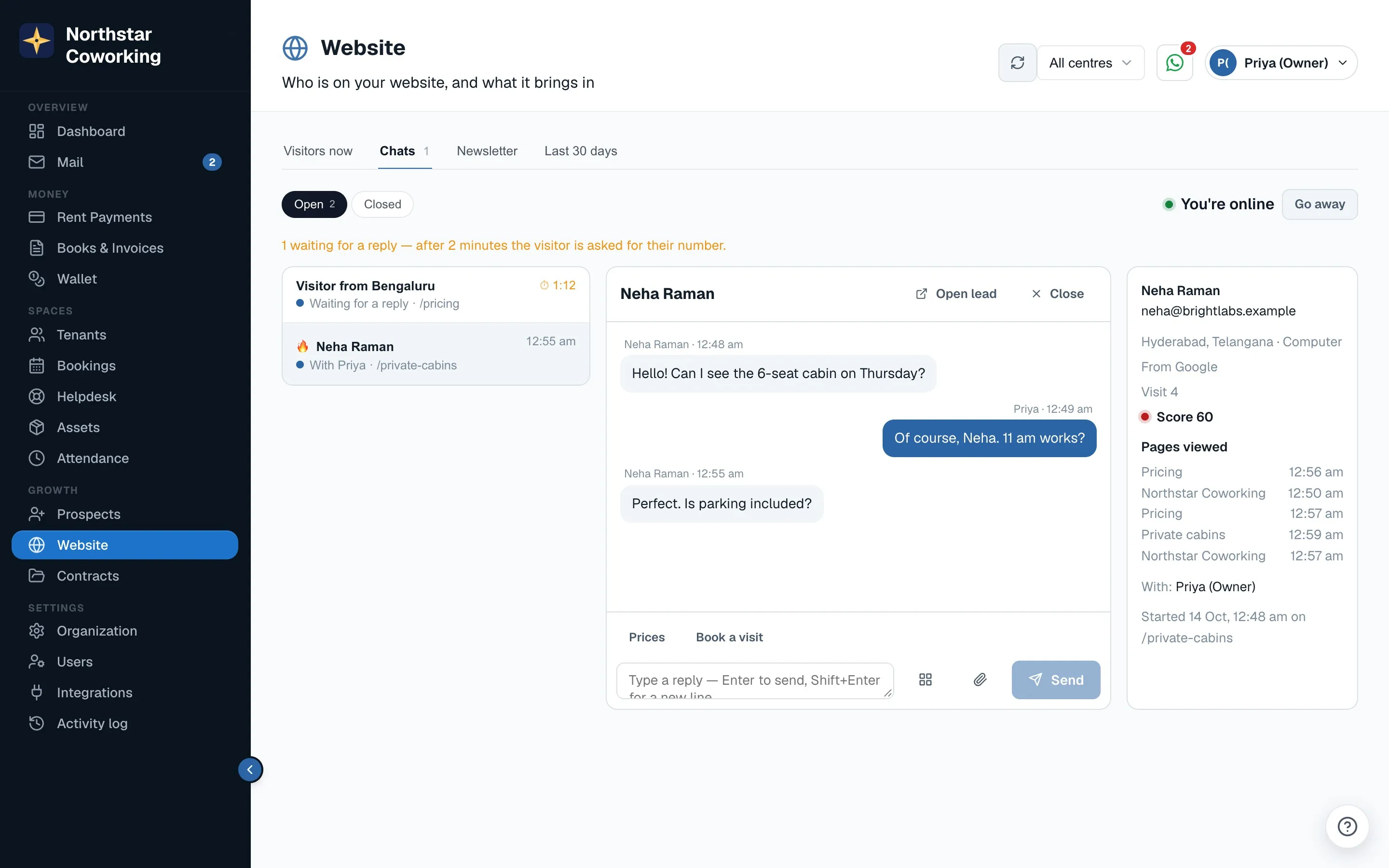
- Click Go online when you're at the desk. Visitors see 'Usually replies in a few minutes' only while someone is online. Click Go away when you leave.
- Pick a chat under Open. The right panel shows the visitor's pages, city, source, visit number and lead score, and their Prospect if they're already a lead (Open lead).
- Type a reply and press Enter. You can see what the visitor is typing before they send it; they see 'name is typing…'.
- Use the tools under the reply box: Quick replies (set up in Organization → Website kit → Live chat with + Add a quick reply, up to 20), Send a file (brochure, price sheet, photos, up to 10 MB), and Card to drop in What's free, Visit times or a Quote.
- Save as lead if they aren't one yet. Transfer passes the chat to an online colleague. Close ends it and emails the transcript if the visitor gave an email.
Who gets a new chat
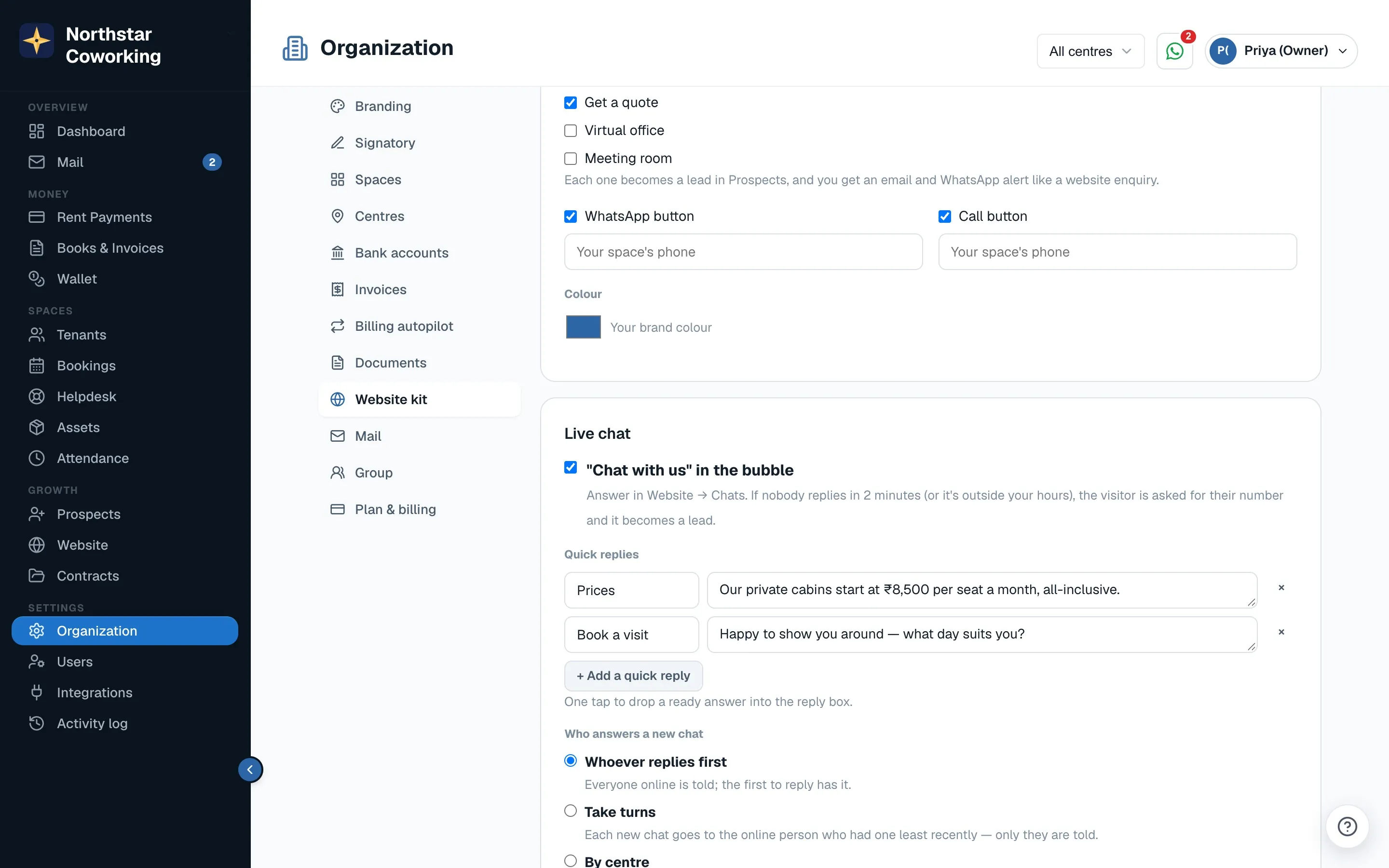
Set under Who answers a new chat in Organization → Website kit: Whoever replies first (the default), Take turns among online staff, or By centre. If nobody is online, everyone is told.
Nobody is left waiting. If no one replies within 2 minutes, or it's outside your chat hours, the visitor is asked for their number and the chat becomes a lead, with an alert to staff. The Chats page shows how many are waiting.
Visitors can rate the chat 👍/👎 with a comment. Super Admins and Staff reply; Viewers can only read.
Related guides
Record an enquiry →Put Coworking OS on your own website (Website kit) →The answer bot: your FAQ answers first →
Still stuck? WhatsApp us or write to info@coworkingos.in. Tell us the tenant or screen and we'll sort it with you.