These answer the questions every enquiry starts with, from your own cabins, desks and calendar. Set them up in Organization → Website kit.
What's free & prices
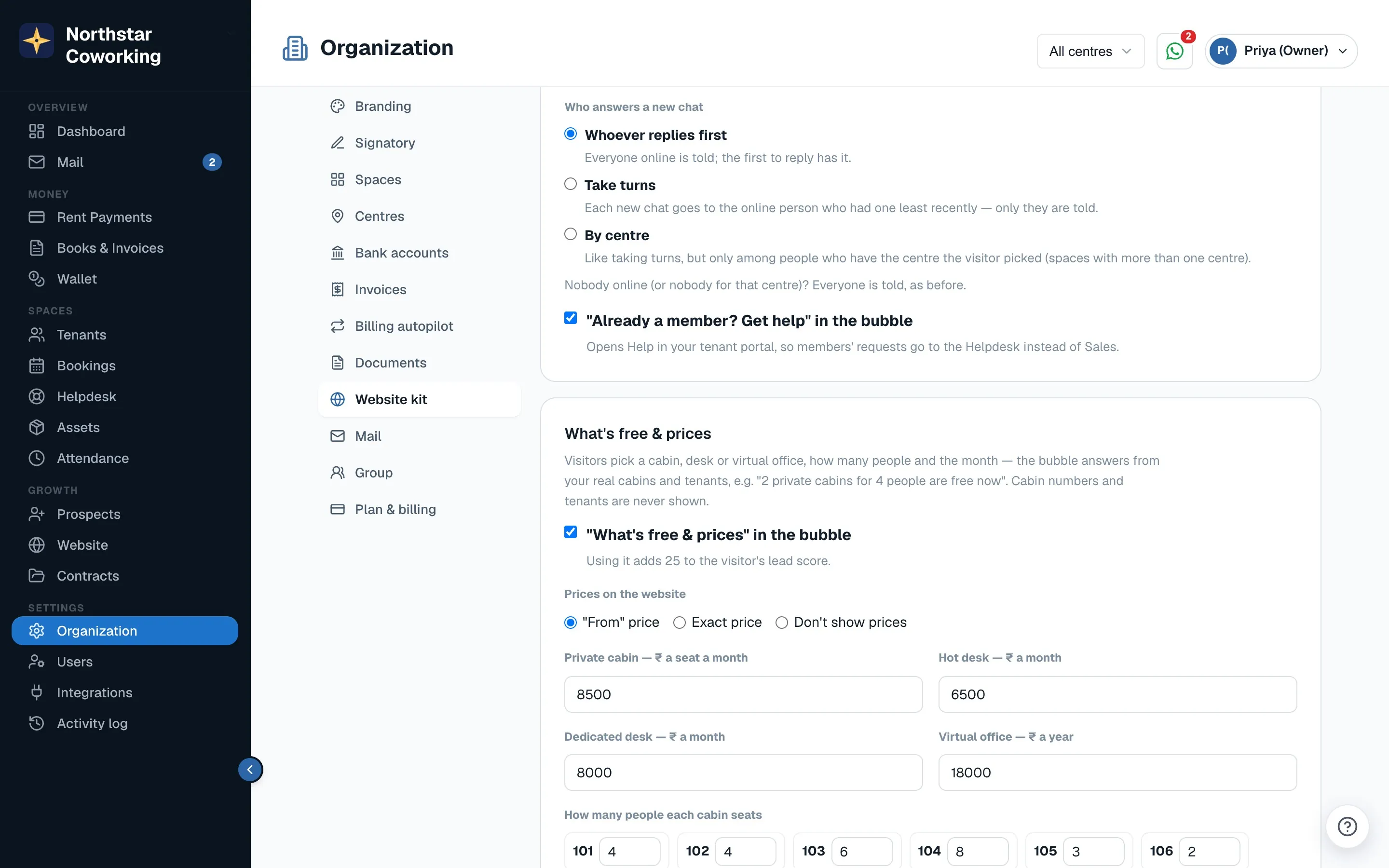
- The visitor picks Private cabin, Desk or Virtual office, how many people, and the month. The answer comes from your real cabins and tenants, for example '2 private cabins for 4 people are free now'.
- Cabin numbers and tenant names are never shown.
- Prices show as From (the default), Exact price, or not at all.
- Optional: how many people each cabin seats. Leave it empty and free cabins are counted without matching the team size.
- Using it adds 25 to the visitor's lead score.
Book a visit
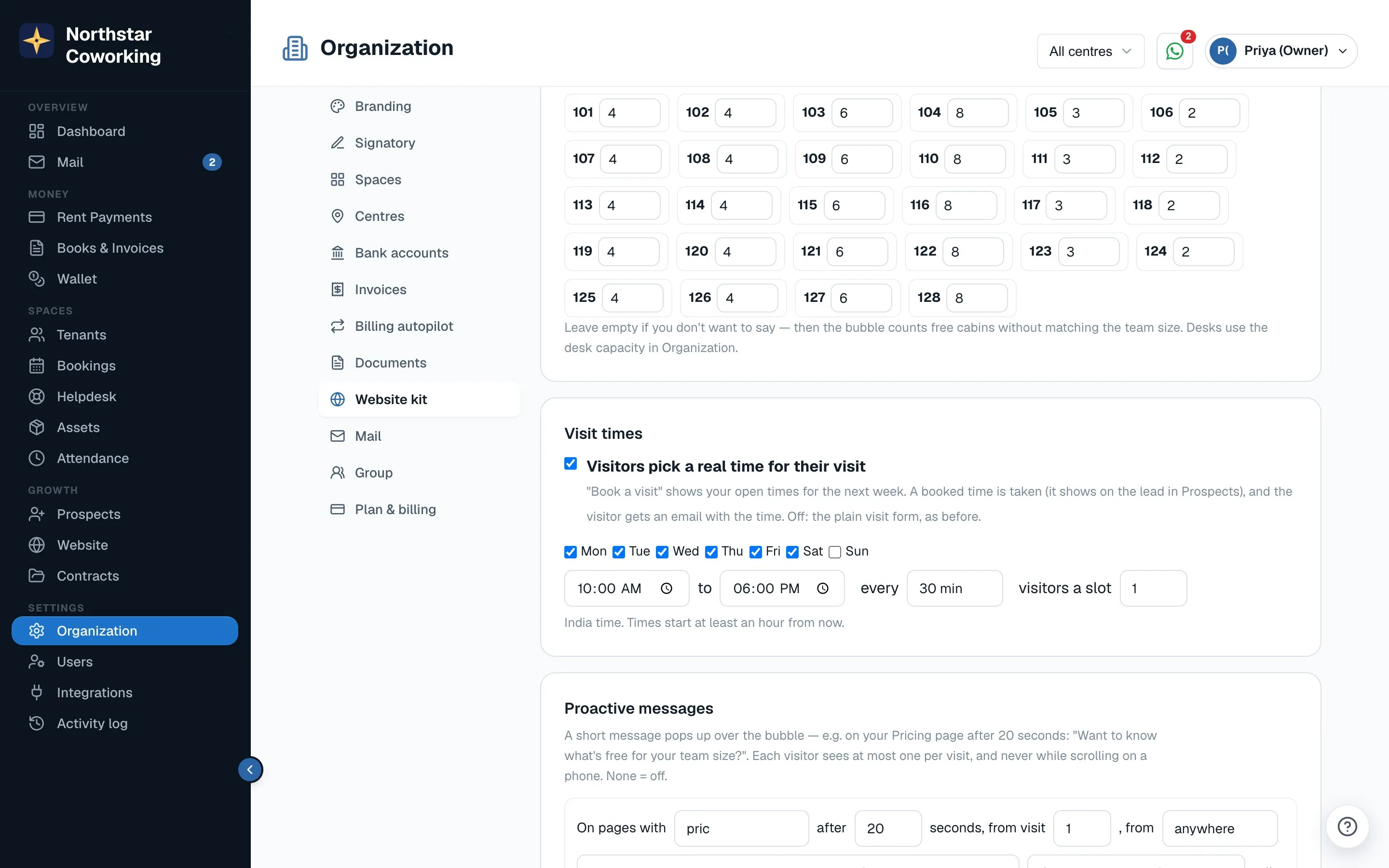
- Turn on Visitors pick a real time for their visit under Visit times. Visitors see open times for the next week, at least an hour from now, in India time.
- The time is taken, shows on the lead in Prospects, and the visitor gets an email with it.
- With the setting off, the plain visit form is used instead.
Send me a quote
- The visitor's choices become a lead marked QUOTE REQUESTED, with a draft proposal for you to check and send from Prospects.
- Nothing is sent automatically unless you switch it on, and that's possible only for Virtual office.
Proactive messages
Under Proactive messages, add up to 5 rules with + Add a message: on pages whose address contains some text, after so many seconds, from a given visit number, or from a source (Google, Ads, Campaign, Instagram, Facebook, LinkedIn, Direct). Each has a message of up to 160 characters and what a tap does: open the bubble, open What's free & prices, open Book a visit, or start the chat. For example 'Want to know what's free for your team size?'. A visitor gets at most one per visit, never while scrolling on a phone. It stays off until you add a rule.
Related guides
Still stuck? WhatsApp us or write to info@coworkingos.in. Tell us the tenant or screen and we'll sort it with you.