Your normal Coworking OS login does not work in mail apps. Each app or device gets its own app password, so a lost phone can be cut off without touching the rest. Your organisation's admin must allow mail apps first (Organization → Mail → Policies).
- On your computer, open Mail → ⋯ More → Mail settings → Mail apps. If you have several mailboxes, pick the one at the top.
- Type a name for the device, for example 'Priya – iPhone', and click Create password.
- A QR code appears under iPhone, iPad or Mac: set up in one tap. Scan it with the iPhone camera (it opens in Safari), or on the same Mac click install now.
- On the device: Settings → Profile Downloaded → Install. Your address, the servers and the password are filled in for you. The account appears in Apple Mail as 'your space mail'.
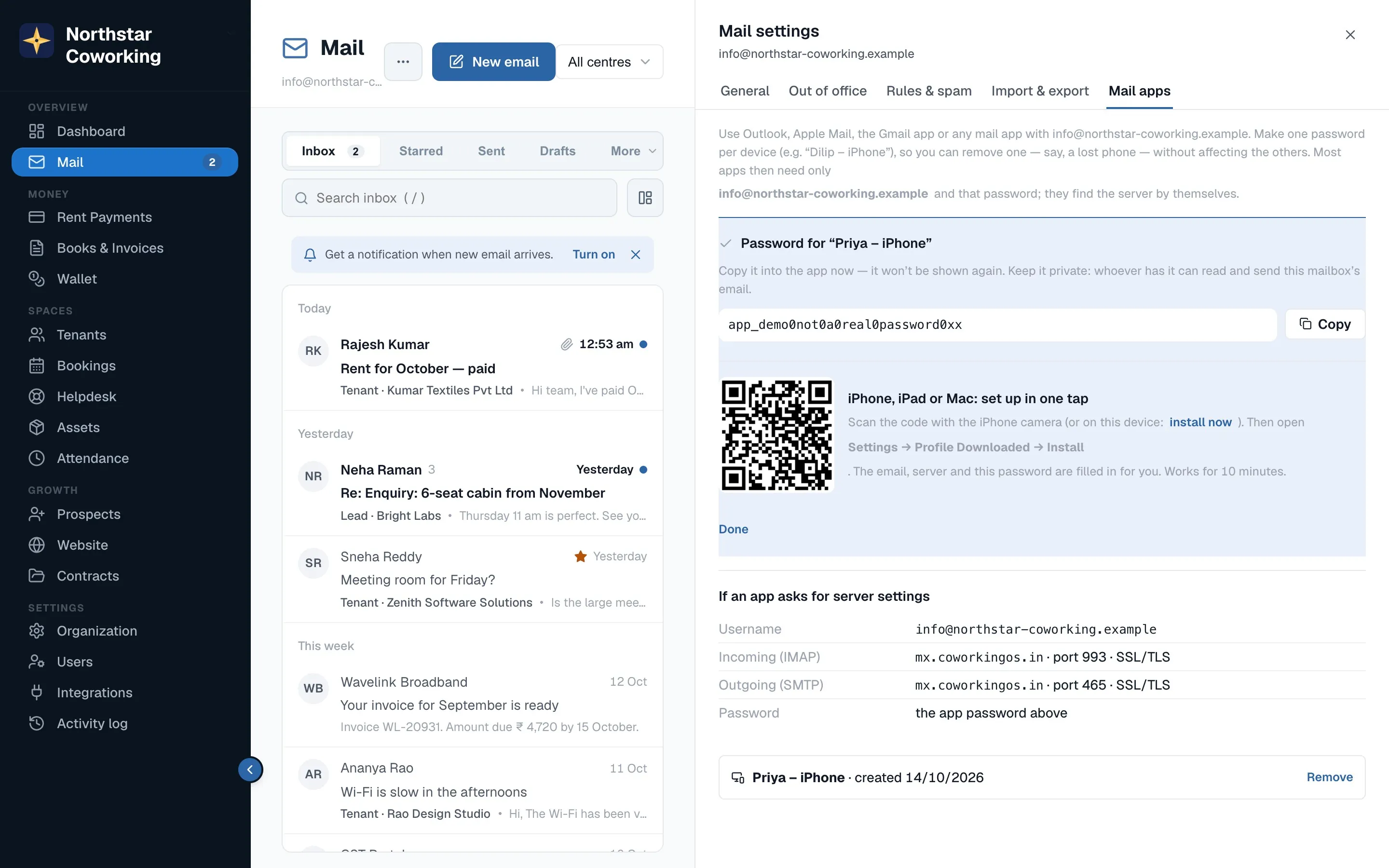
The link works for 10 minutes and three downloads. If it has expired, create a new app password. The password itself doesn't expire; remove it under Mail apps when you stop using that device. You can remove the profile any time in Settings → General → VPN & Device Management.
Adding it by hand
In Settings → Mail → Accounts → Add Account → Other → Add Mail Account, enter your name, your full address and the app password, then use these servers:
- Incoming (IMAP): mx.coworkingos.in, port 993, SSL/TLS
- Outgoing (SMTP): mx.coworkingos.in, port 465, SSL/TLS
- Username: your full email address · Password: the app password
Related guides
Mail on your phone →Coworking OS Mail in the Gmail app →Coworking OS Mail in Outlook and Thunderbird →
Still stuck? WhatsApp us or write to info@coworkingos.in. Tell us the tenant or screen and we'll sort it with you.