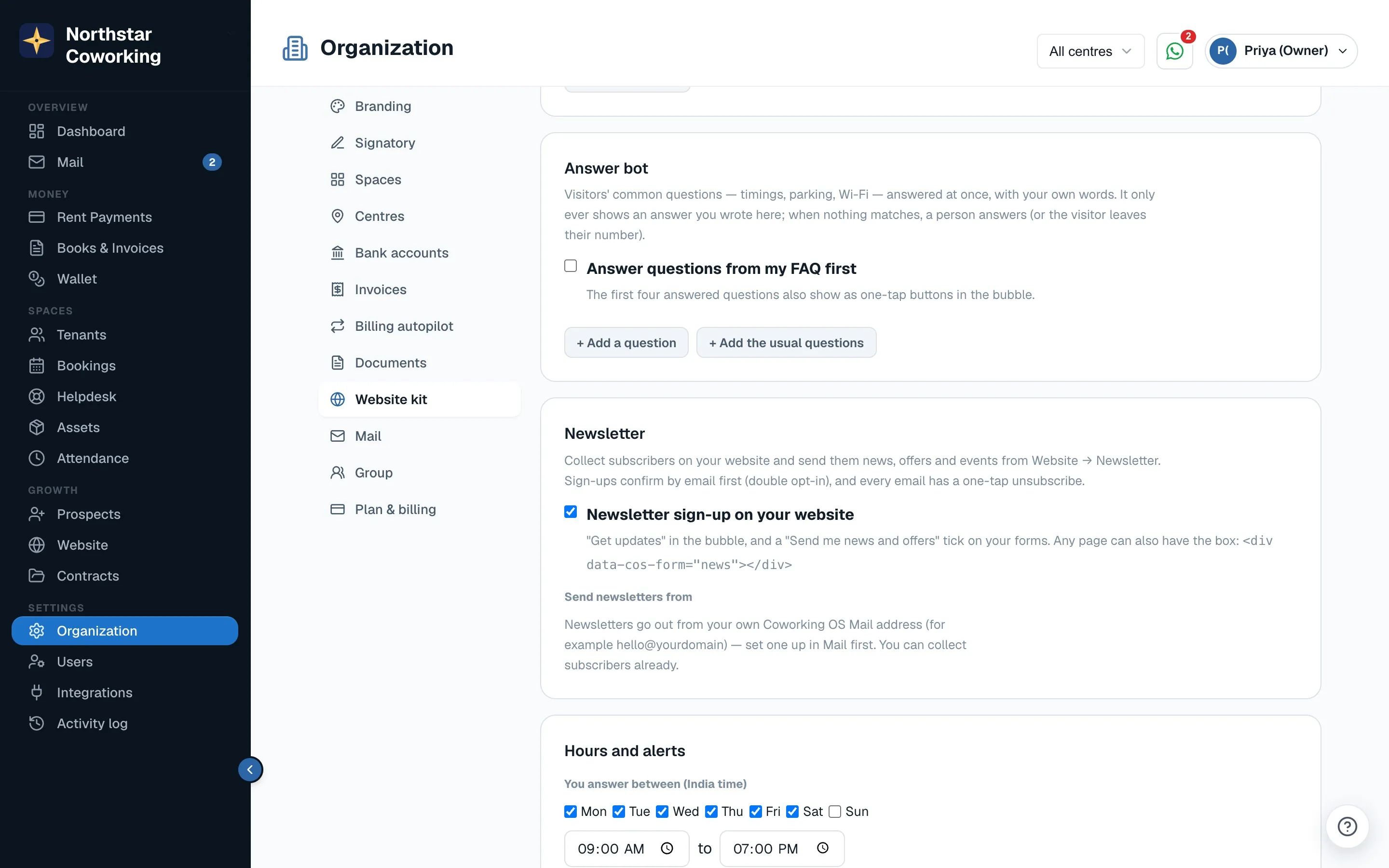
Open Website → Newsletter. Newsletters go out from your own Coworking OS Mail address (for example hello@yourdomain), chosen under Send newsletters from in Organization → Website kit, where Newsletter sign-up on your website is also switched on. Set up Mail first; you can collect subscribers and write drafts before that.
Where subscribers come from
- Get updates in the bubble, the 'Send me news and offers' tick on forms, and the
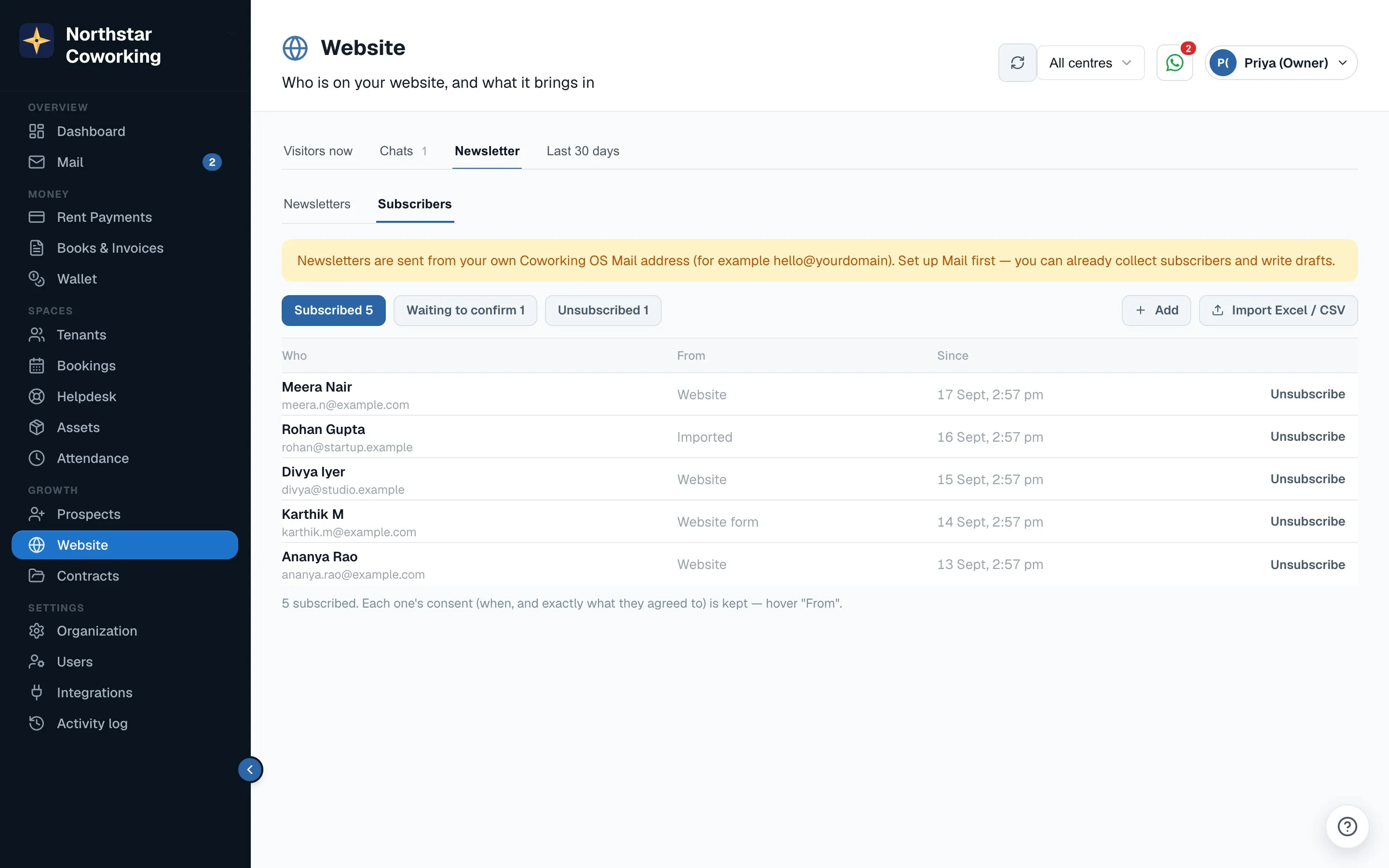
data-cos-form="news"box on your site. - Add one by hand, or Import Excel / CSV. Importing asks you to confirm these people agreed. Anyone who unsubscribed before is left out.
- Everyone confirms by email first (double opt-in): 'Almost done — check your email and tap the link to confirm.' The date and source of consent are kept, as India's DPDP Act asks.
- Unsubscribe is one tap, immediate and permanent; only the person can sign up again.
Write and send
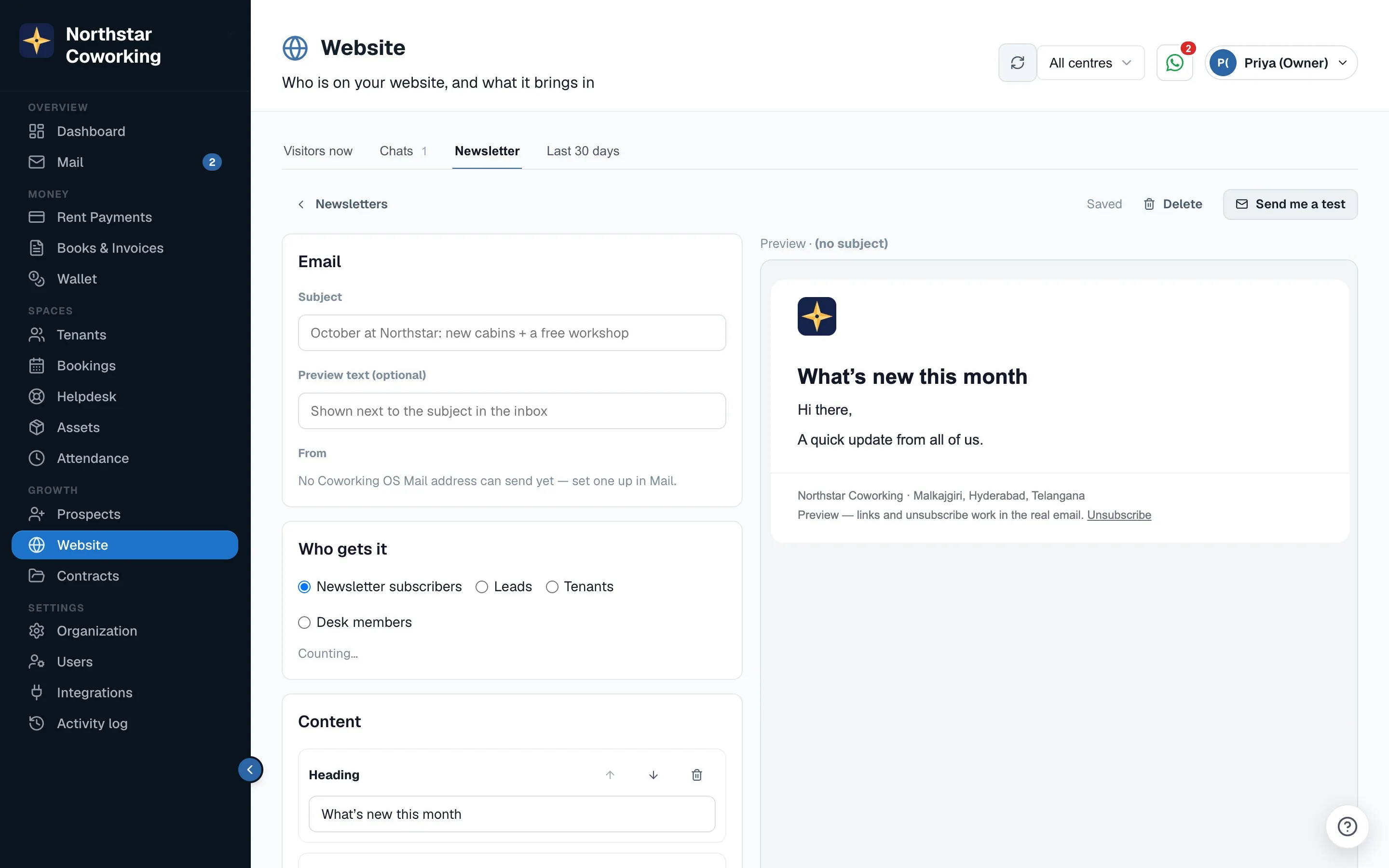
- Click New newsletter. Add a Subject and optional Preview text.
- Choose Who gets it: Newsletter subscribers, Leads, Tenants or Desk members (and a centre, if you have several).
- Add blocks: Heading, Text, Picture, Button, Featured cabin / offer, Event, Divider, up to 40. Your logo, footer, address and unsubscribe link are added for you.
- Check the preview, then Send me a test.
- Click Send now, or Schedule a date and time. Emails go out at about 100 a minute. Bounces and complaints are stopped automatically.
Results
Each sent newsletter shows Sent, Opened, Clicked, Unsubscribed and the links clicked. Opens are approximate; clicks are exact. A click marks the lead warm and shows on their timeline.
Monthly limits by plan: Starter 1,000, Growth 5,000, Scale 20,000, Pro 50,000 emails. You get a warning at 80%, and sending pauses at the limit; need more, ask us. Only Super Admins send; Staff can draft.
Related guides
Send an announcement to all tenants →Adding your domain to Coworking OS Mail →Put Coworking OS on your own website (Website kit) →
Still stuck? WhatsApp us or write to info@coworkingos.in. Tell us the tenant or screen and we'll sort it with you.