Connect Coworking OS to Claude or ChatGPT and ask, for example, Who is overdue, and by how many days?, Which cabins are free in the Annex? or Any open complaints that are late? It works from the website (not the phone app) and is off until a Super Admin switches it on.
It only reads
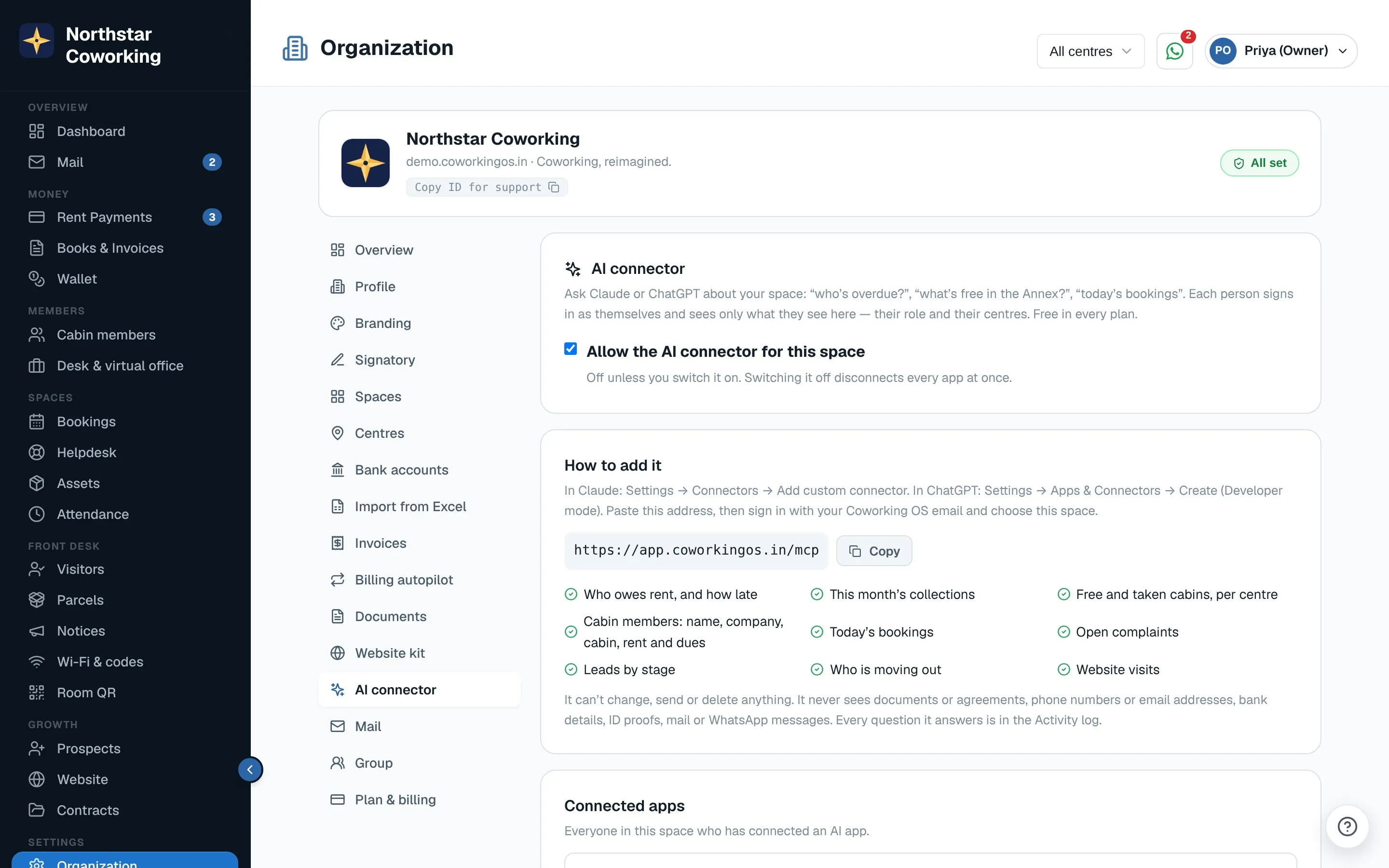
It can't change, send or delete anything. It reads rent due, collections, occupancy, members (name, company, cabin, rent and dues), today's bookings, open complaints, leads and website visits. It never sees documents, phone numbers or email addresses, bank details, ID proofs, mail or WhatsApp messages. Each person signs in as themselves and sees only what their role and centres allow. Every question is written in the Activity log.
Switch it on (Super Admin, once)
Open Organization → AI connector and tick Allow the AI connector for this space.
Add it in Claude
- In Claude, open Settings → Connectors and choose Add custom connector.
- Name: Coworking OS. Address: https://app.coworkingos.in/mcp. Click Connect.
- Sign in with your usual email and password, pick your space and click Allow read-only access.
- In a chat, turn on the Coworking OS connector and ask.
Add it in ChatGPT
- Open Settings → Apps & Connectors, switch on Developer mode under advanced settings, and choose Create.
- Name: Coworking OS. Address: https://app.coworkingos.in/mcp. Authentication: OAuth.
- Sign in, pick your space, Allow read-only access, then add Coworking OS from the + menu in a new chat.
Disconnect
Organization → AI connector → Connected apps → Revoke. A Super Admin sees everyone's apps. Switching the connector off disconnects all of them.
Related guides
Still stuck? WhatsApp us or write to info@coworkingos.in. Tell us the member or screen and we'll sort it with you.