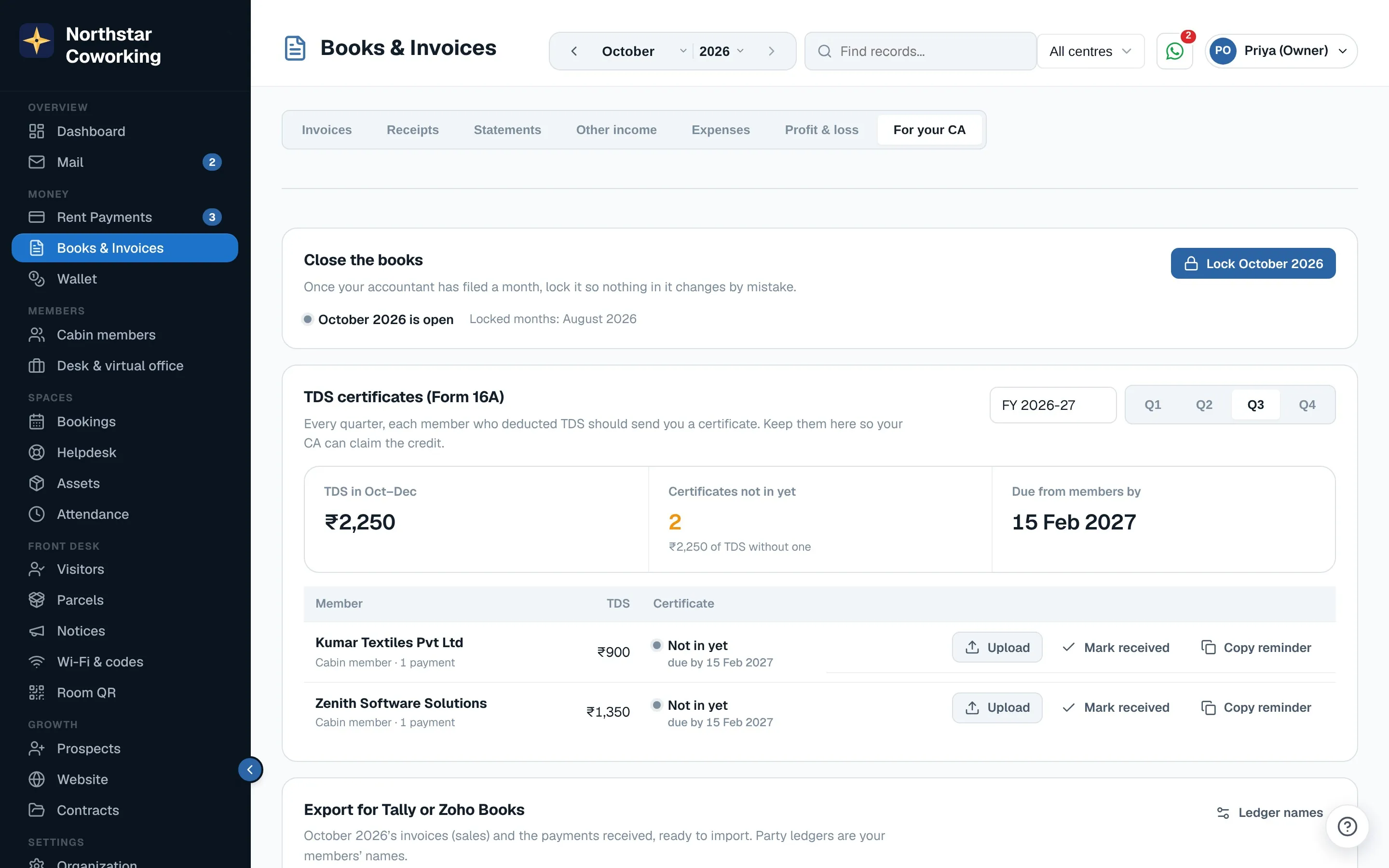
Open Books & Invoices → For your CA. It has three parts: close the books, Form 16A, and the export.
TDS on receipts
When a company member pays rent after deducting TDS, record the payment as usual and fill in TDS deducted (the 10% button does the sum). The money received plus the TDS settles the invoice, so it shows Paid; the TDS is kept apart. Receipts and statements say TDS deducted u/s 393 (Income-tax Act, 2025).
Form 16A tracker
- Pick the financial year and quarter. Every member with TDS in that quarter is listed with the amount.
- When their Form 16A comes in, Upload the PDF (or click Mark received). View opens it.
- Missing ones are counted at the top; before the quarter's due date they show as Not in yet. Copy reminder gives you a polite message to send.
Close the books: month lock
Once your accountant has filed a month, a Super Admin or the accountant clicks Lock. Nobody can then add, change or delete invoices, payments, receipts or expenses dated in it. A payment that comes in later for a locked month's invoice can still be recorded. Only a Super Admin can unlock, and both are written in the Activity log.
Export for Tally or Zoho Books
- Set your ledger names once (rent income, membership income, each bank account, TDS receivable).
- Pick the month and download Tally XML (sales and receipt vouchers) or the two Zoho Books CSV files (invoices and payments).
Give your accountant their own login
In Organization → Users, invite them with the role Accountant. They see Books only, can't change anything except locking a month and ledger names, and on the phone they get a read-only Books screen.
Related guides
Still stuck? WhatsApp us or write to info@coworkingos.in. Tell us the member or screen and we'll sort it with you.