Open Front desk in the menu (Super Admins, Viewer admins and Staff). It has five tabs.
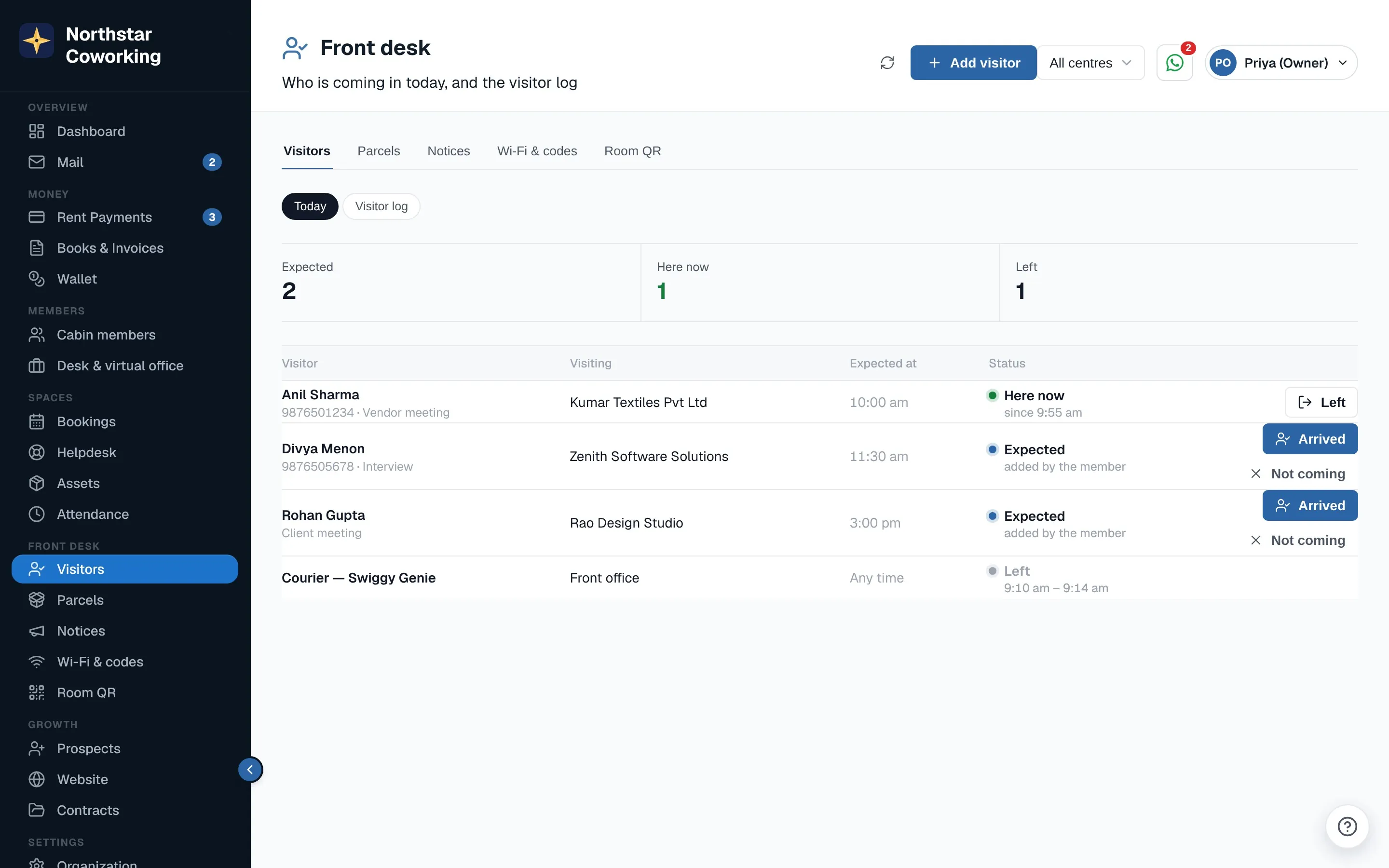
Visitors
- Members add their guests from the app; they appear under Today.
- When a guest walks in, press Arrived; when they go, Left. Not coming cancels the visit.
- A walk-in? Add visitor with their name, who they are visiting and Here now.
- The Visitor log searches any dates and exports to CSV.
Parcels
Log parcel: pick the member, the courier and a photo if you like. The member sees Parcel waiting on the app's Home. Press Collected when it is handed over (the member can mark it too).
Notices
Post a notice for power cuts, holidays or new rules: a title, the message, a picture, and until when it shows. Pin the important one. It appears on the member app's Home, for the whole space or chosen centres, and can also go by email or WhatsApp.
Wi-Fi & codes
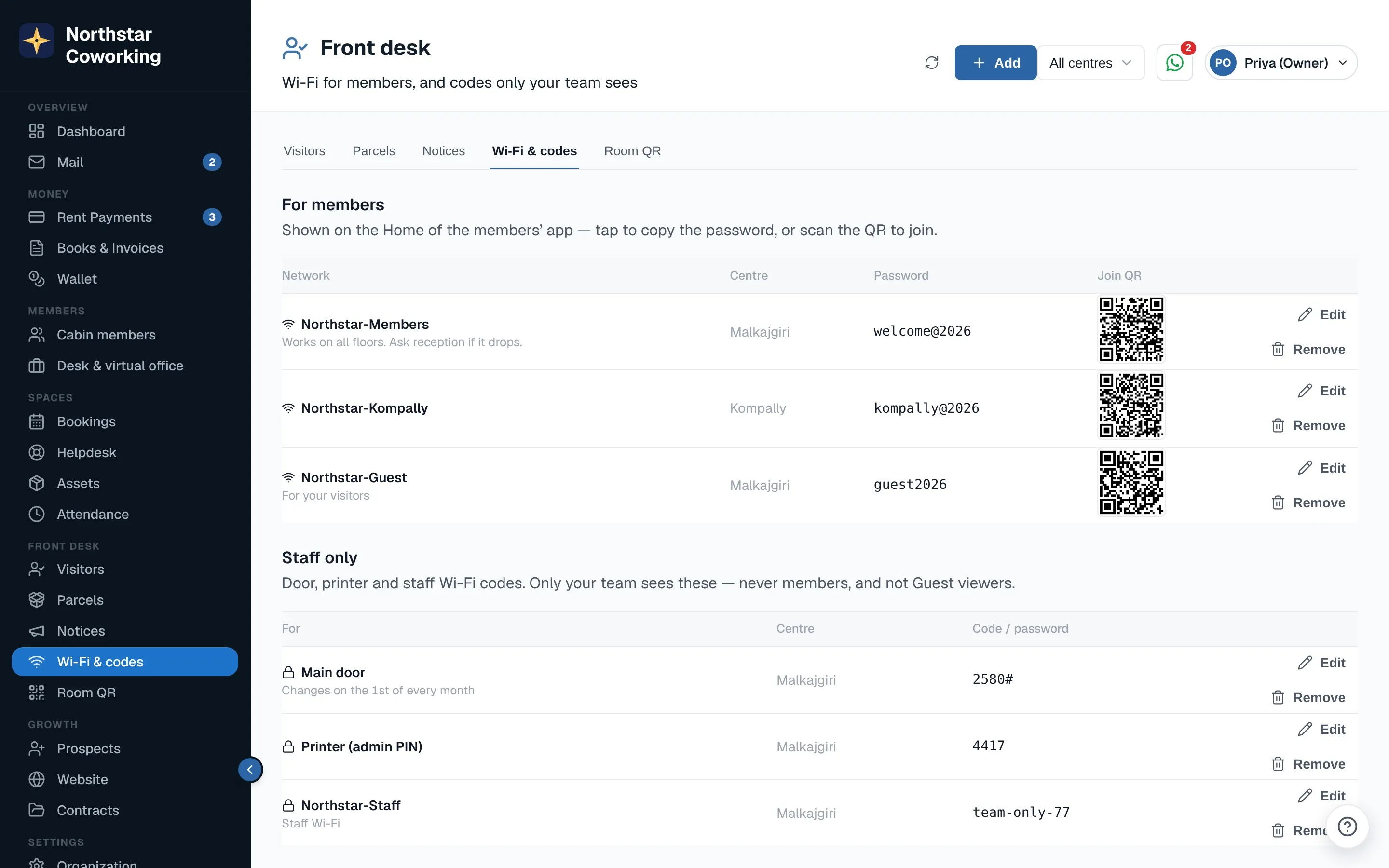
Add your members' Wi-Fi once per centre: members see it on the app's Home with the password to copy and a QR to join. Staff only entries (door, printer, staff Wi-Fi) are seen by your team only, never by members or Guest viewers.
Room QR
Print an A4 poster for each meeting-room door. Members scan it to see the room's slots for today and book. Rooms booked today show Started or No-show.
Related guides
Still stuck? WhatsApp us or write to info@coworkingos.in. Tell us the member or screen and we'll sort it with you.