The occupancy report answers the questions owners ask before changing a price or a staff rota: which hours are the rooms really full, which weekdays are quiet, how many people skip their bookings, and which cabins are about to free up.
Open Occupancy under SPACES in the left menu, or More → Occupancy on the phone; it is the same report on both. Everyone on your team can open it, including Admin viewers and guest viewers. It only reads; nothing on it changes your data. The centre switcher narrows every number, and staff limited to some centres see only theirs.
Choose the period
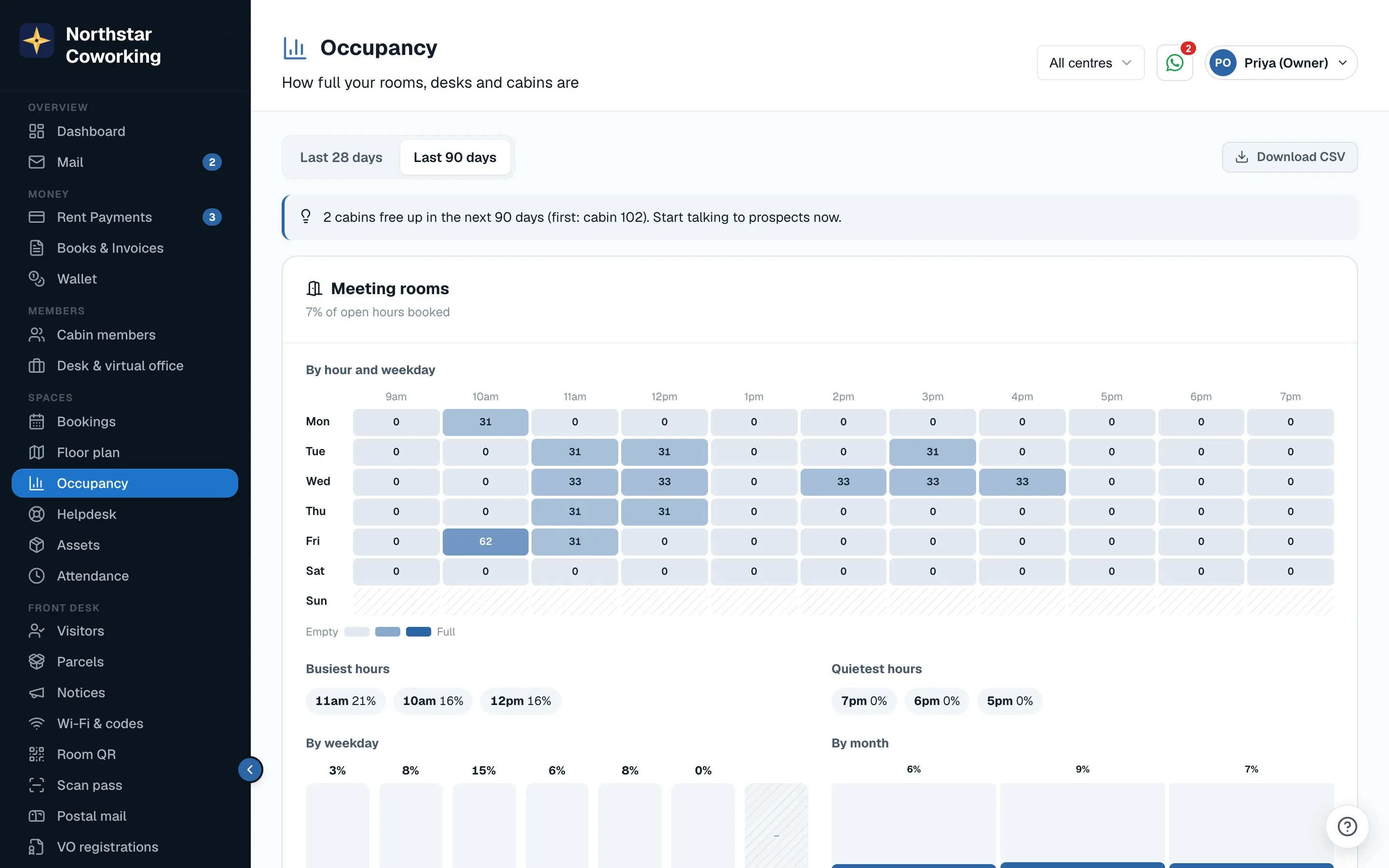
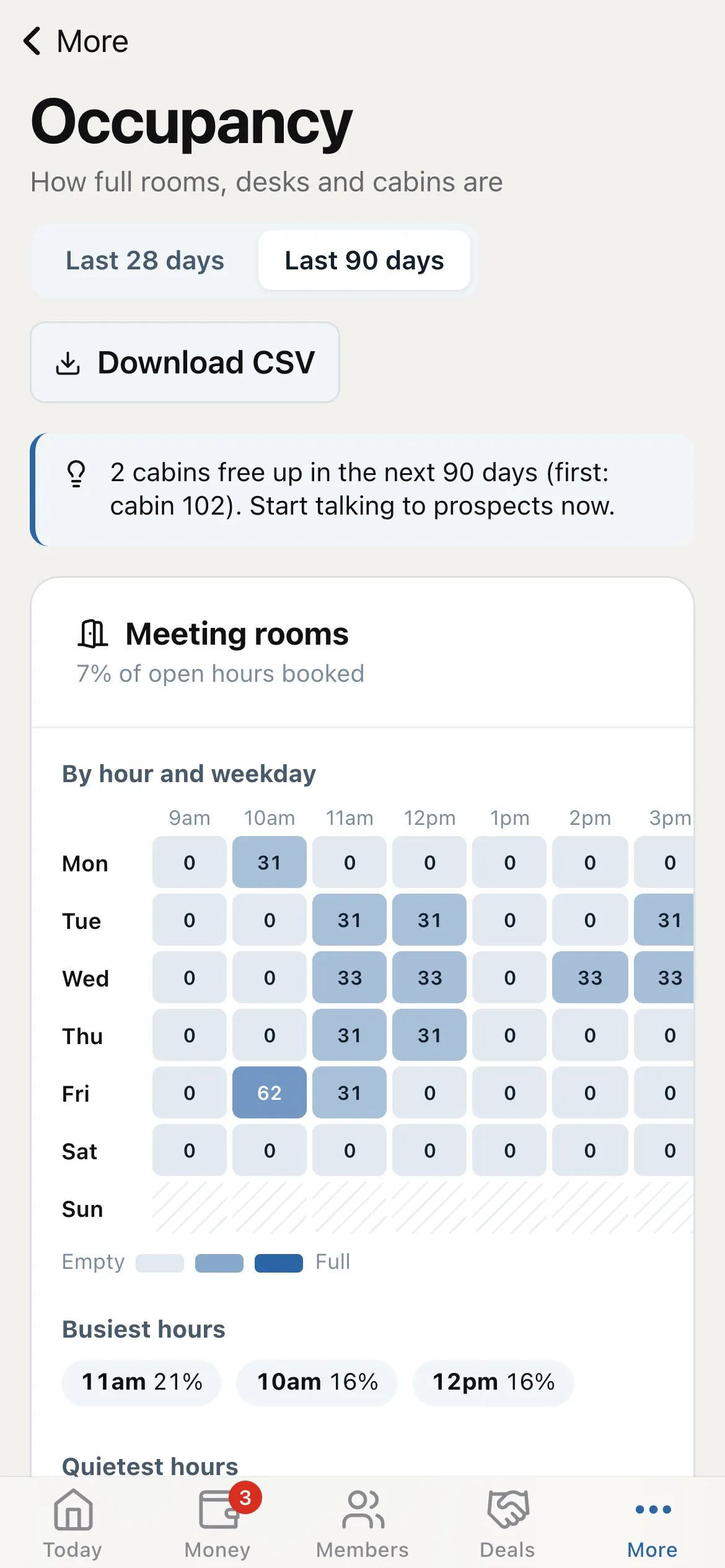
Pick Last 28 days or Last 90 days (the default). Only days that have passed count, and only confirmed and completed bookings. Closed days and closures are left out, so a holiday does not drag the numbers down.
Meeting rooms and hot desks
Each has its own card. The line under the name says what share of open hours was booked. Then:
- By hour and weekday: a heatmap, Monday to Sunday down the side and each open hour across. Each square is the share of that hour that was booked; darker is fuller. Hatched squares are closed.
- Busiest hours and Quietest hours, across all weekdays.
- By weekday and By month: bars for each weekday, and month by month for up to 12 months. The current month is shown so far.
- Desk bookings are for whole days, so a booked desk fills the whole open day in the heatmap.
Who turned up
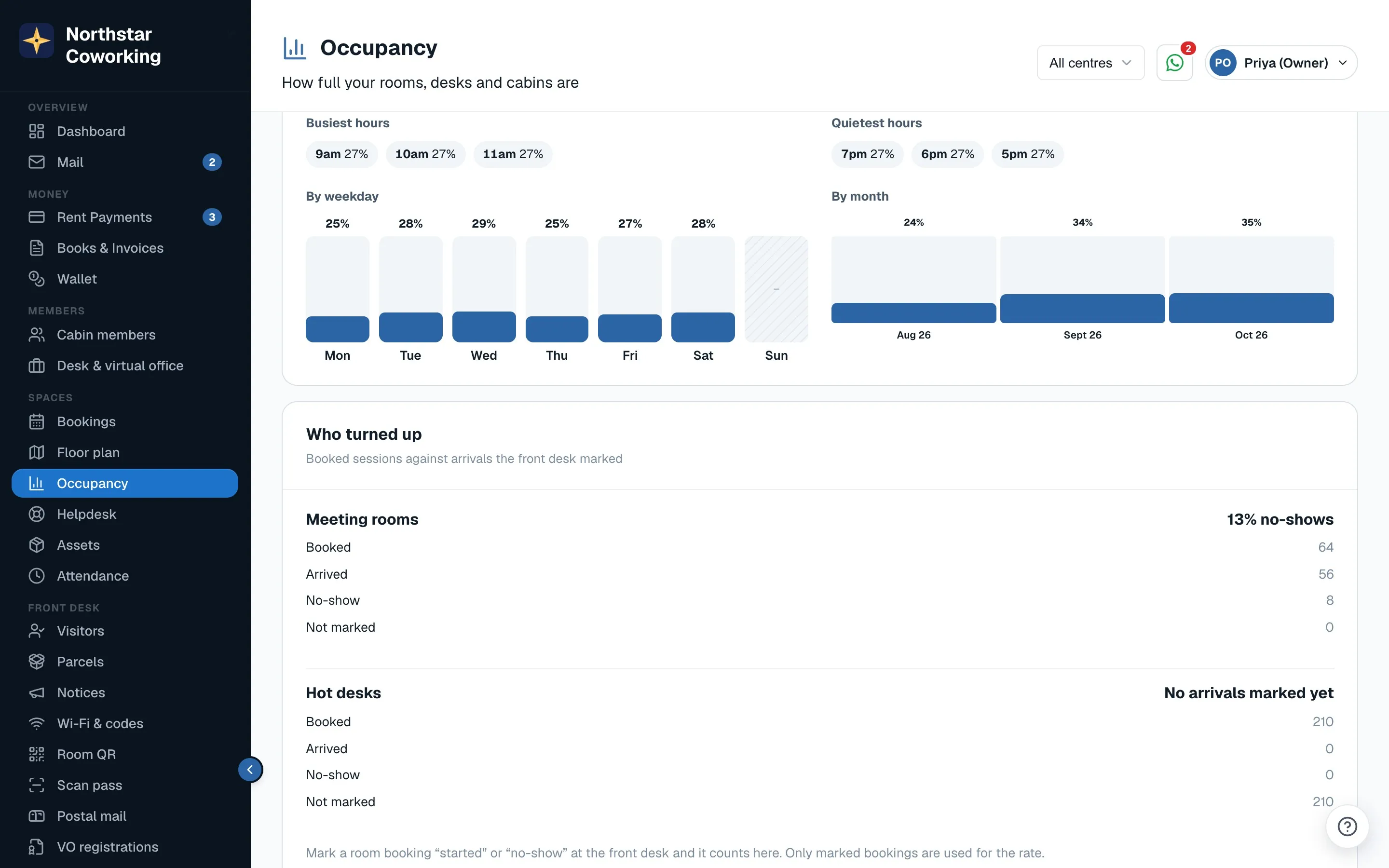
This compares bookings with arrivals the front desk marked. When people arrive for a room booking, reception marks it Started (or the door screen's Check in does it); if they never come, No-show. The no-show rate uses only bookings that were marked, and the report says how many were Not marked, so you know how far to trust it.
Cabins
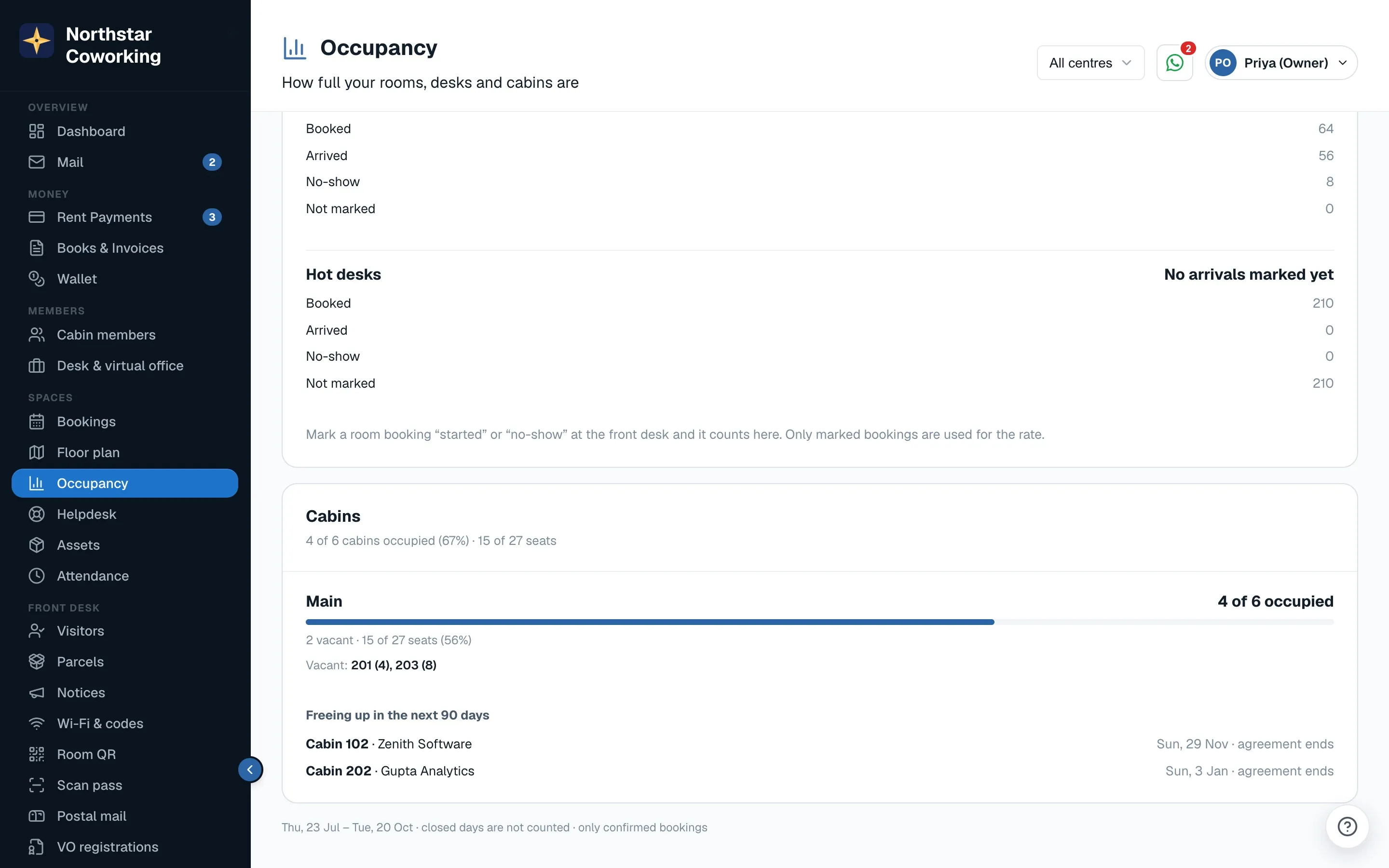
- For each centre: cabins occupied of the total, how many are vacant or reserved, and seats occupied of the total. Cabins with no seat count are listed as such and left out of the seat total.
- The vacant cabins by number, with their seats.
- Freeing up in the next 90 days: each cabin with the member's name and the date, from a notice to vacate or the agreement's end date.
What this means
At the top, up to three short notes point out what stands out. They come from simple rules, not AI, and only suggest:
- A busy window, when rooms or desks are 60% full or more at the same hours on several weekdays.
- A quiet weekday, much emptier than the busiest one.
- A no-show rate of 15% or more.
- Cabins freeing up soon, or a quarter or more of cabins vacant.
Download
Download CSV saves everything on the page in one file, each section under its own title row, for a spreadsheet or your partners.
Related guides
Still stuck? WhatsApp us or write to info@coworkingos.in. Tell us the member or screen and we'll sort it with you.