A parcel at reception now does three things on its own. The member hears about it as soon as it is logged. Each parcel gets its own 4-digit pickup code. And when the parcel goes out, the record shows whether the code was checked, so a lost or wrongly collected parcel can be traced.
Open Front desk → Parcels on a computer, or More → Parcels on the phone. Super Admins and Staff log and hand over parcels; Admin viewers can look at the list. Guest viewers do not see Front desk. Staff limited to some centres see the parcels of their centres only.
Log a parcel
- Press Log parcel.
- Under For, choose the member. Add the Courier (for example Blue Dart or India Post) and a Note such as 2 boxes, kept in the cupboard if useful.
- Add a Photo of the label if you can, then press Log parcel.
The app makes a random 4-digit code for that parcel and tells the member straight away:
- A push to the member app, which says a parcel is waiting. The push never shows the code, because a phone's lock screen can be seen by anyone.
- If the push reached no phone (the member has not installed the app, or turned notifications off), one email goes to the member's address from your space's own email sender. The email does carry the code.
- In the member app, the parcel card on Home shows the Pickup code in large digits, with the line Tell this to reception when you collect it.
Reception never sees the code in the parcel list. That is on purpose: a code that sits on the reception screen could be read by anyone standing at the desk.
Hand it over
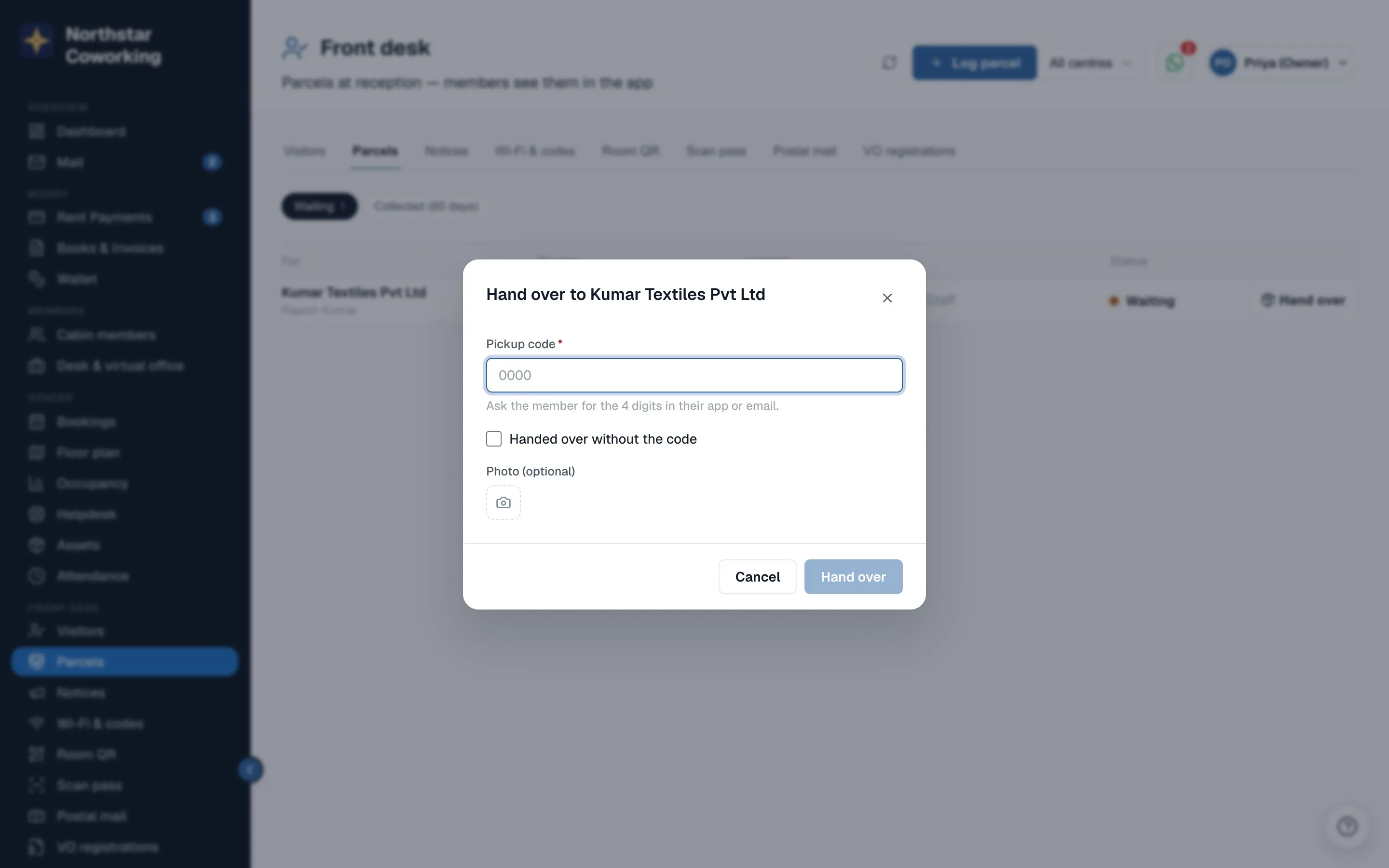
- When the member comes for it, press Hand over on the parcel's row.
- Ask for the 4 digits from their app or email and type them in Pickup code.
- Optionally add a Photo, for example the person holding the parcel or a signed slip.
- Press Hand over. If the code is wrong, the app says That code doesn't match this parcel and gives no hint, so try again with the member.
Sometimes the member cannot show the code, for example their phone has no signal. Tick Handed over without the code, write Why? (at least 3 characters, such as Member showed their ID) and press Hand over. This is allowed, but it is written to the Activity log with your reason, so the owner can see every handover that skipped the code.
Under Collected (60 days) each parcel shows when it went out and who handed it over, followed by code checked or without the code and the reason. A member can still tap Collected on the card in their own app; that row then says it was marked by the member.
The 3-day reminder
A parcel still waiting 3 days after it was logged gets one reminder, the same way: a push, and an email if the push reached no phone. It is sent once per parcel, never every day.
Good to know
- Parcels logged before pickup codes arrived were given a code too. A parcel that somehow has no code can be handed over without one.
- In a company team, only people allowed to see parcels get the push and see the code.
- Parcels are for cabin members, as before. Letters and notices for virtual-office members have their own log: see Virtual office post and registration details.
Related guides
Still stuck? WhatsApp us or write to info@coworkingos.in. Tell us the member or screen and we'll sort it with you.